MPG MATRIX
UI/UX & Visual Design • Desktop
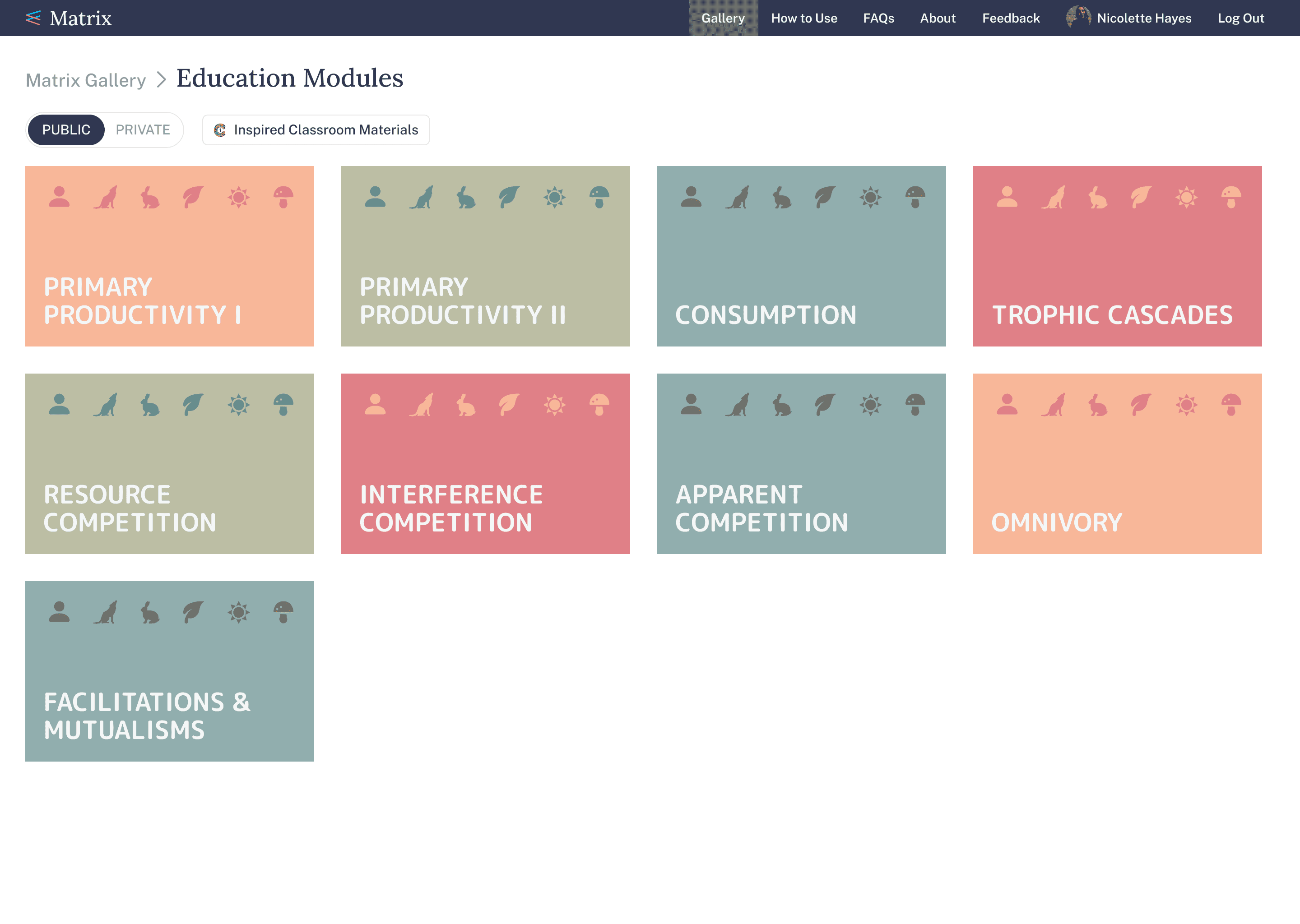
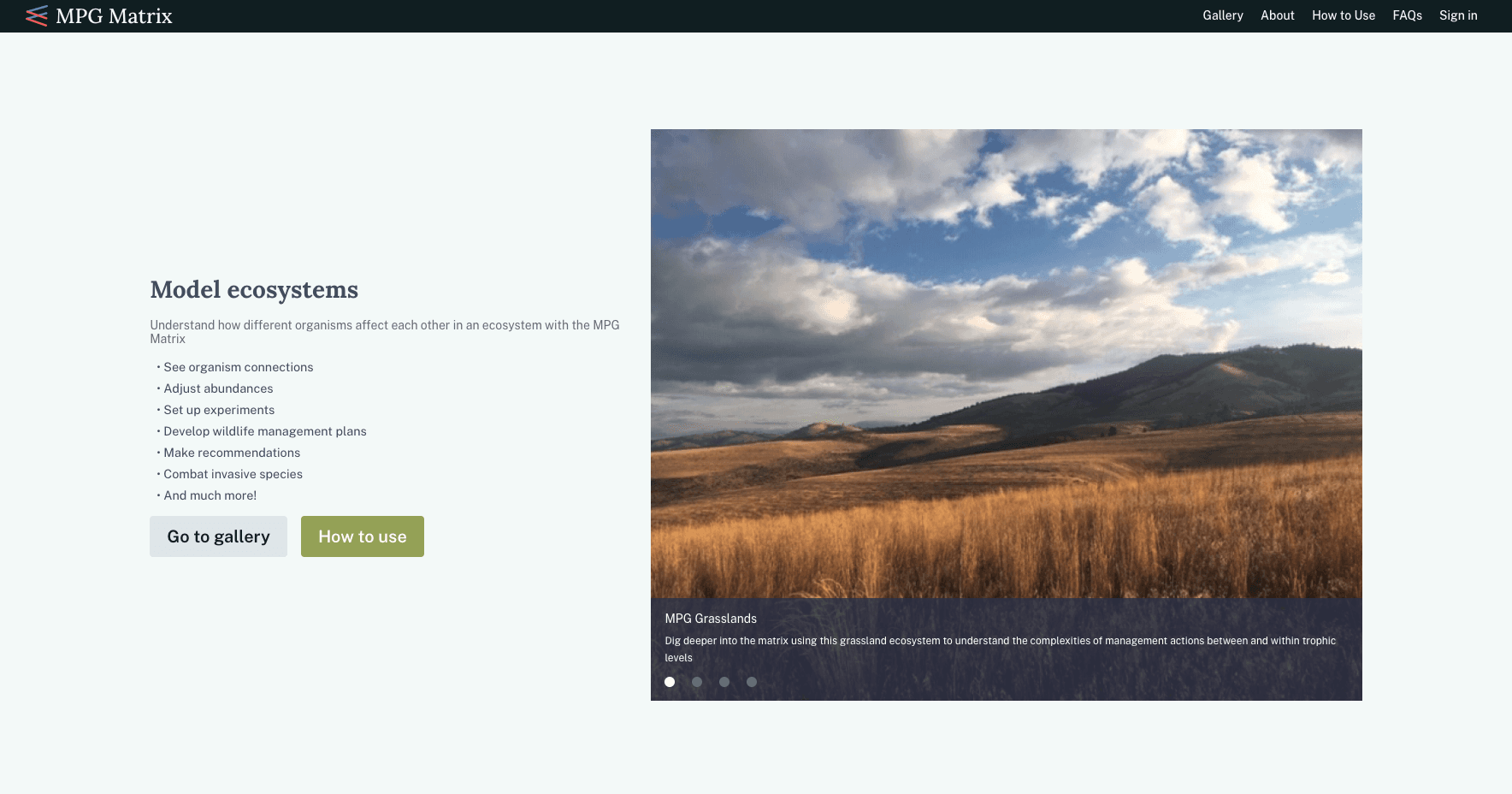
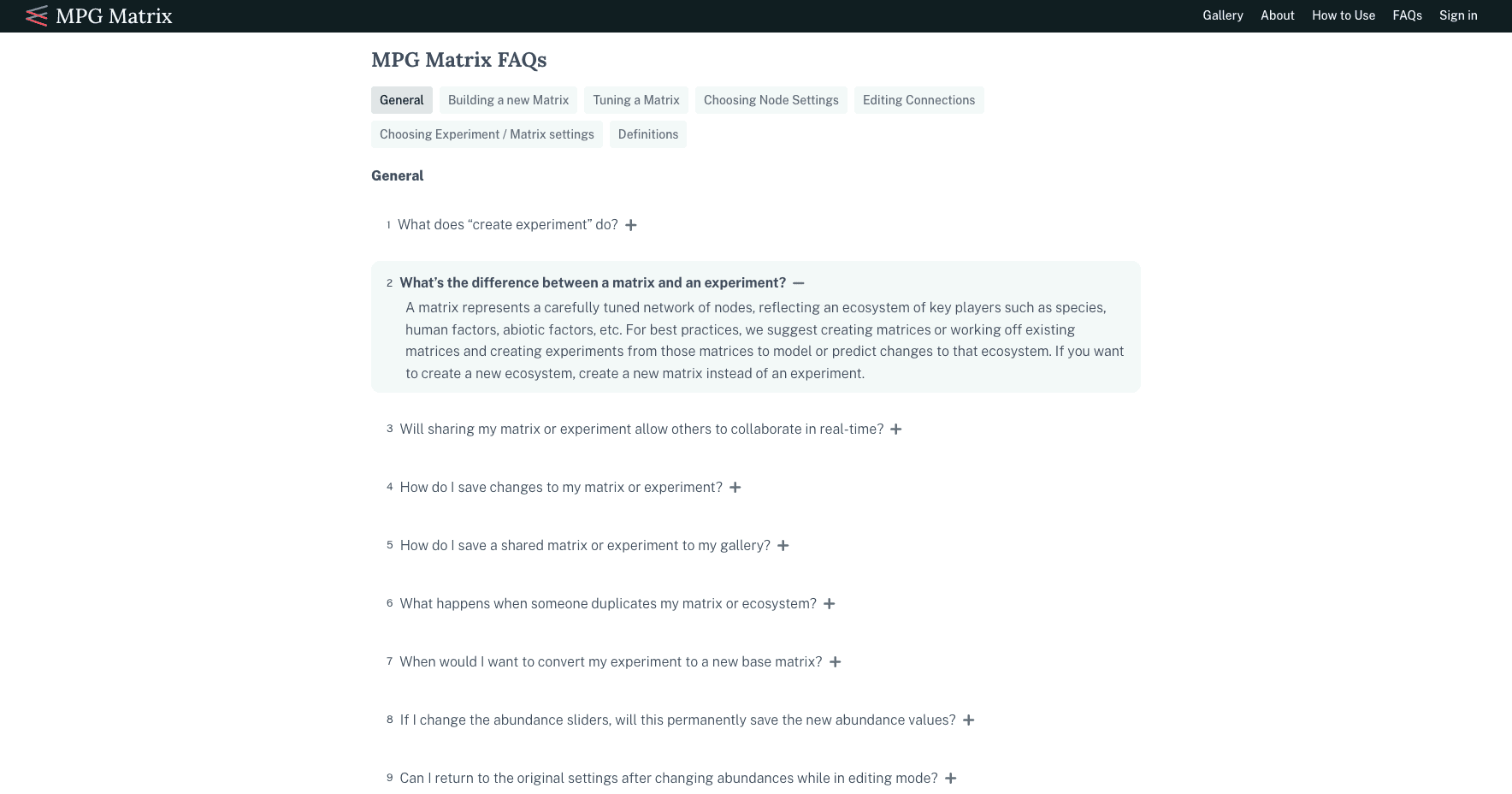
I designed an interactive web tool for MPG Ranch, which models ecosystems for better research and wildlife management planning as well as provides a new way for students to understand core ecological concepts.
Overview
In walking out this exercise, I conclude that this tool is very cool!
– MPG Ranch
Role
Lead product designer
Team
6-person team
Timeframe
About 2 years
Client
MPG Ranch
Company
Stamen Design
Check out the live project or read the blog post I wrote for Stamen Design 👀
Outcome
2.5x faster analysis for researchers and adoption by non-technical users for land management and educational purposes
Expanded access to MPG Ranch’s ecosystem model by turning it into an interactive web tool for researchers and the public
Improved understanding of ecological dynamics with an intuitive experience that balances complexity and approachability
Designed interactive visualizations that maintained scientific accuracy while making the data understandable and actionable
Increased model usability by iterating with scientists and developers to refine interactions and prototypes
Strengthened credibility and accessibility with a cohesive visual design aligned to MPG Ranch’s brand
Boosted overall effectiveness through design QA and user feedback that resolved key usability issues
Problem
Making an intricate ecological model useful inside and beyond the research lab
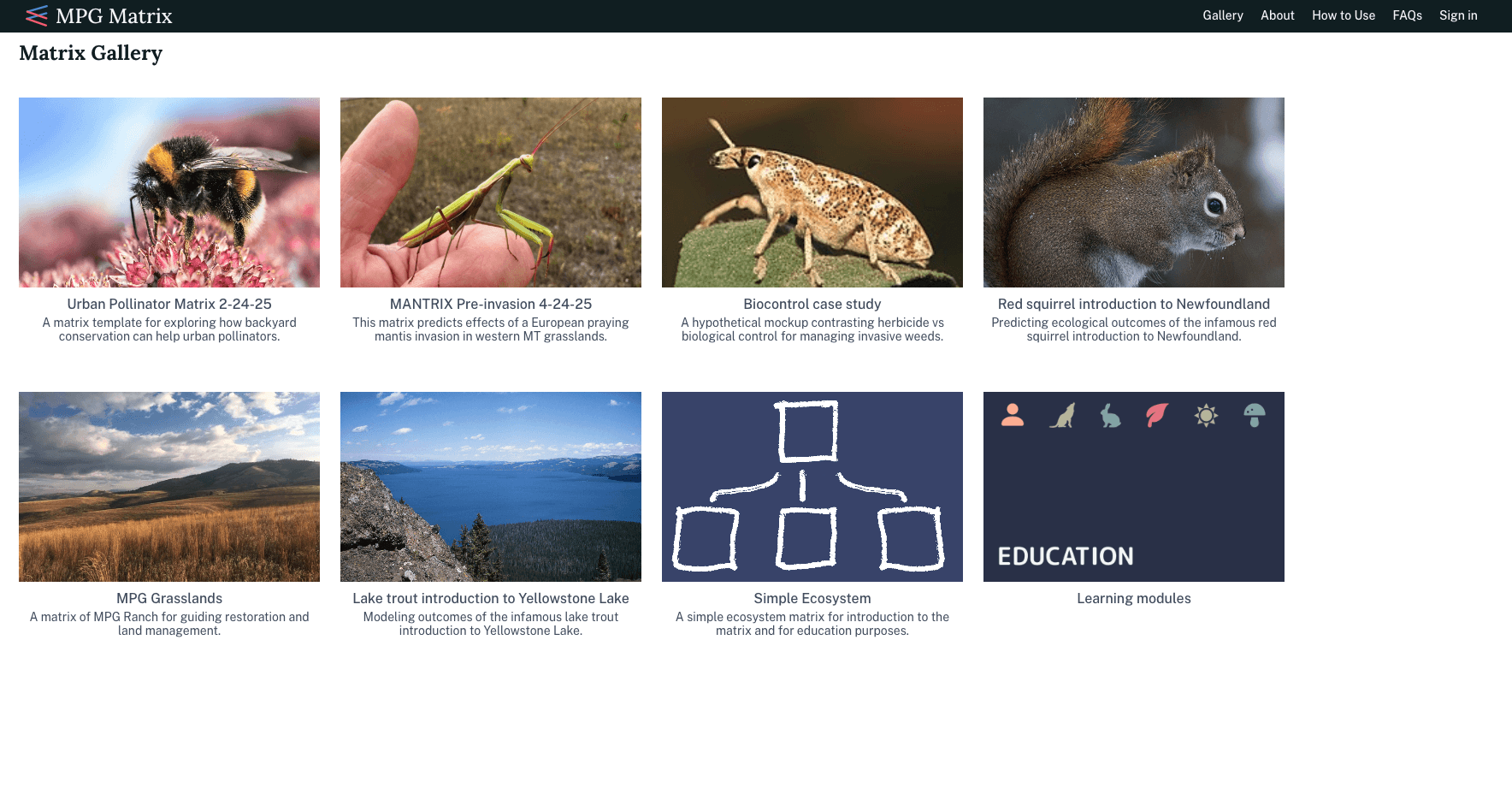
At the start of the project, we focused on two primary user groups: admins, who were the clients developing the model, and researchers or scientists, who were technical users interested in using the project for their own research. Once we had developed initial designs for professional and graduate-level researchers, we began exploring potential use cases for less technical users, such as land managers and students.
Super User
Admins (Client)
Goals / motivations:
Make changes to the matrix model itself
Model base matrices to promote and control content
Frustrations / pain points:
Used to working with a certain workflow and can be resistant to getting too far out of comfort zone
Primary User
Researcher/Scientist
Goals / motivations:
Make their own experiments and matrices to further their work and test their own ideas
Frustrations / pain points:
Need a lot of flexibility and customization in the model
Understanding the model itself
Primary User
Land Manager
Goals / motivations:
Test land management proposals and make plans around the specific environment they work with
Frustrations / pain points:
Need to create their own matrix
Can be less technically savvy
Secondary User
Student
Goals / motivations:
Understand key ecological concepts
Create small experiments in matrices
Frustrations / pain points:
Complicated technological product
Can get frustrated more easily
Secondary User
Teacher
Goals / motivations:
Teach how to use the matrix to their students
Make their own matrices to fit their lesson plans
Frustrations / pain points:
Need to have a good understanding of a complicated model to accomplish relatively less complicated goals
Tertiary User
Smart General Public
Goals / motivations:
Appreciate the complexity of ecosystems
Make small experiments of existing matrices
Frustrations / pain points:
Complicated subject matter
Can give up quickly if confusing
User flow
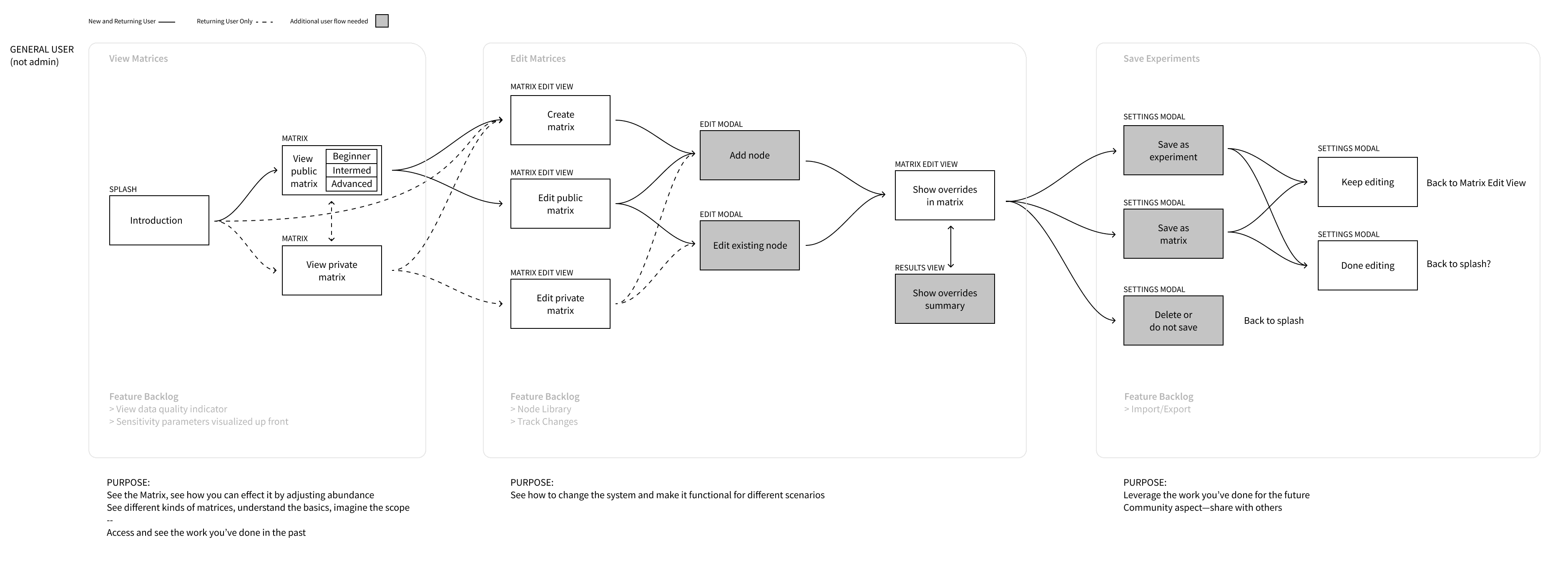
Understanding the science to outline how users engage with the model
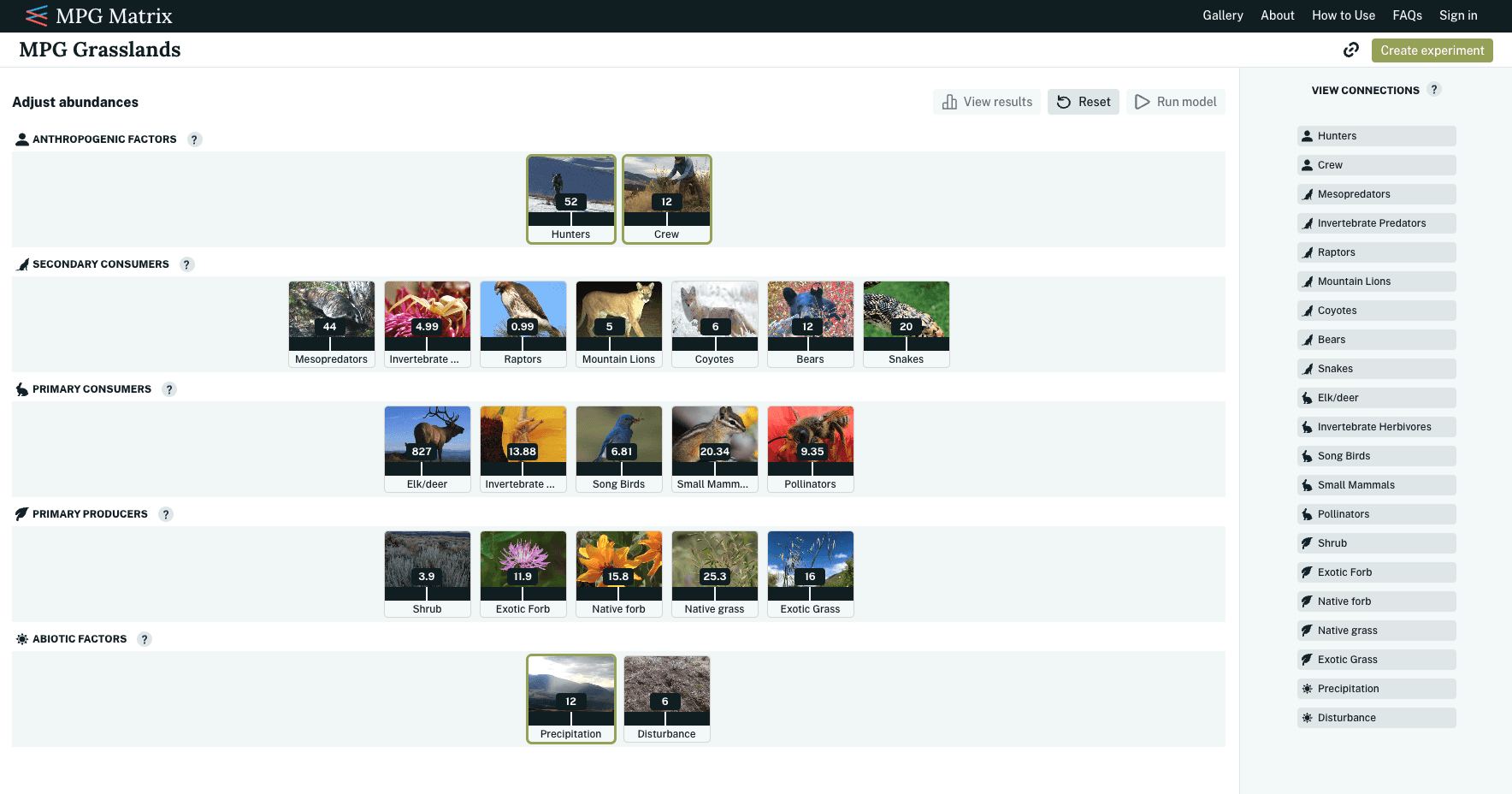
MPG Ranch referred to an ecosystem in their model as a matrix. While a matrix involves many complexities, it can be understood simply as a network of nodes representing key ecosystem players, such as plants, animals, and abiotic factors. Changes to a node or its relationships with other nodes alter the overall ecosystem. Since most user interaction in the application revolved around viewing and manipulating matrices, we outlined how users would engage with them before, during, and after use.
User interface
Presenting a matrix that encourages interaction and experimentation
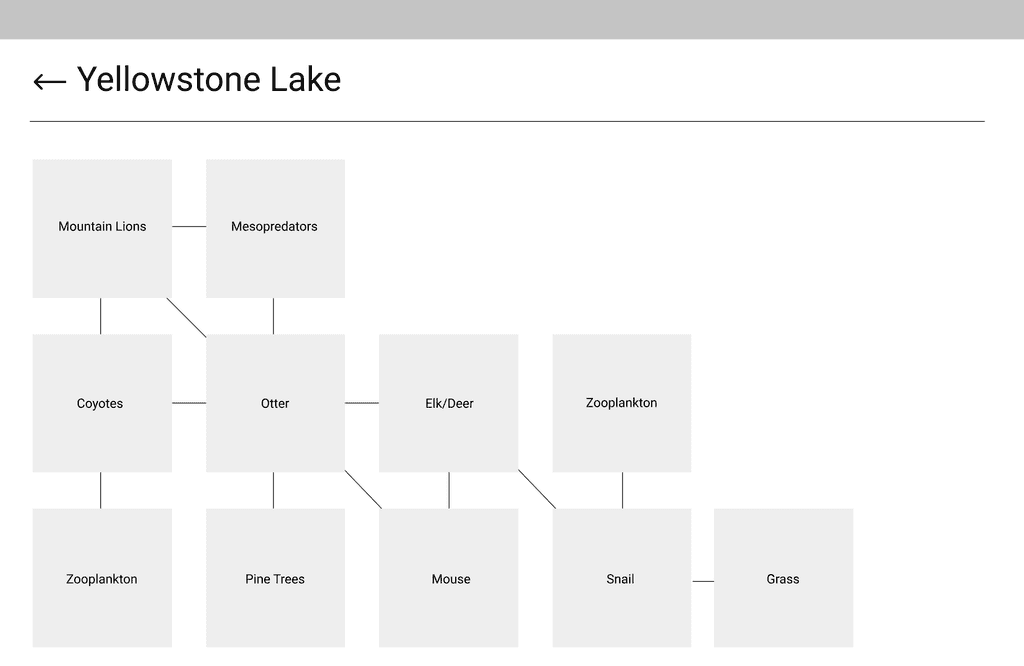
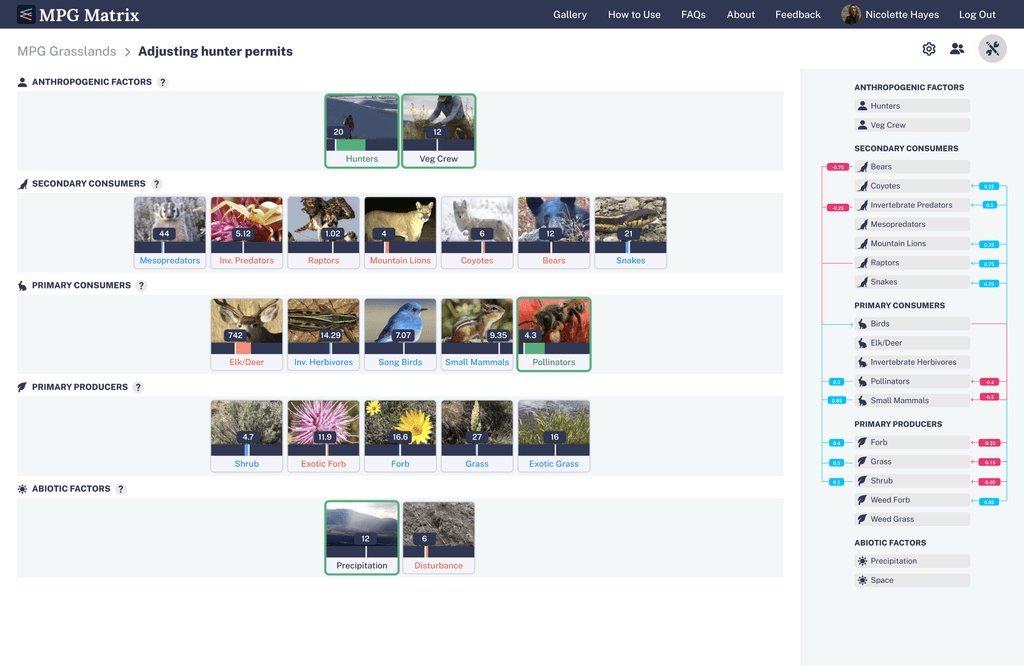
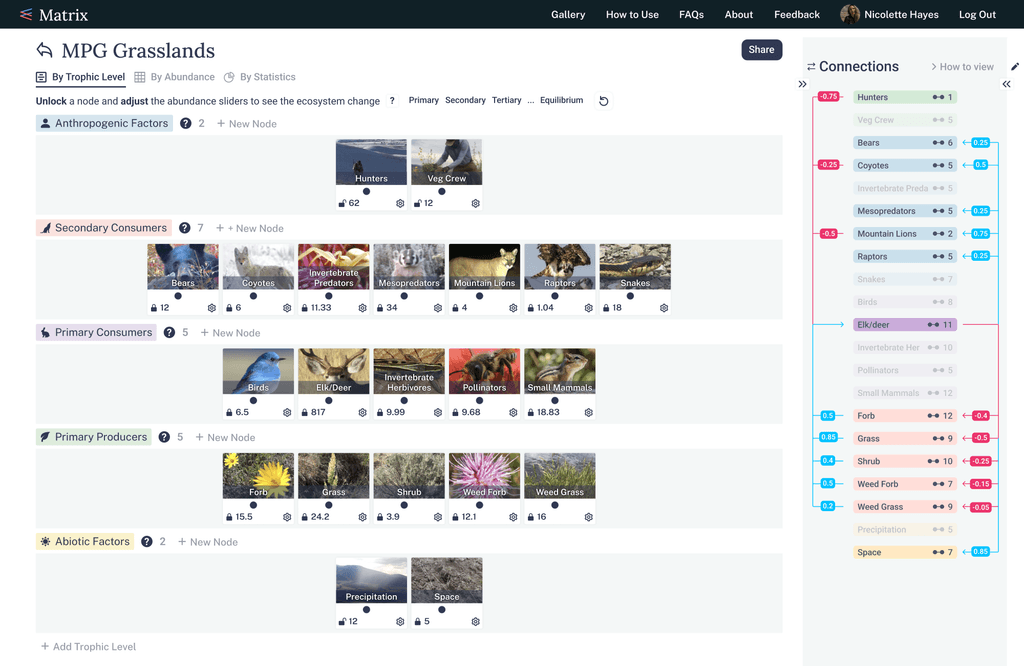
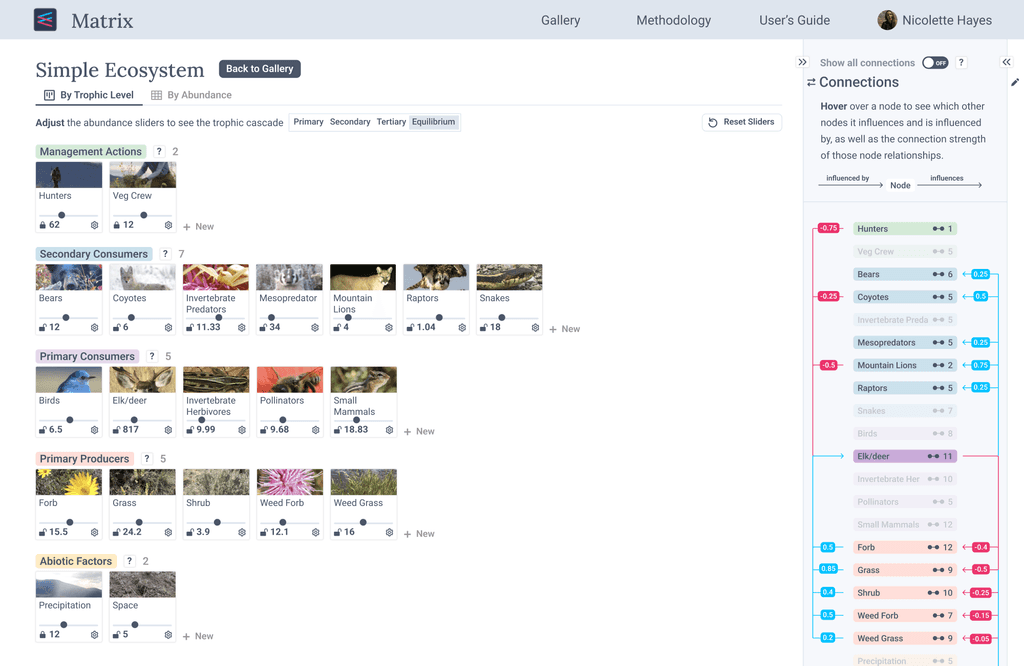
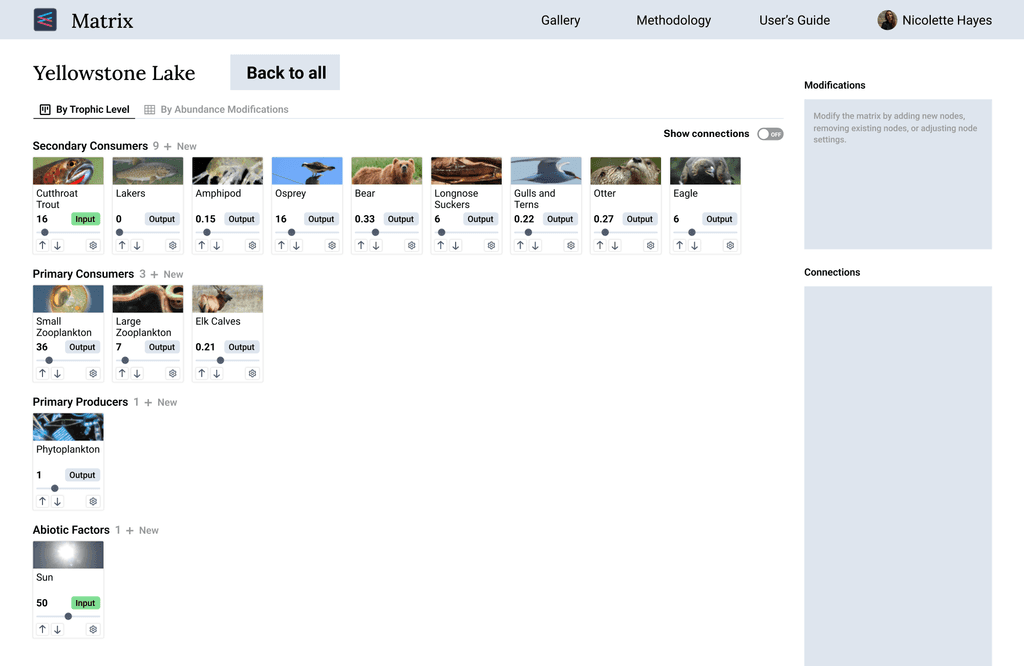
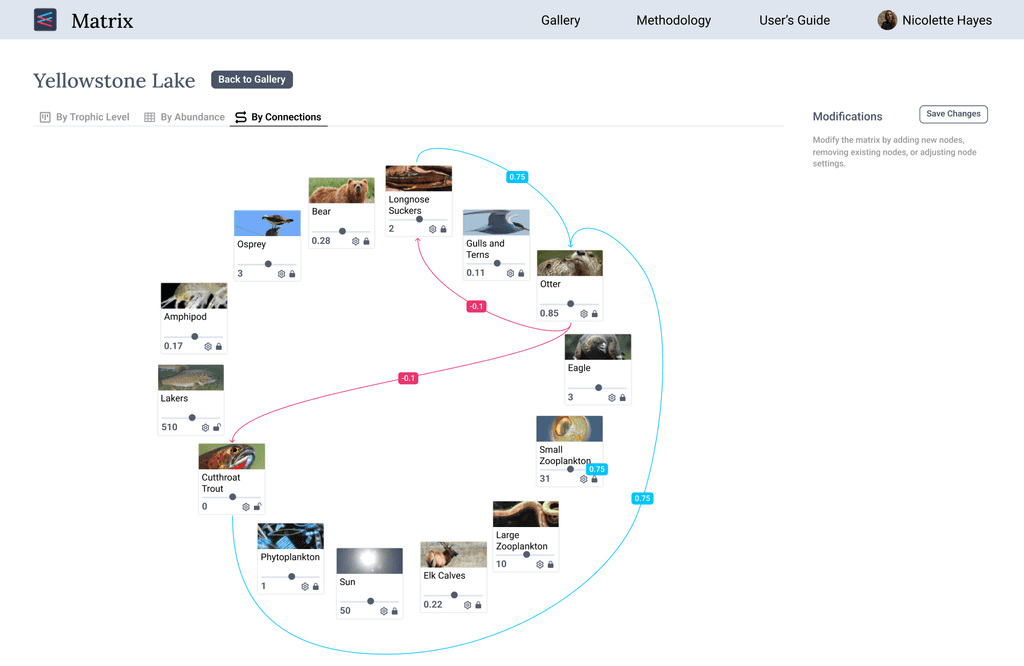
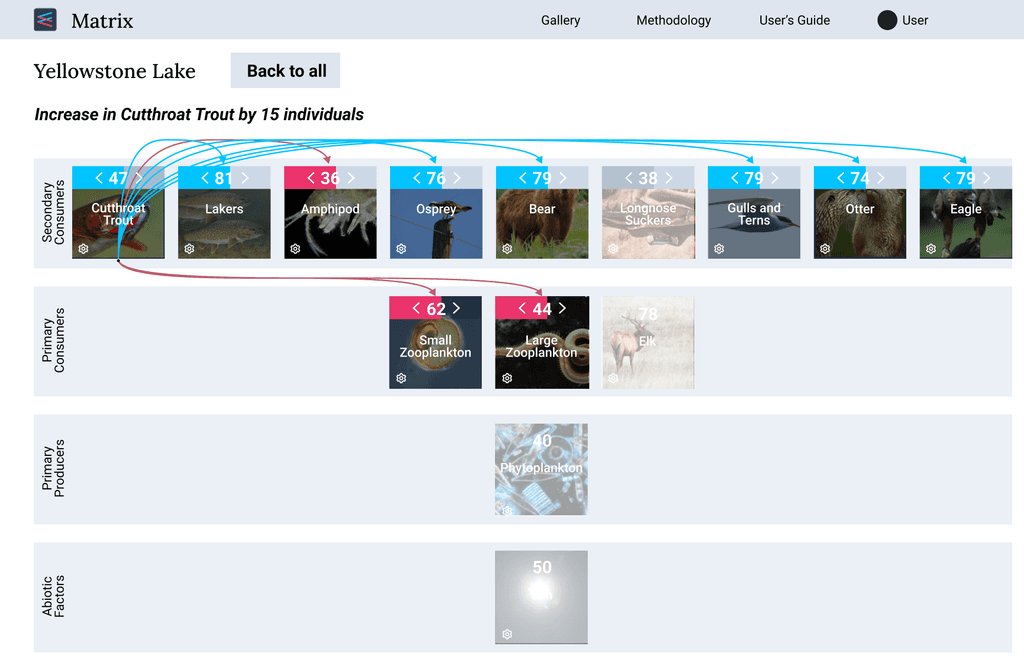
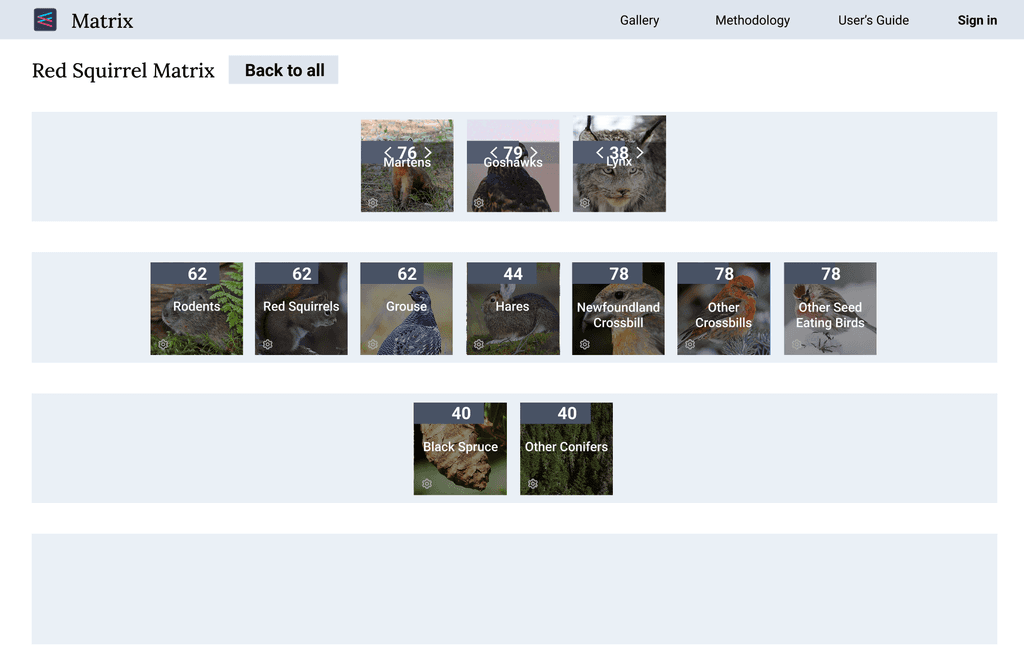
We began our wireframing process by iterating on the main matrix view, where users could explore an ecosystem. This view needed to display each node’s details, including its name, picture, relative abundance, and trophic level, as well as the relationships between nodes. We explored different ways to show these connections without visually overwhelming the user, focusing on making information accessible while maintaining clarity.
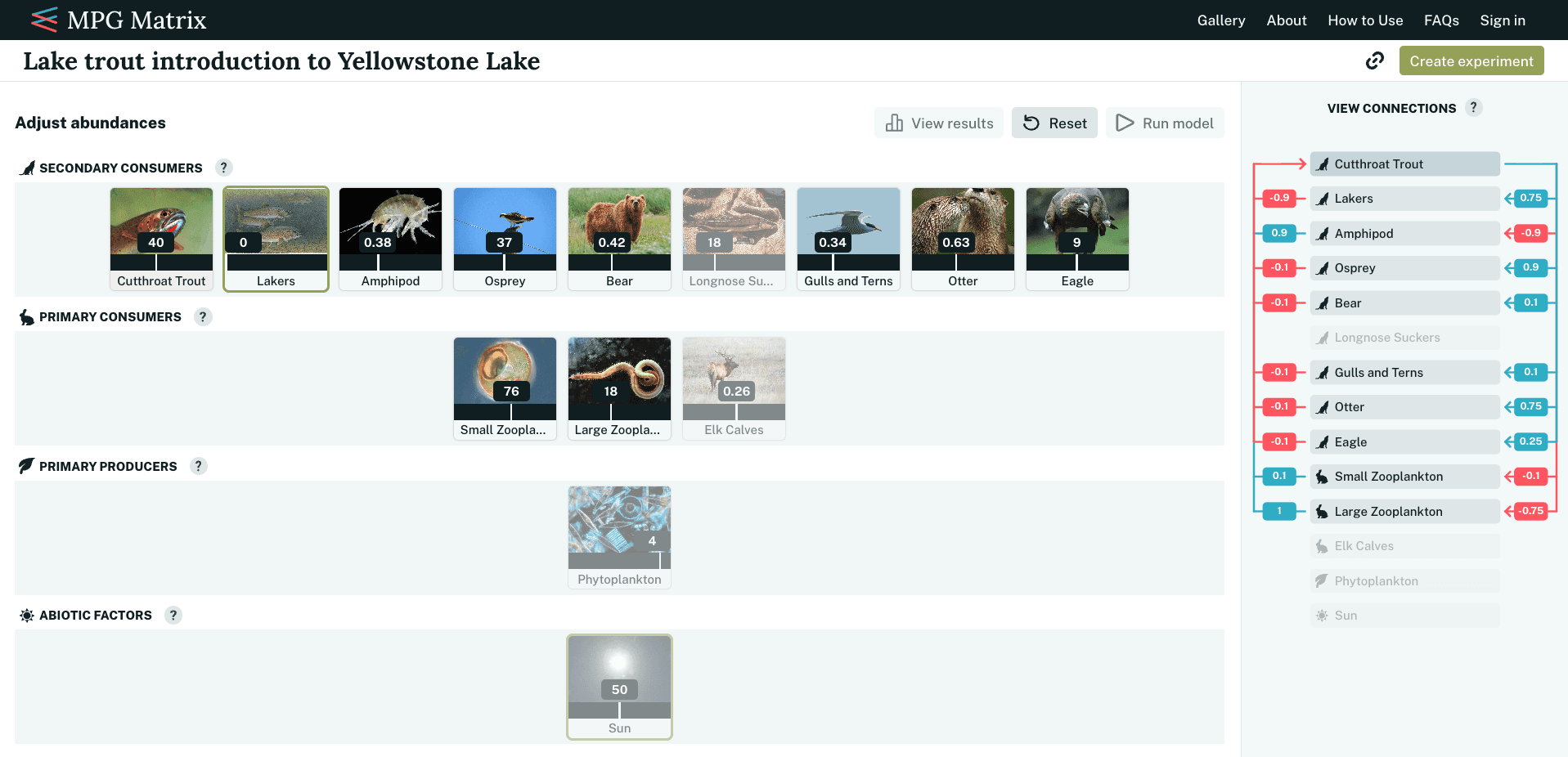
The final matrix view featured a center-aligned diagram of interactive nodes, accompanied by a secondary panel showing the node connections. Users can hover over a node in either the main view or the connections panel to reveal arrows indicating which other nodes it affects or is affected by, along with the degree of impact. We also added a "Create Experiment" button, guiding users to test hypotheses and explore ecosystem dynamics.
Snapshots from the wireframing process 📷
Matrix setup
Breaking down a technical workflow for setting up an ecosystem
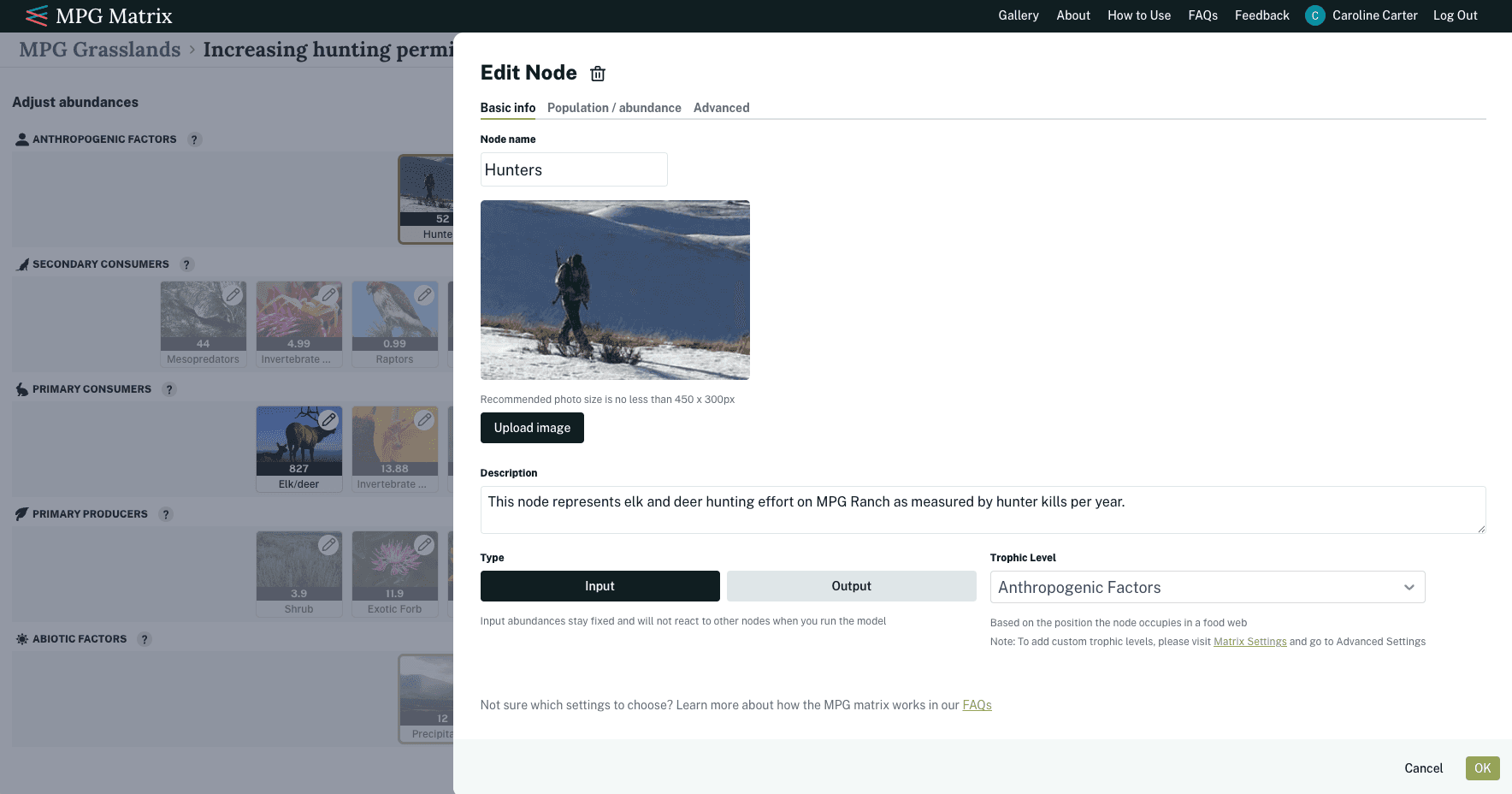
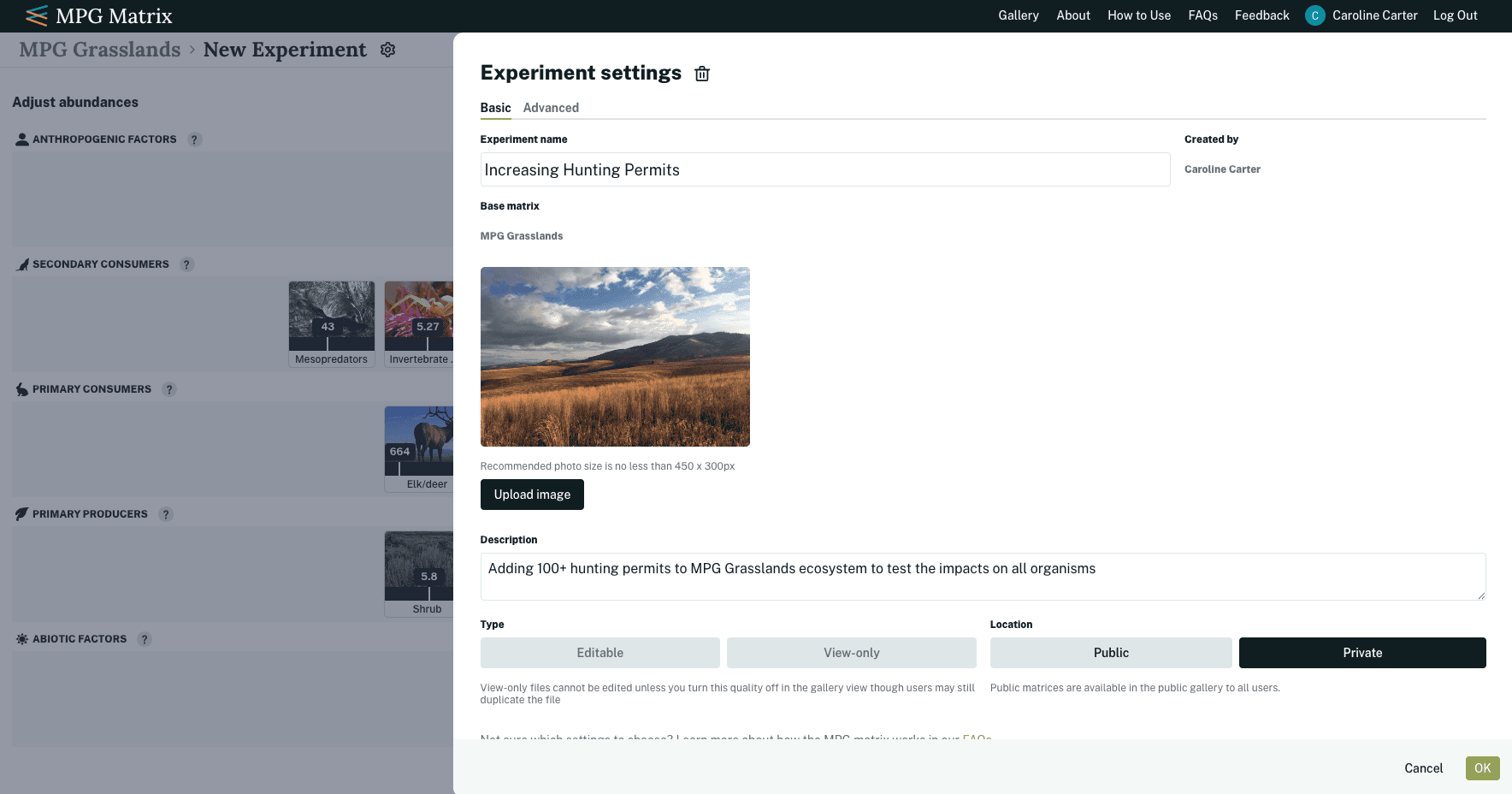
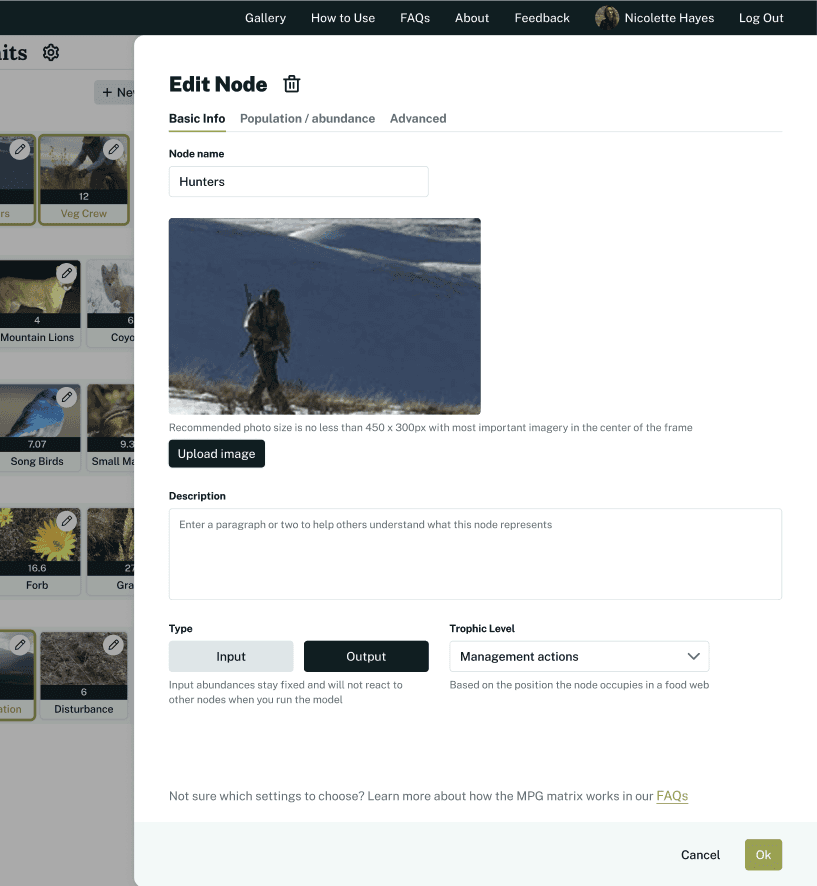
When setting up a matrix, users can add new nodes or modify existing ones. They start by entering basic information about the node, including its name, description, and trophic level. Users can also specify whether a node is an "Input" or "Output," which determines how it behaves within the model.
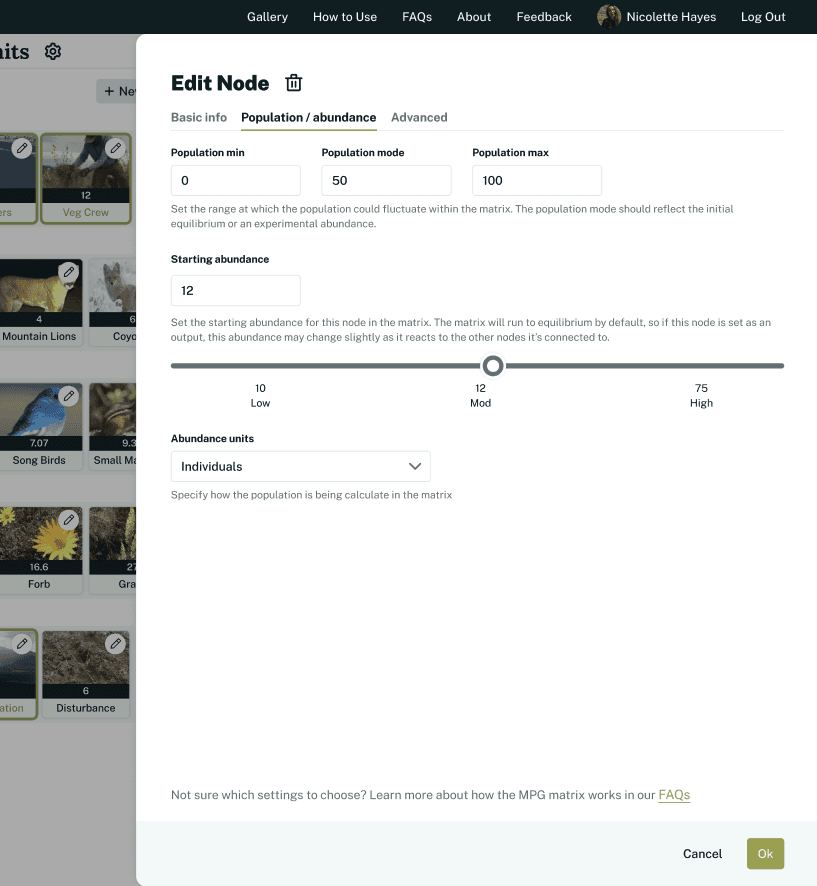
Next, users can configure the population and abundance settings for the node. Because the exact number of organisms in an ecosystem is unknown, these settings are defined using an abundance unit along with relative minimum, mode, and maximum values. From there, users can estimate a starting abundance for the node.
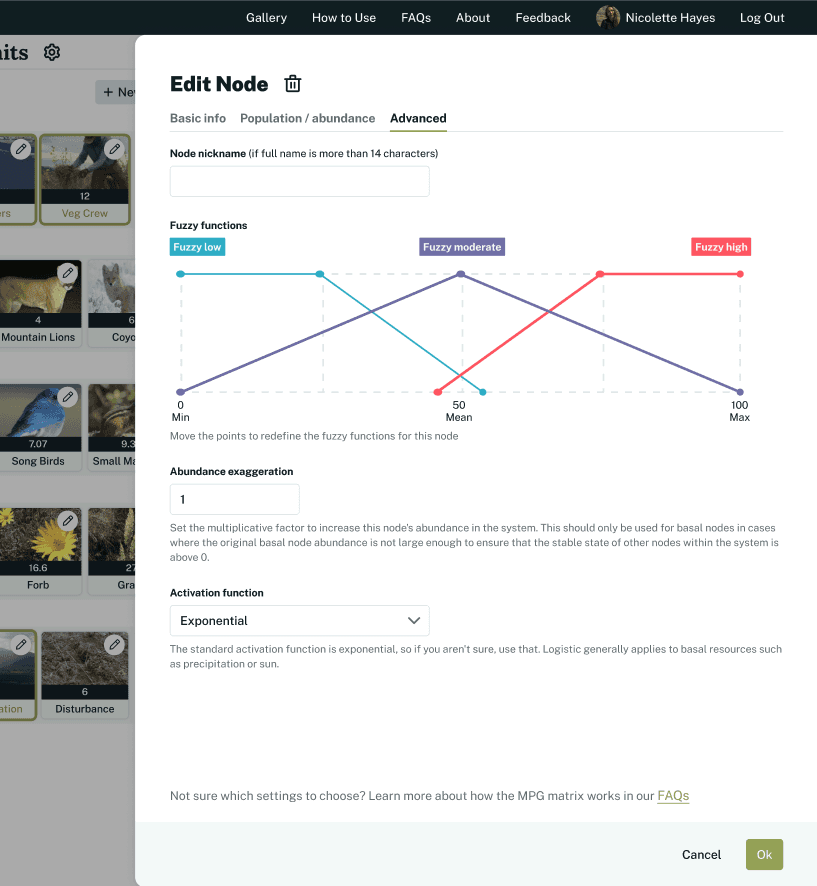
Technical users can adjust advanced settings for more precise control, while the default settings are typically sufficient for less technical users. This ensures that anyone can set up a matrix without being overwhelmed by the complexity of advanced inputs.
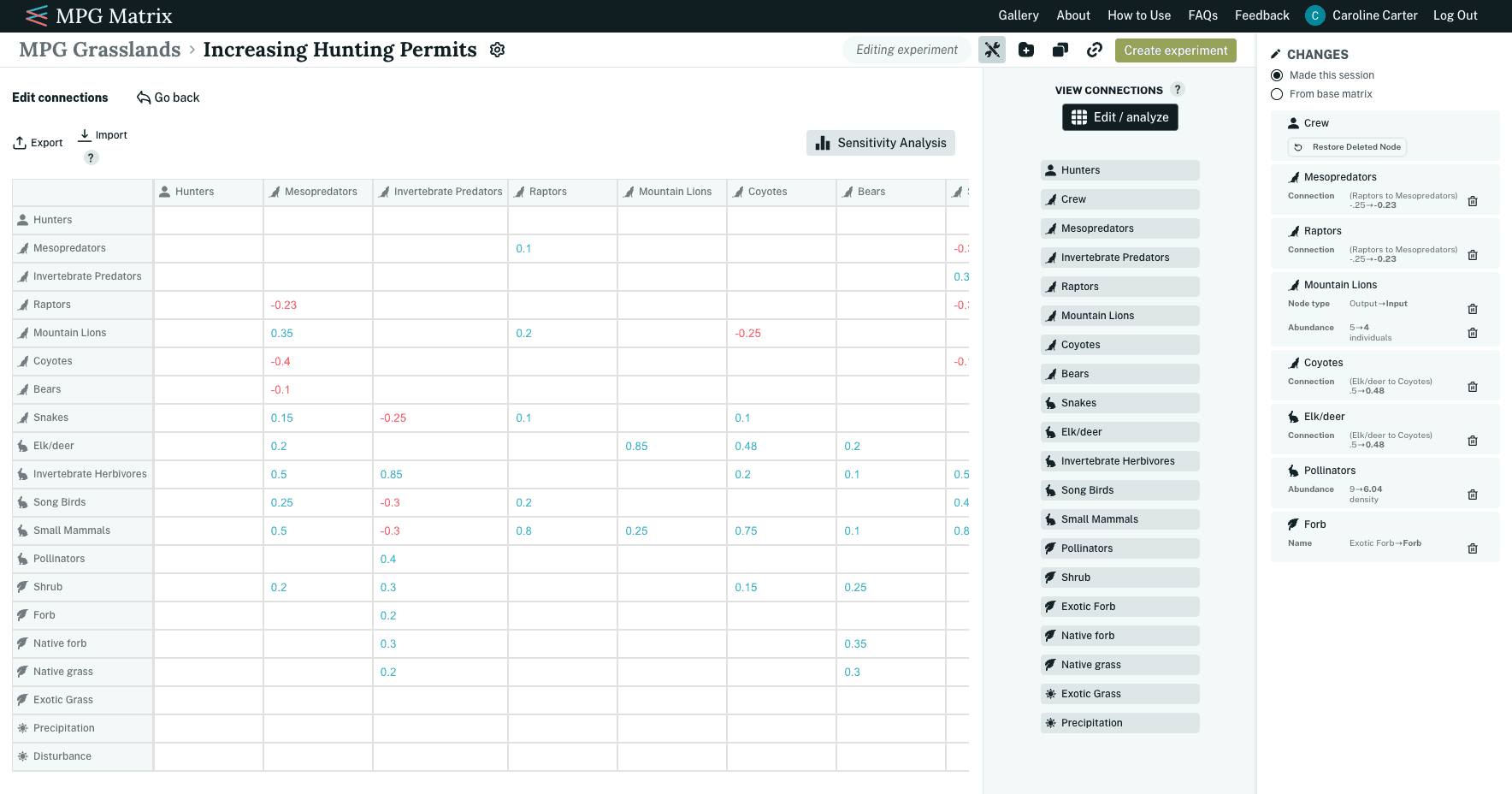
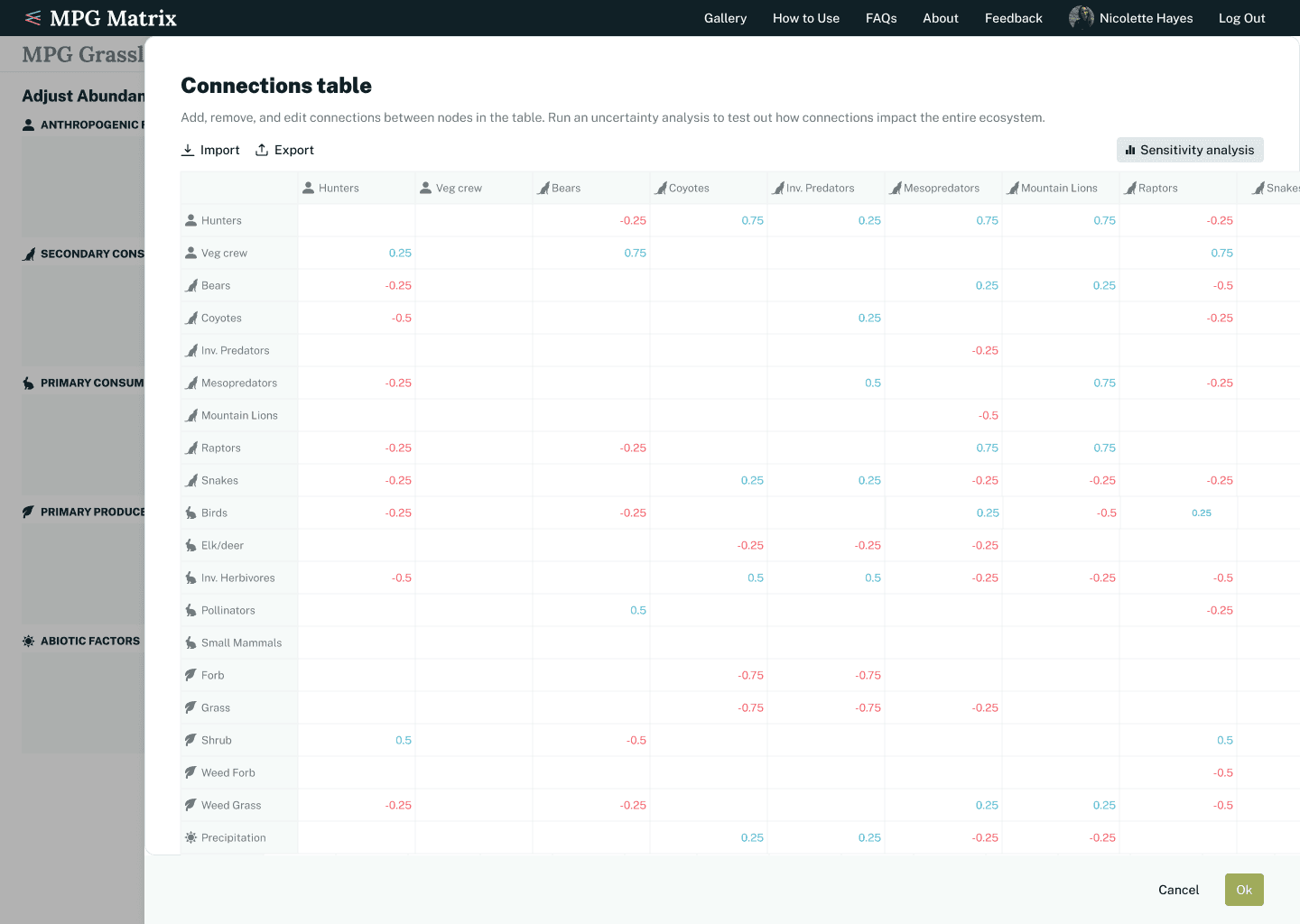
Once users have created their node framework, they need to define the relationships between nodes. For example, hunters negatively impact deer, whereas deer have no effect on hunters. To support this, we built an editable table where users can input node connection strengths. Users can also download and upload spreadsheets if they prefer to work in an external workspace for this step.
Additional views
Providing additional insight for users experimenting with their ecosystems
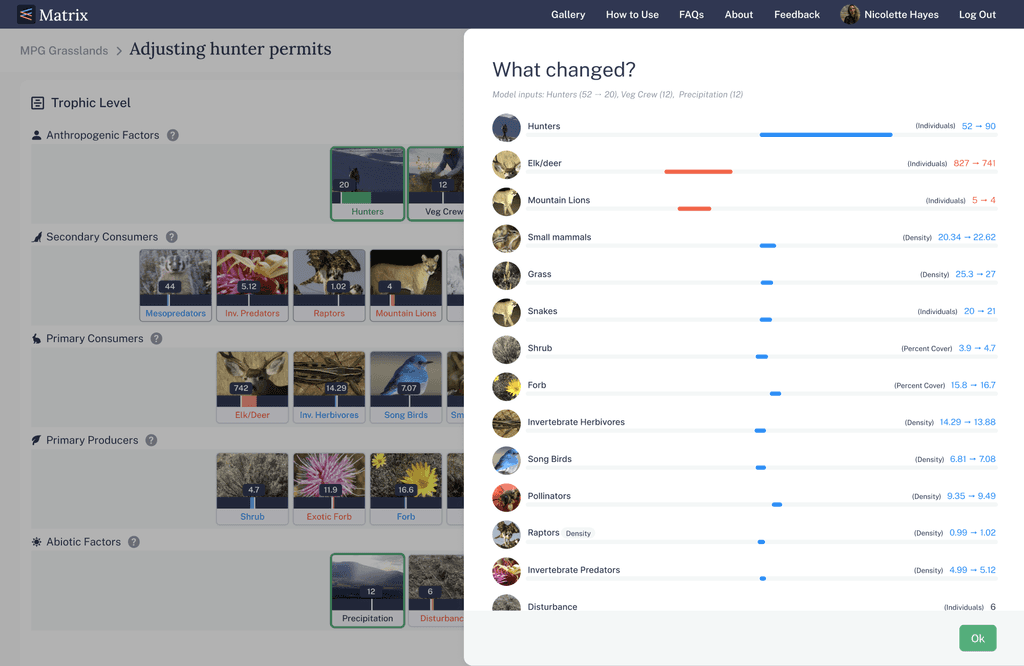
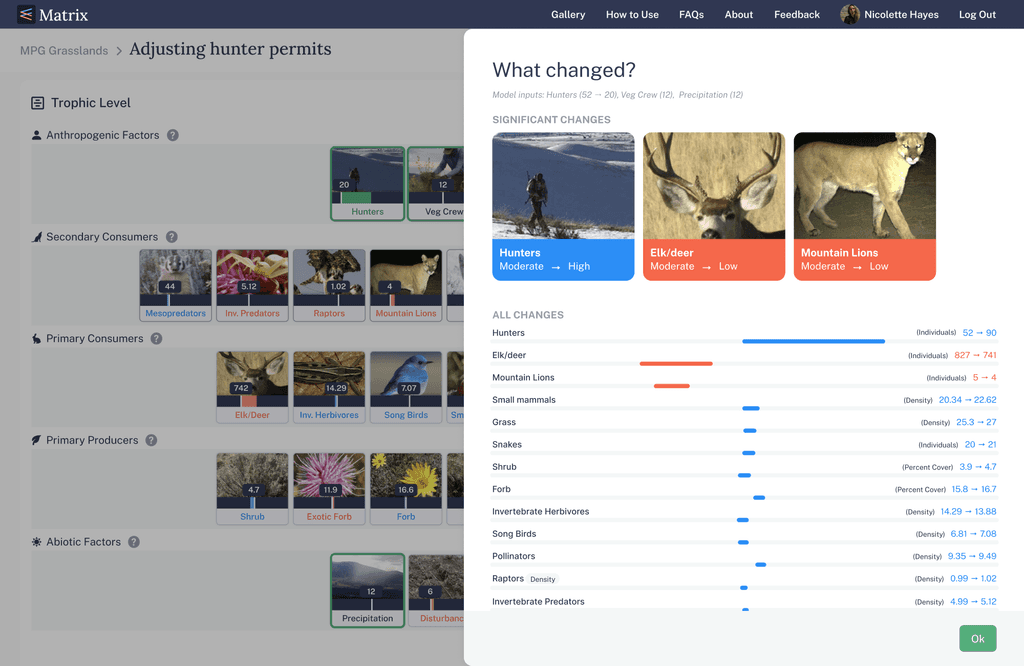
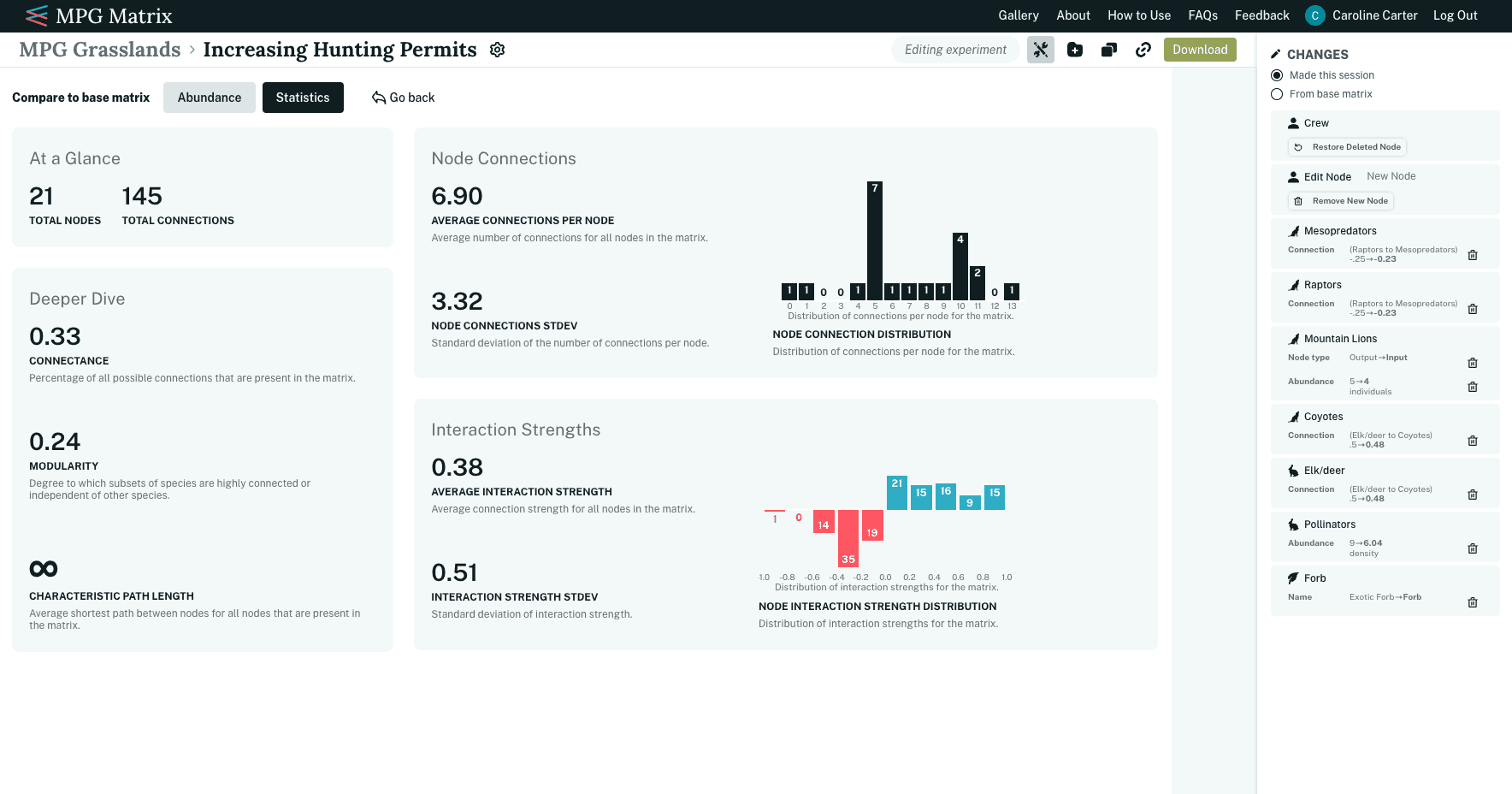
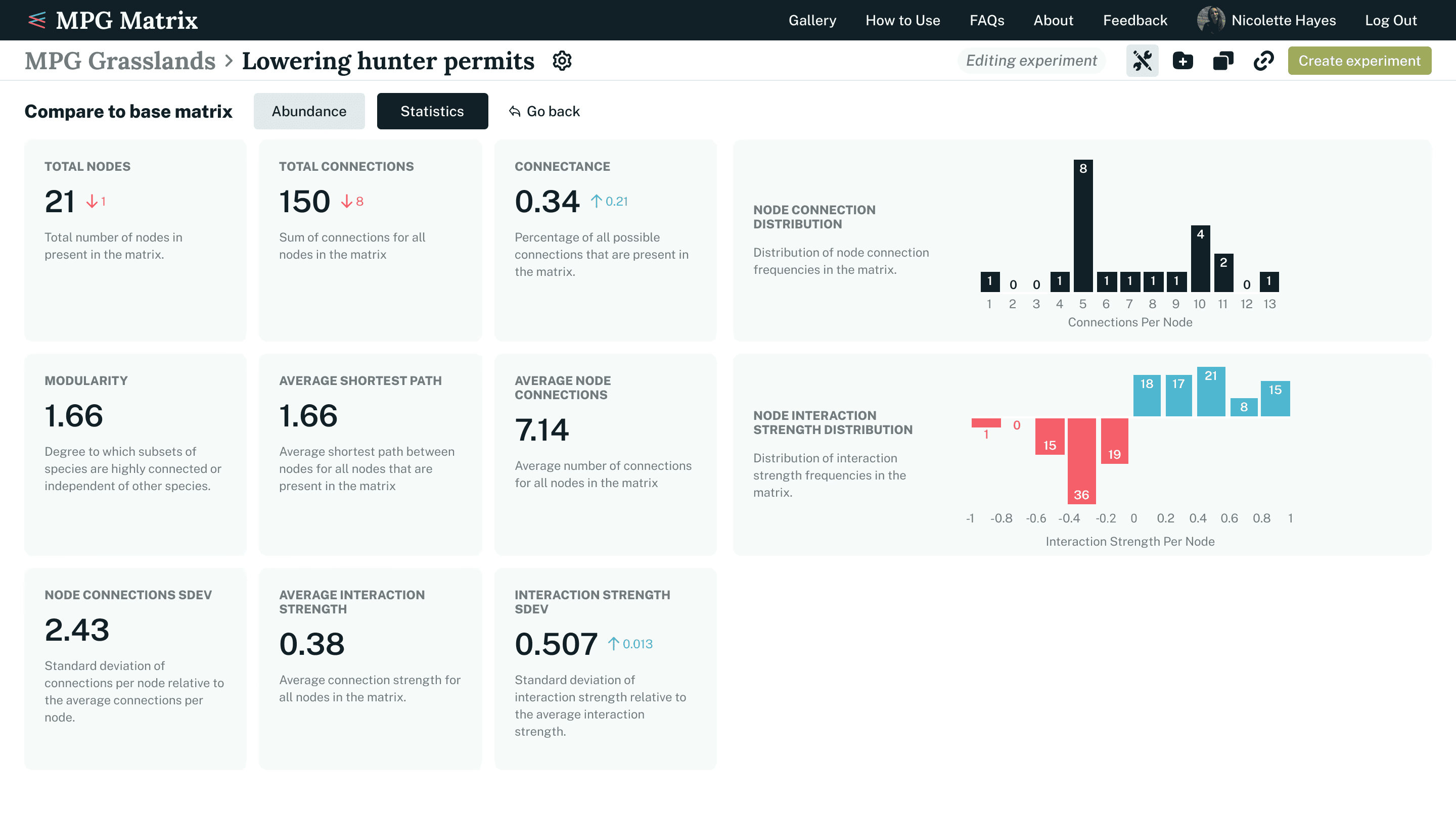
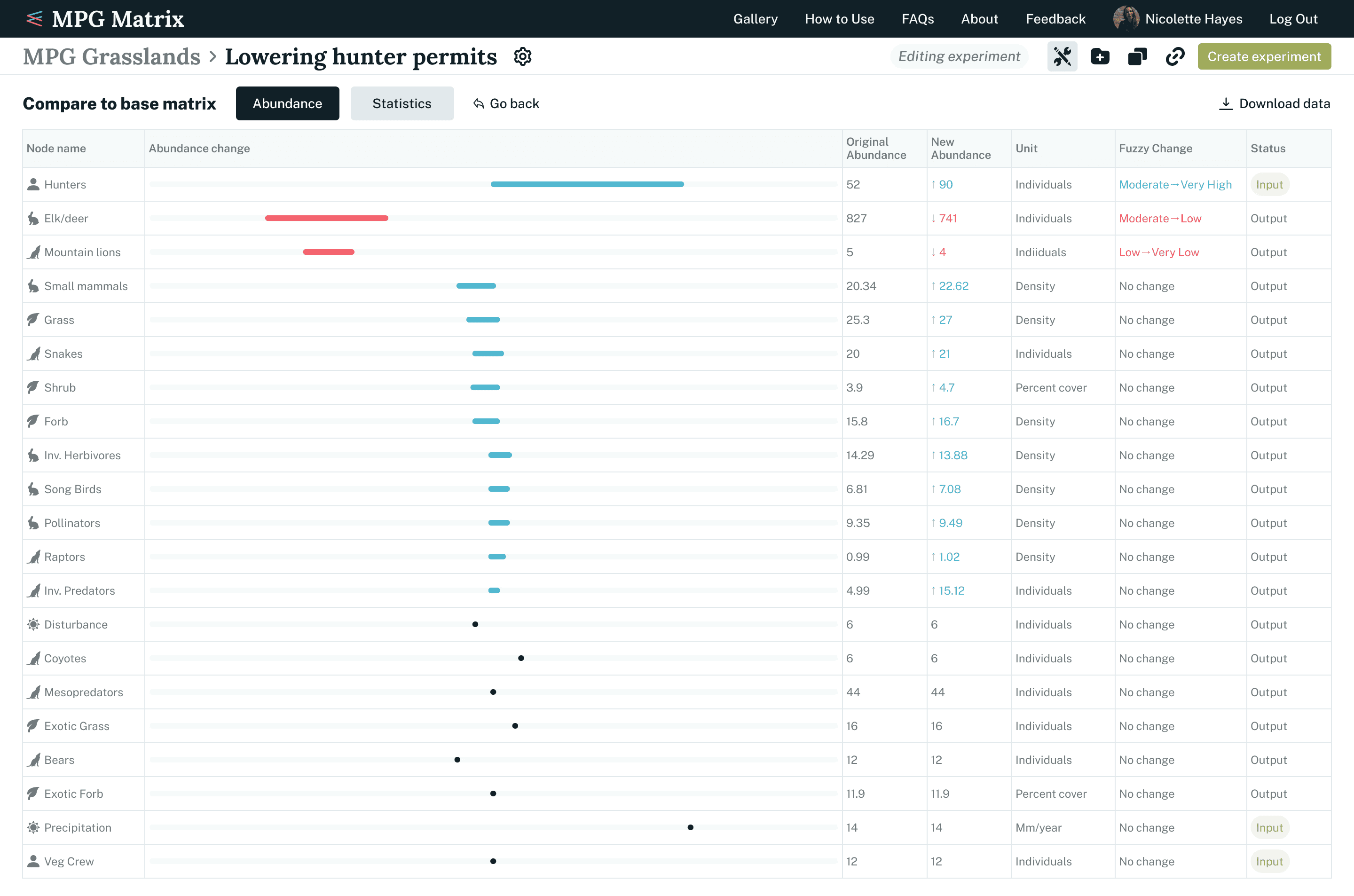
Any updates to a node in a matrix affect the overall ecosystem. To support decision-making, we created additional views that display general statistics and node abundances in multiple ways, giving users clearer insight into the impact of their changes.
Play mode
Visualizing cause and effect when making small changes to ecosystems
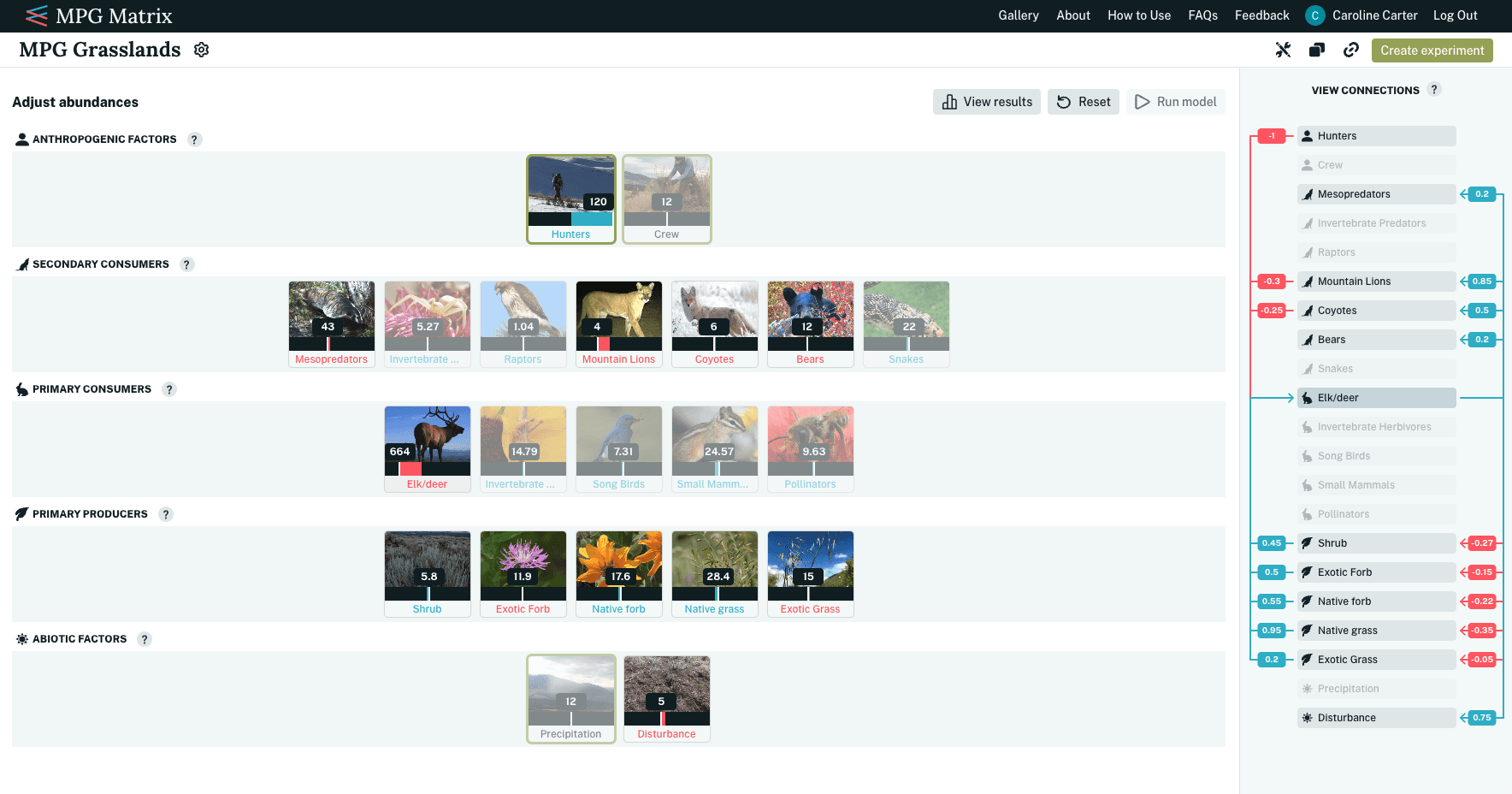
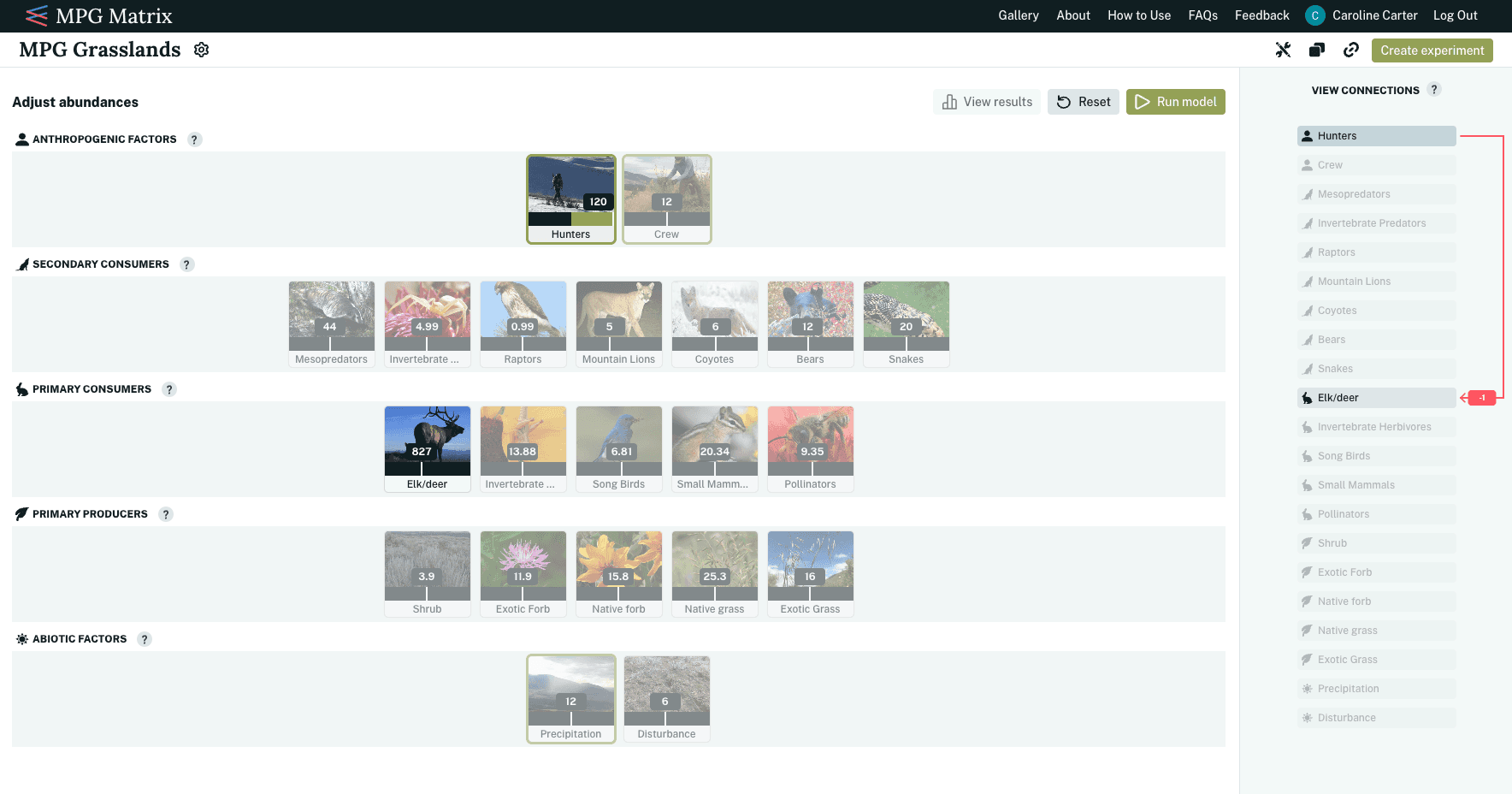
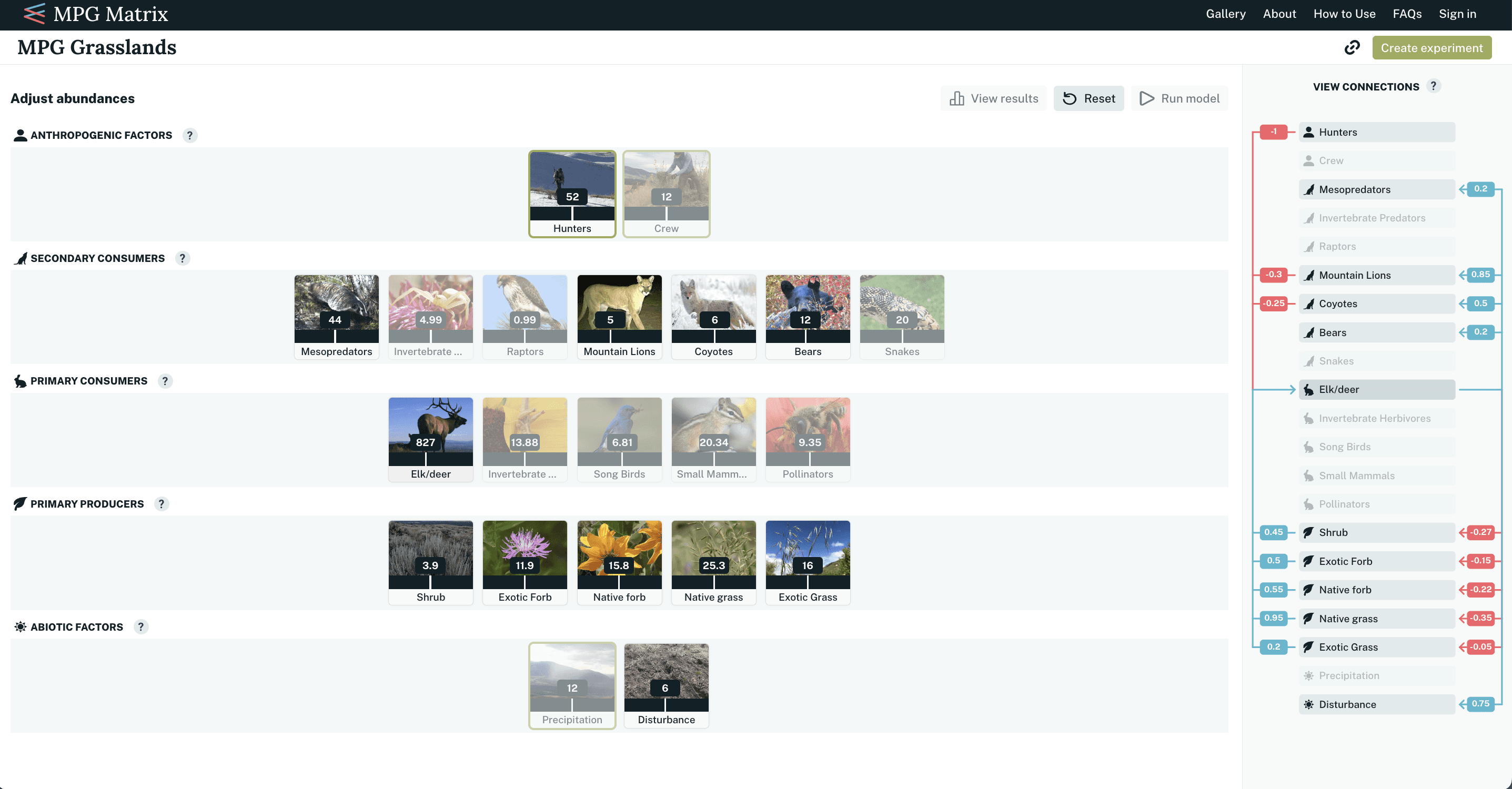
For less technical users, we added an experimentation layer that allows small adjustments to existing matrices without editing the underlying data. Users can manipulate abundance sliders on nodes to explore changes that aren’t saved. In the example below, a user hovers over “Elk/Deer” and sees its connections to other nodes displayed on the panel to the right.
When the user increases the slider to 996 individuals and selects “Run Model,” they can observe how this change affects connected nodes. For instance, a drastic increase in the elk population would positively impact mountain lions, providing more food, while negatively affecting shrubs, which would be consumed more heavily.
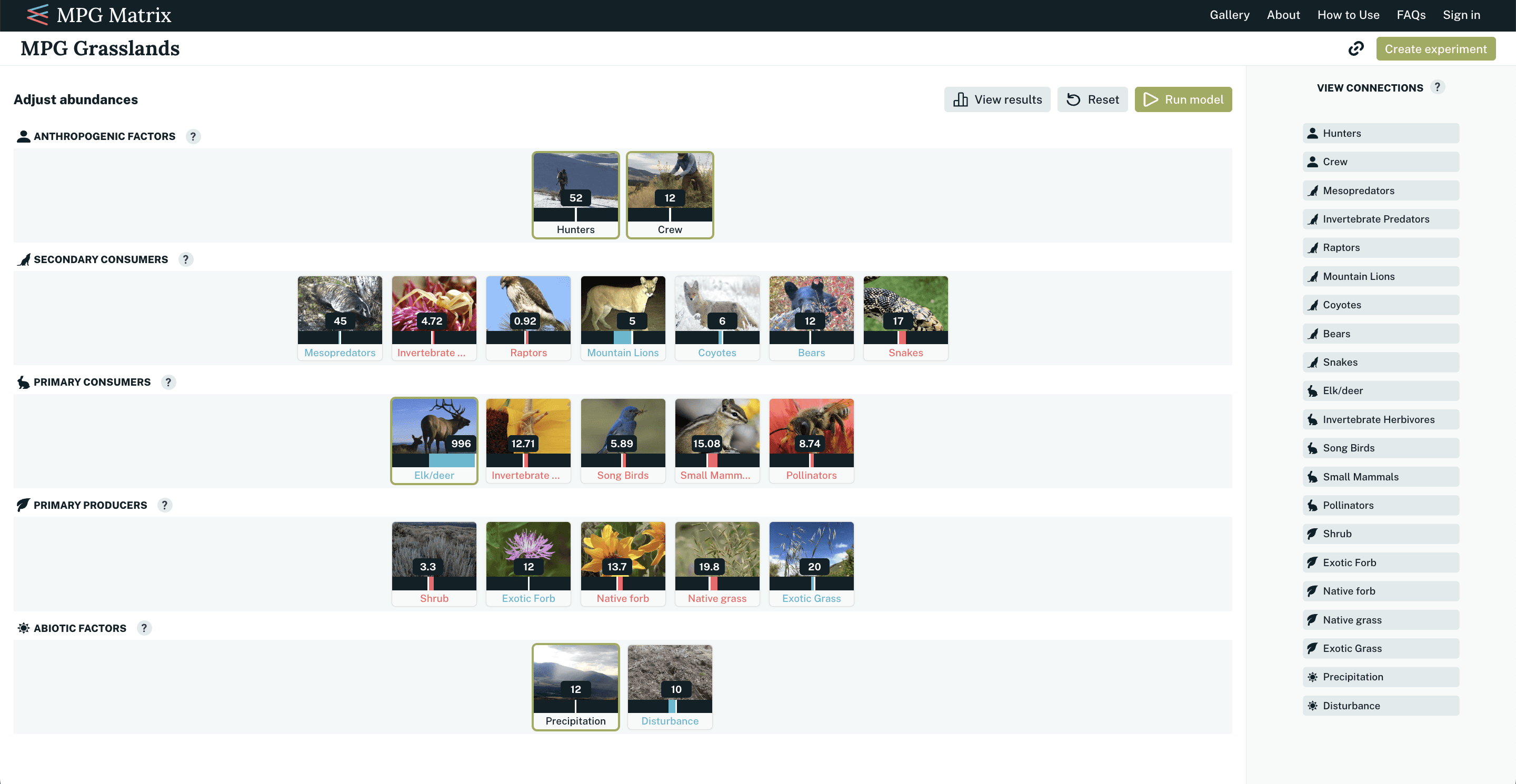
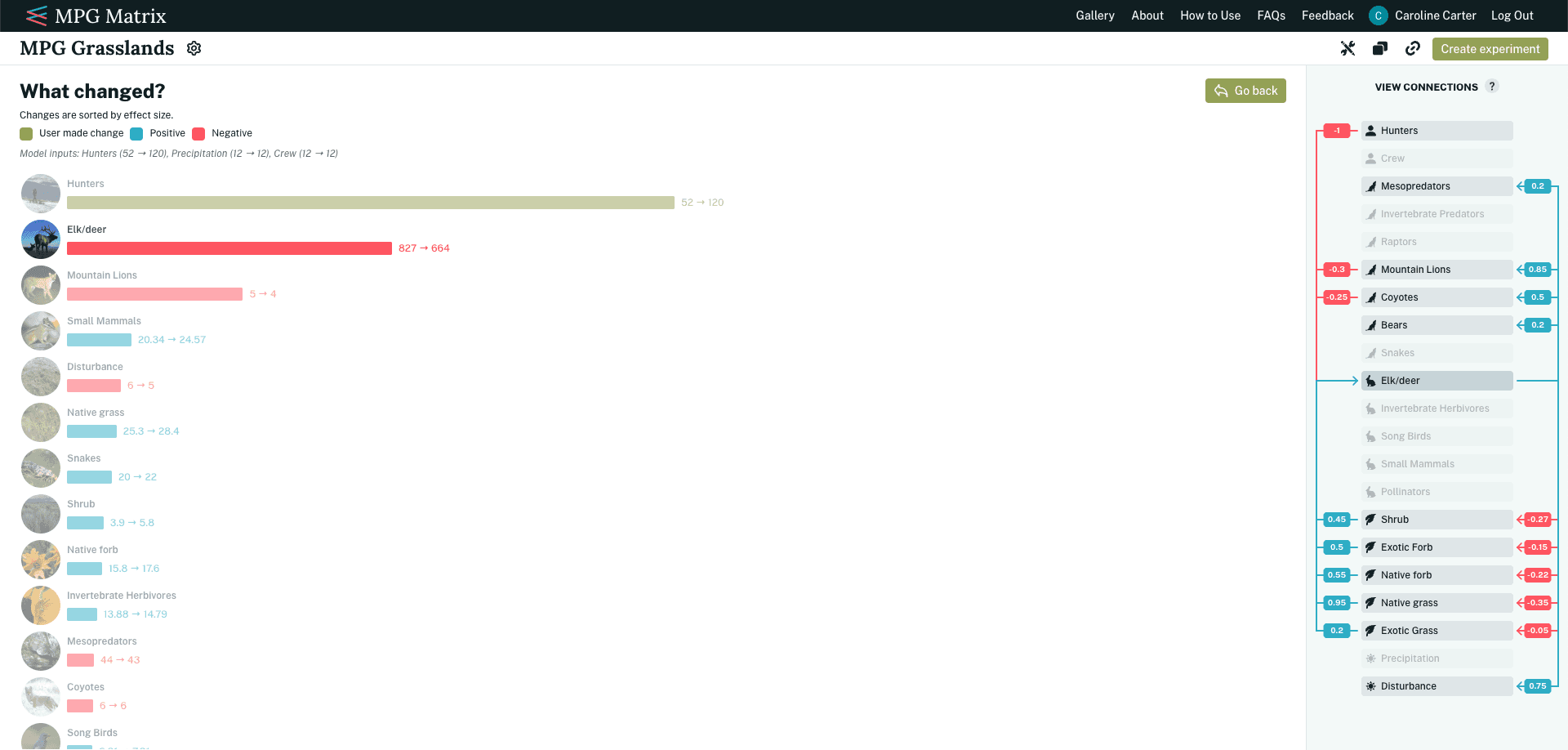
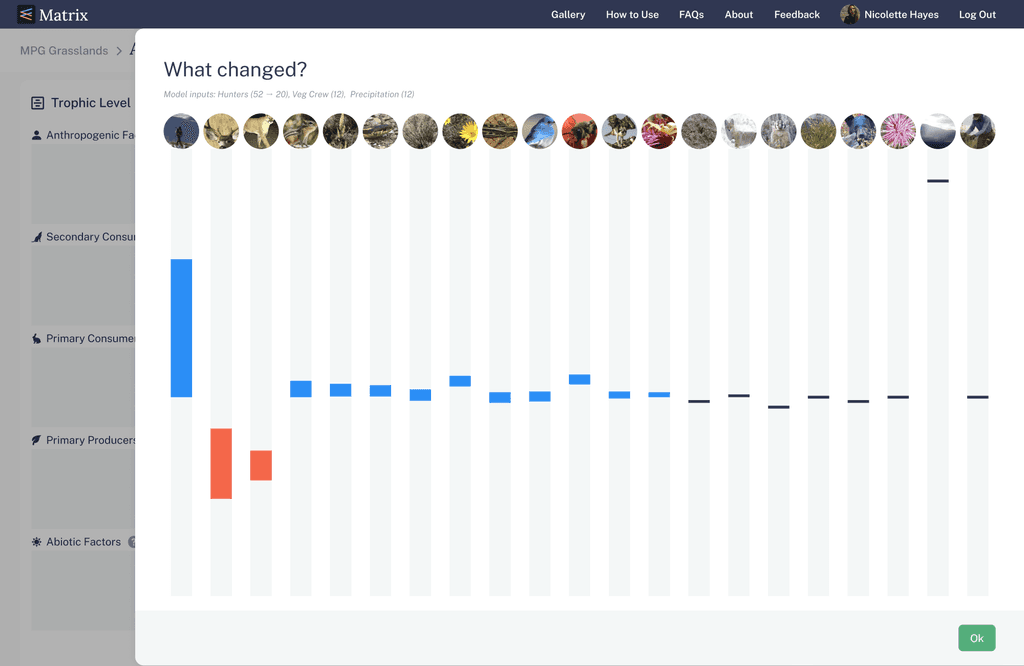
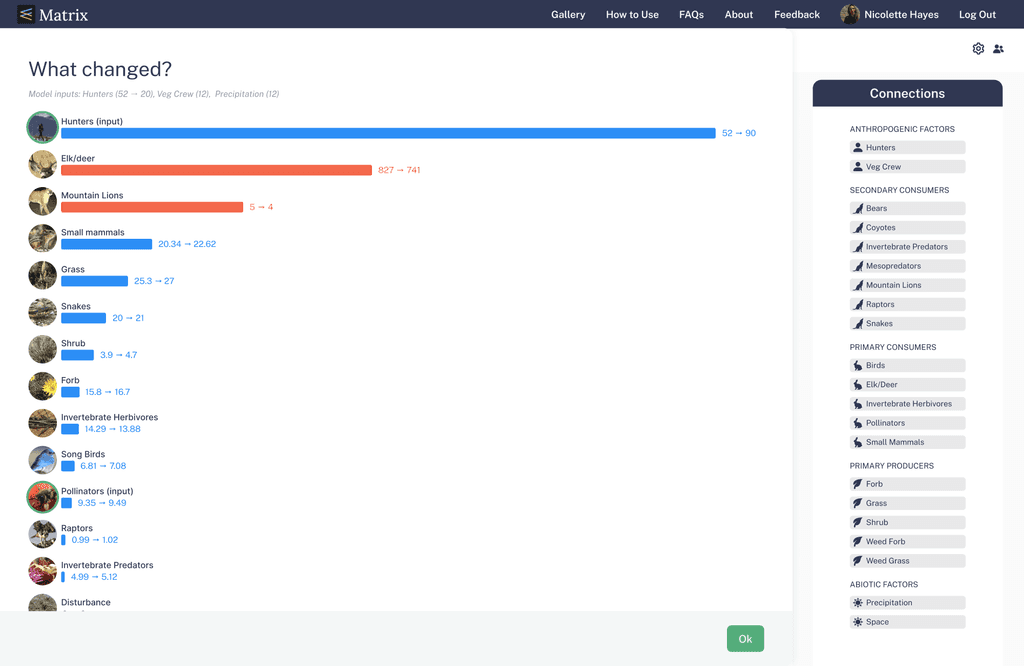
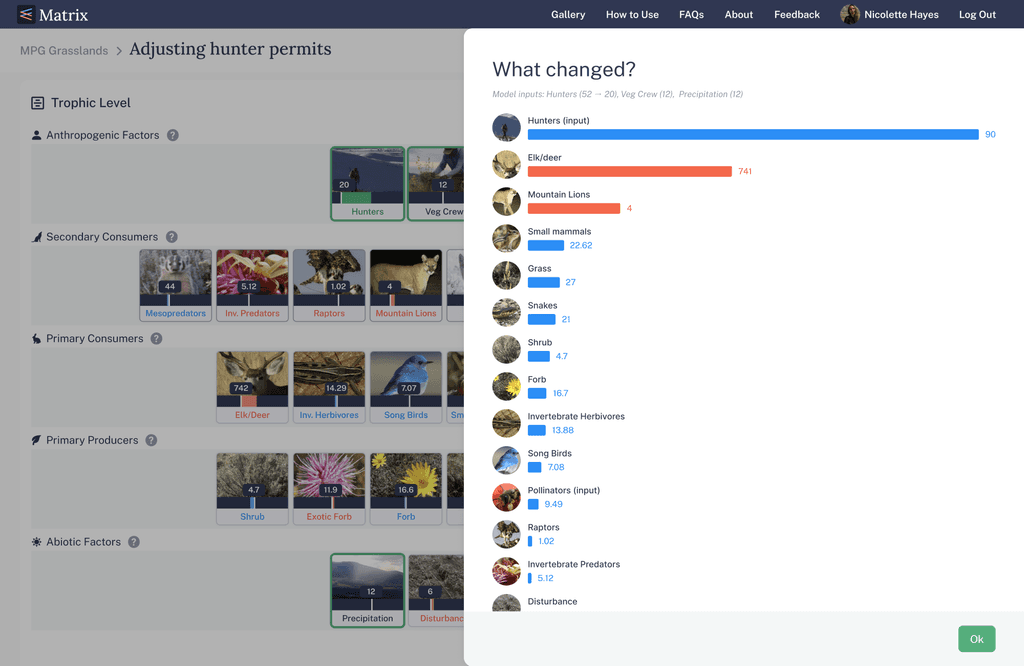
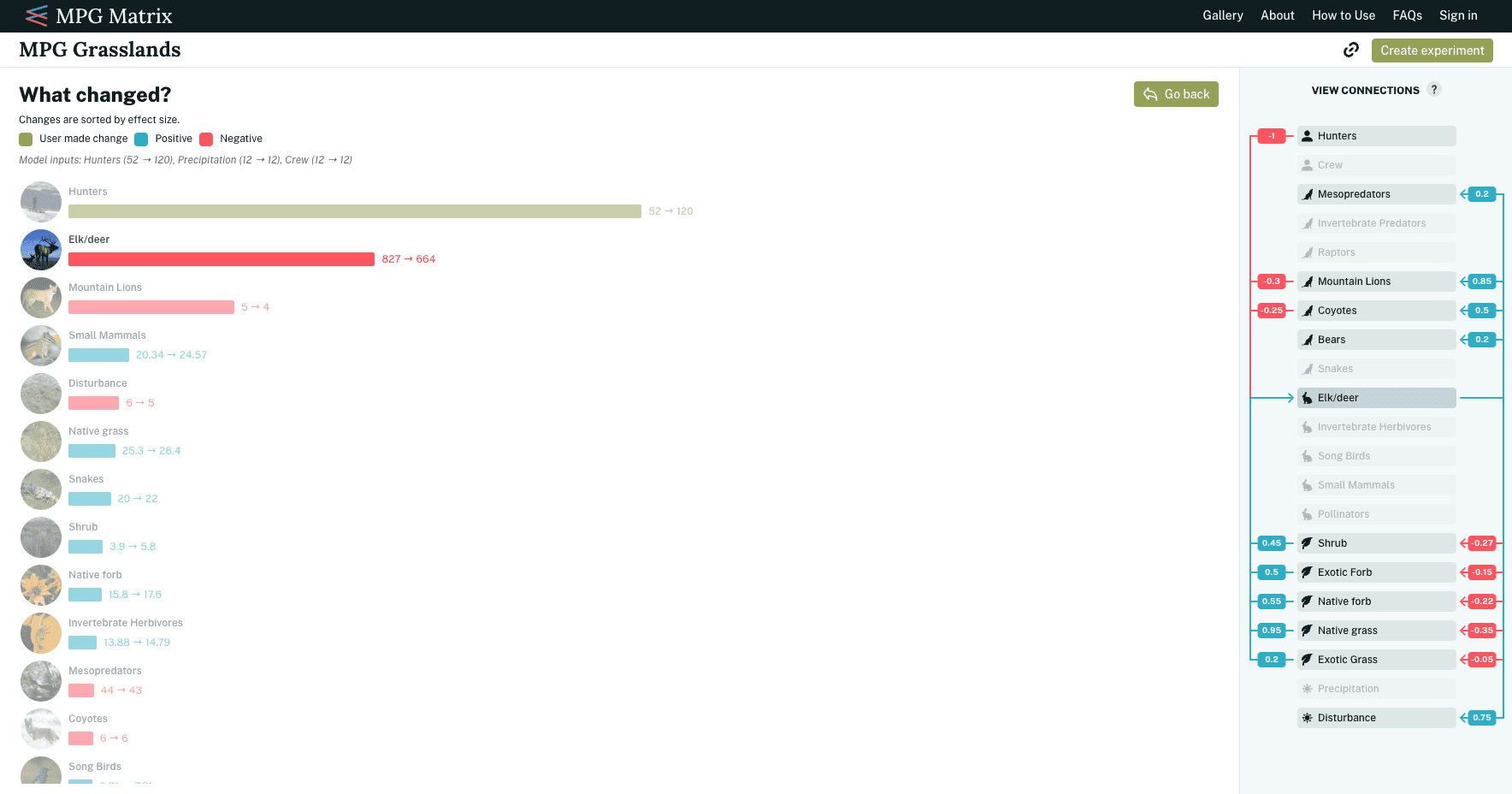
Additionally, users can select “View Results” to see another visualization of their cause-and-effect changes. This page provides a fresh perspective on the scale of the impact caused by adjusting abundance. We explored different ways to display abundance changes in this view but found that the view needed to support interaction with node connections for better insights. We ultimately replaced the trophic-level layout with a bar chart that presented the same information but emphasized how node abundances changed over time, offering a more intuitive and analytically meaningful experience.