What Grows Where?
UI/UX & Visual Design • 6' Touchscreen Table
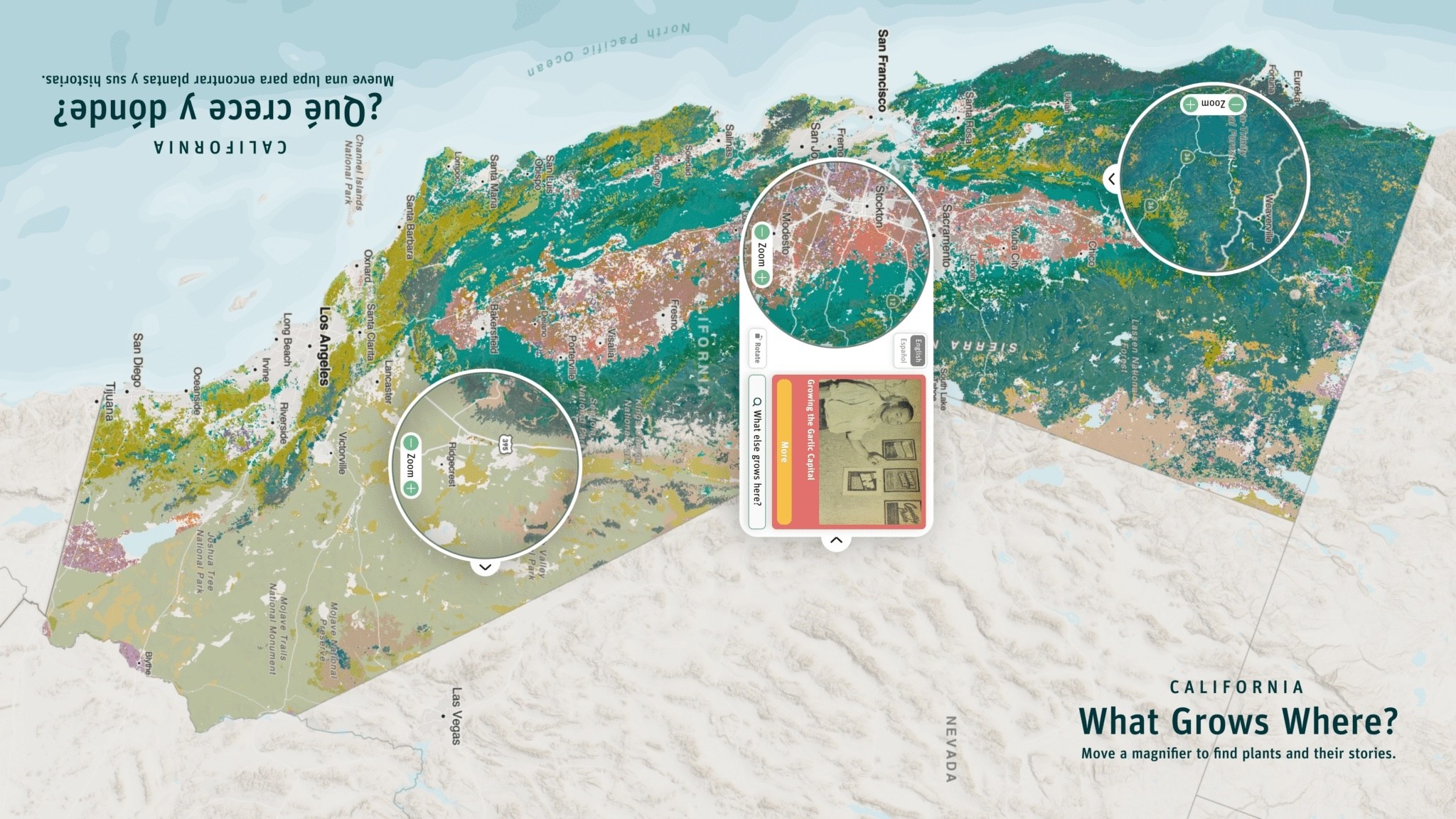
I designed an interactive museum exhibit for the Exploratorium which turns ecological, geospatial data into an engaging and beautiful story-driven experience on a multi-touch, six-foot standing table.
Overview
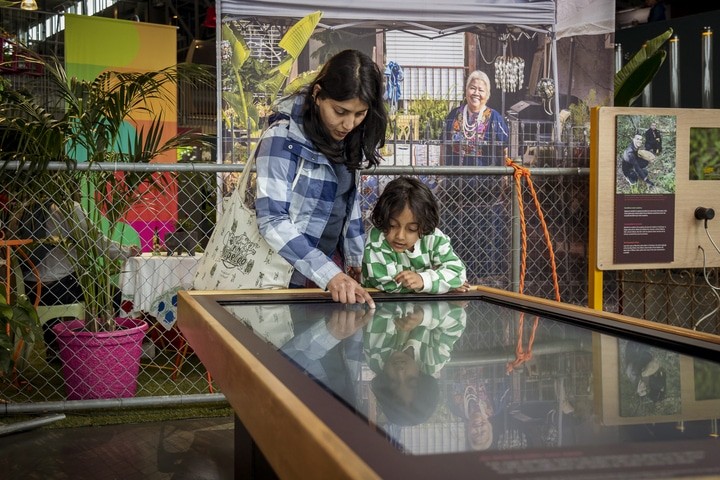
People were waiting in line to use it, that is really great!
– Exploratorium
Role
Lead product designer
Team
4-person team
Timeframe
About 1 year
Client
CrisisReady & Direct Relief
Company
Stamen Design
Outcome
2.5x longer museum visitor engagement than average exhibits
Made the exhibit easy to navigate and engaging by defining a cohesive UX and visual identity
Enabled visitors of all ages to interact meaningfully with ecological concepts through intuitive interaction models
Made complex ecological data accessible by turning it into a hands-on, curiosity-driven experience
Increased visitor delight and understanding with a visual system that balanced scientific accuracy and playfulness
Supported diverse learning styles through two modes: Story Mode for guided exploration and Explore Mode for open-ended discovery
Boosted engagement and clarity through iterative prototyping and in-museum testing
Problem
Visualizing over a hundred types of plants across California for museum visitors
To start the project, we asked the client to define what success looked like from their perspective. This approach helped align expectations early, clarify the problem we were solving, and provide a benchmark to measure our progress throughout the project.
Failure
Success looks like avoiding 100% of the following
Most visitors don’t understand what’s going on with the data viz
Experience is clunky or frustrating to use
Many/most visitors are not interested in using the data viz exhibit
Misrepresenting data or stereotypes
Project is too complex
UX & UI make it difficult for people to access and interpret info
Minimum Success
Success means achieving 100% of the following
Free of most technical glitches
Visitors know how to use the exhibit and can make some comparisons
Visitors can easily locate places they care about and find out what plants grow there
Visitors say “huh, that’s cool” and wander off
Data is scientifically accurate
We incorporated stories from the community
Target Success
Success means achieving 40–60% of the following
We hear people say “wow” when they see it or interact with it
Typical visitors spend many minutes at the exhibit (not because they can’t figure it out) but because they are excited about what they are finding
People understand something new about plants in California
Design is so beautiful that visitors request a poster version
A truly delightful user experience, a joy to use
User research
Designing for all ages, abilities, and interests
The Exploratorium is a museum designed for visitors of all ages and interests, so the client chose not to prioritize specific user groups. We still organized users into categories, however, to better outline their goals and potential limitations:
User
Children (8+)
Goals / motivations:
Child is one who chooses exhibit
Wants to see an immediate response
Frustrations / pain points:
Easily frustrated if confused
Expects an immediate response
If bored, will run off
User
Parent (adult)
Goals / motivations:
Wants to have fun family day
Trying to keep child’s interest
Family can have a conversation about the interaction
Frustrations / pain points:
Some parents not keen on kids looking at screens
Quick to move on if they don't get it
User
Non-parent (adult)
Goals / motivations:
Curious, interested in learning
Looking for more complexity
Frustrations / pain points:
Potentially uninterested if content is not personally relevant
Quick to move on if they don't get it
Data discovery
Diving into the data landscape to explore visual forms
While conducting user research, we also loaded the plant dataset into our internal tools to explore the data landscape. Working both independently and collaboratively, we brainstormed multiple ways to visualize the data, focusing on discovering possibilities rather than committing to a single solution early on.
Cartography
Bringing the map to life with an intuitive cartographic system
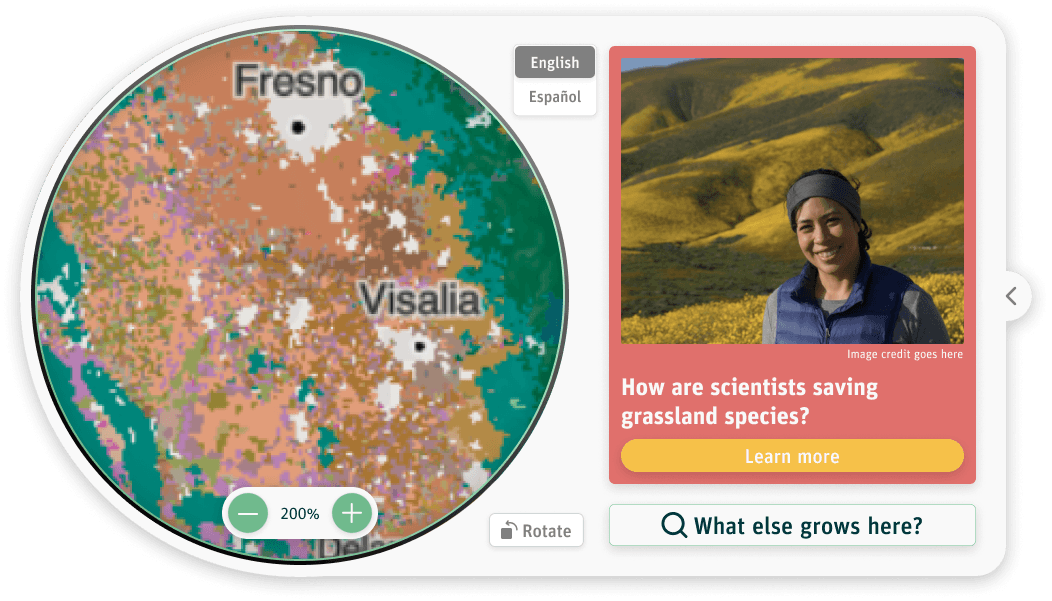
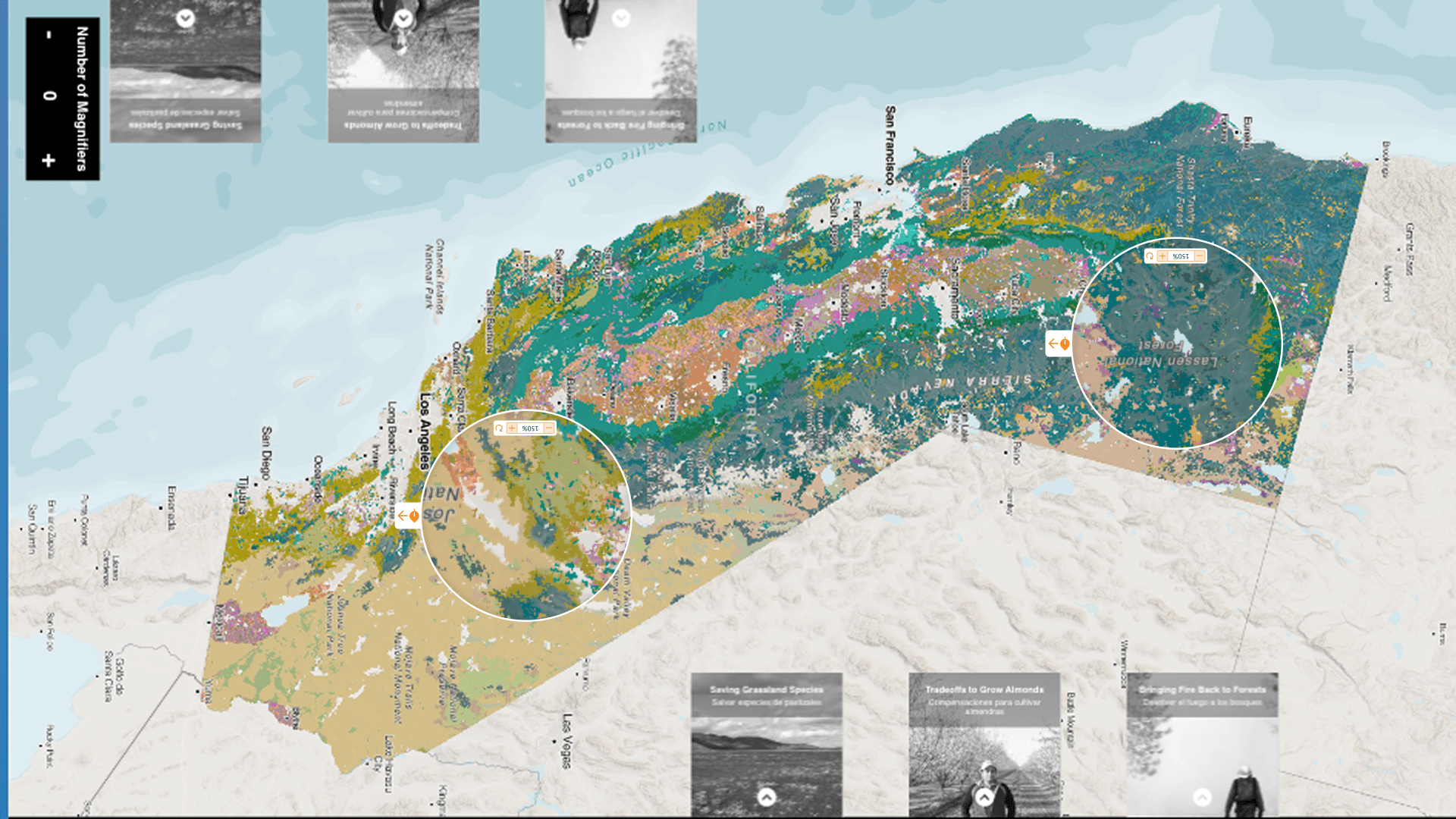
With over a hundred plants to map and a large touchscreen table as the interface, we determined that a map of California would provide a strong starting point for the user experience. We displayed the most common plant at each raster point, even though multiple species could occur in the same location. This approach allowed users to begin exploring with plants they might already recognize, while providing the opportunity to dive deeper and discover additional species in each area.
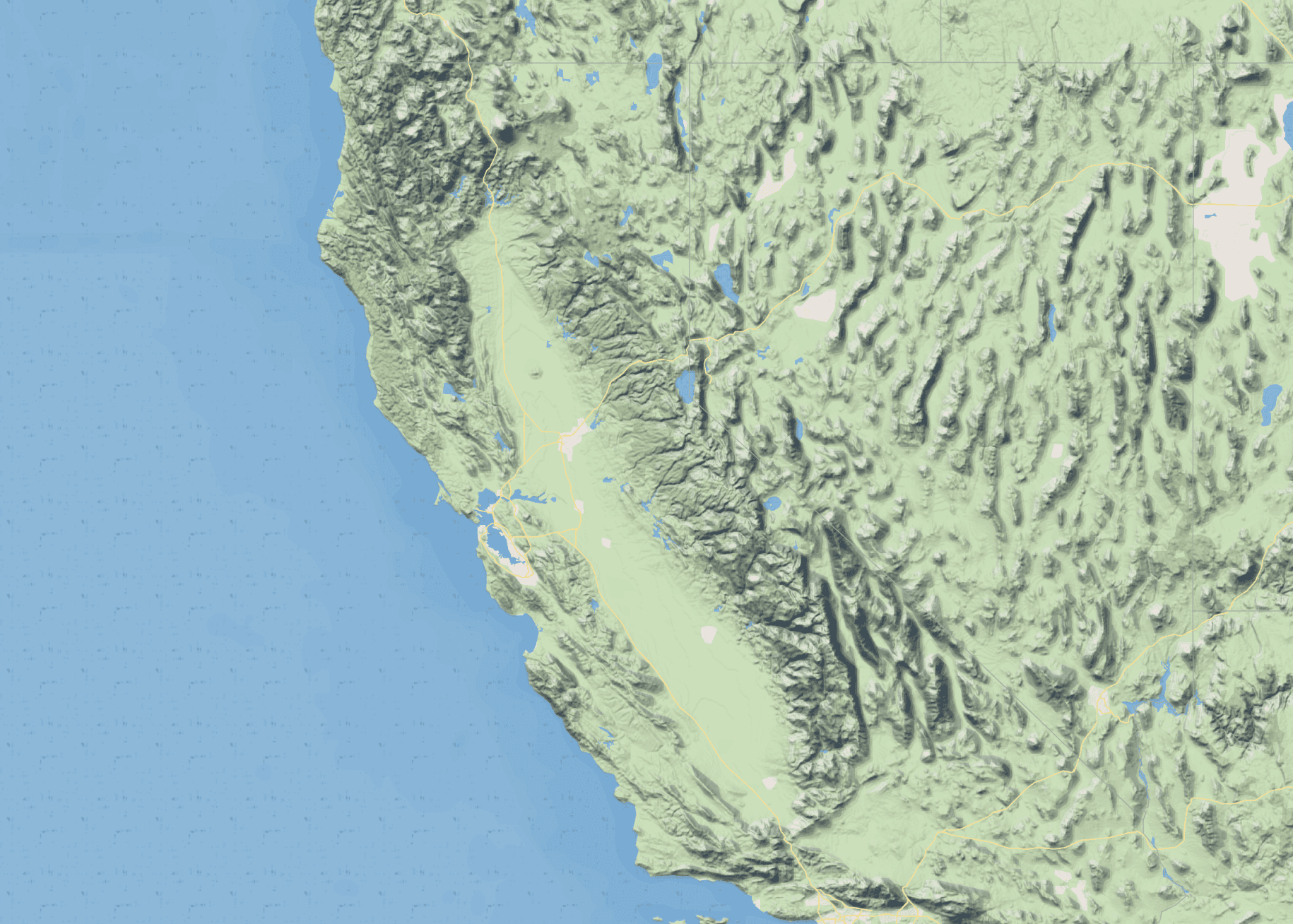
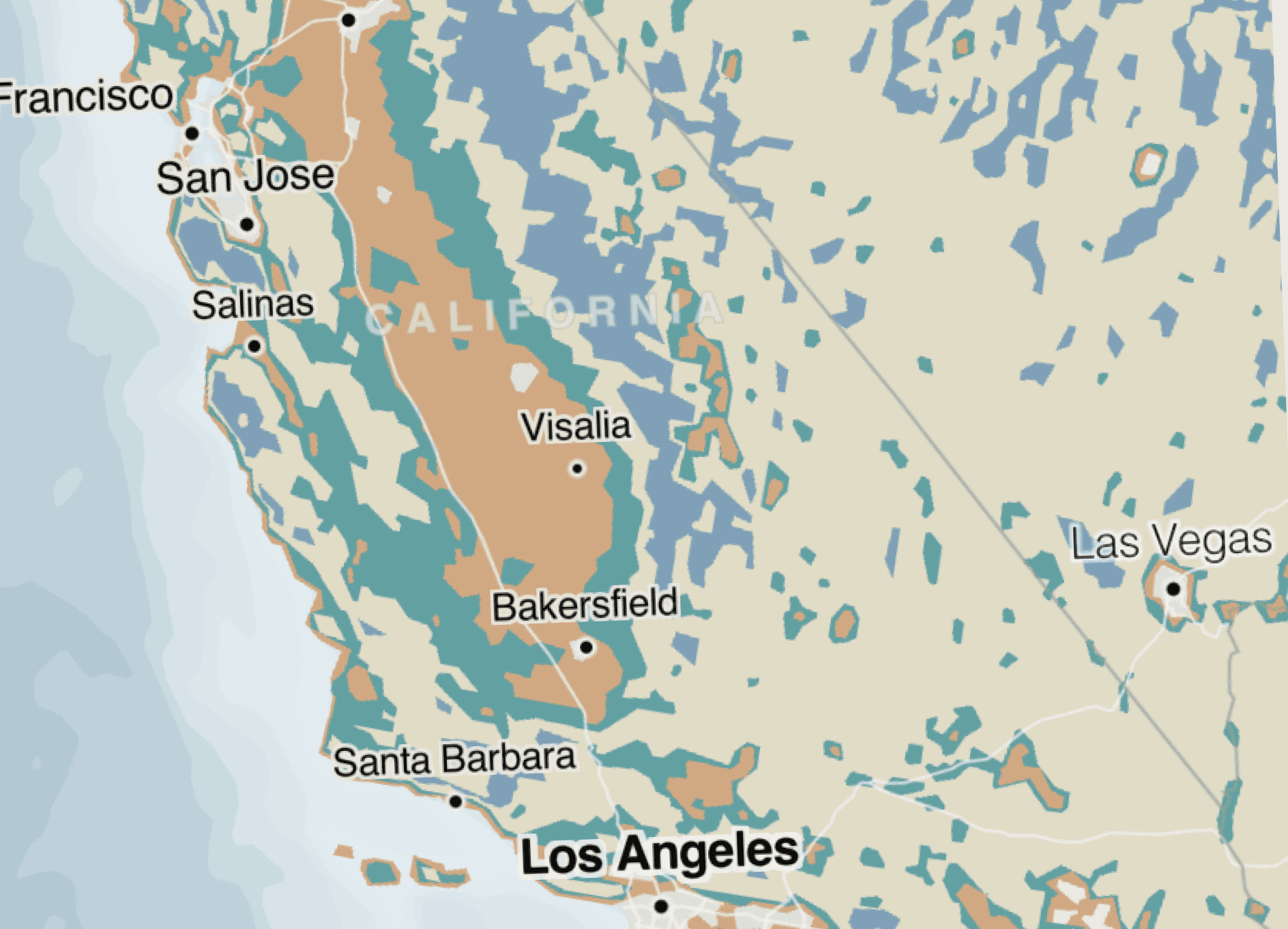
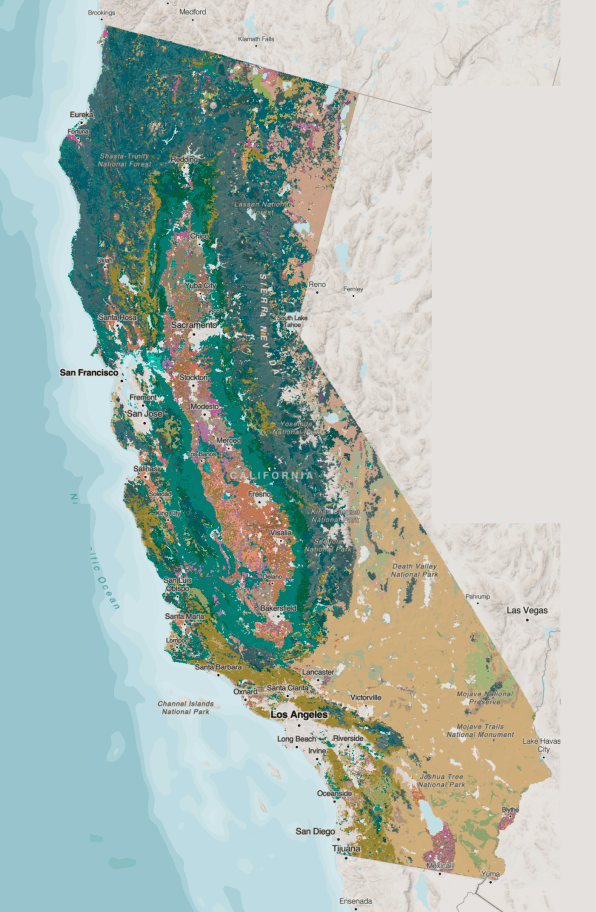
We established the following goals to guide our use of color in the final map:
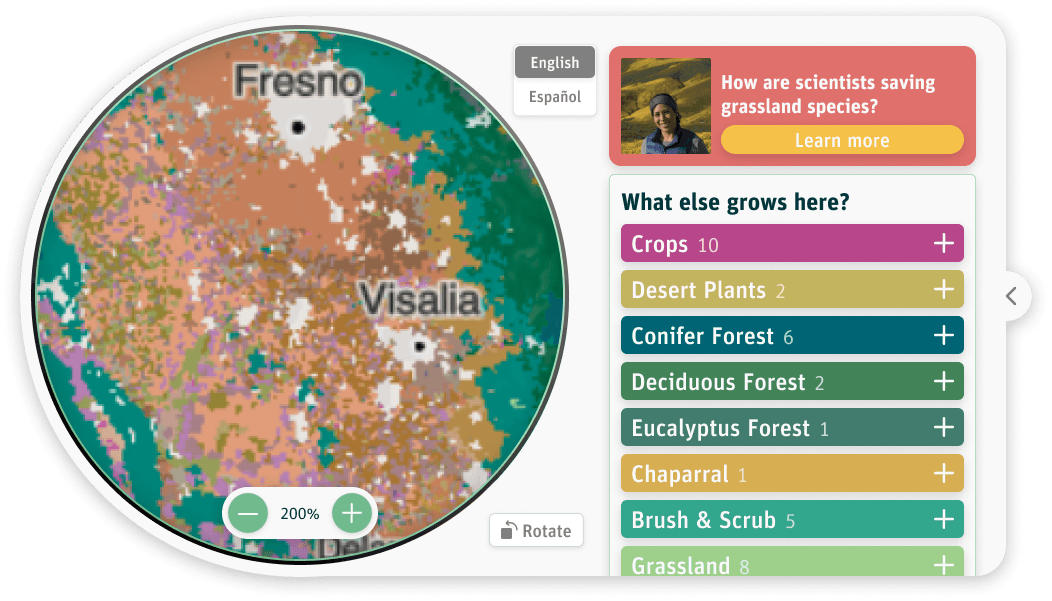
Use overarching color groups to categorize similar plants, such as desert plants or conifers, revealing broader patterns across California
Create a color palette that aligns with the Exploratorium’s brand and the project’s overall nature theme.
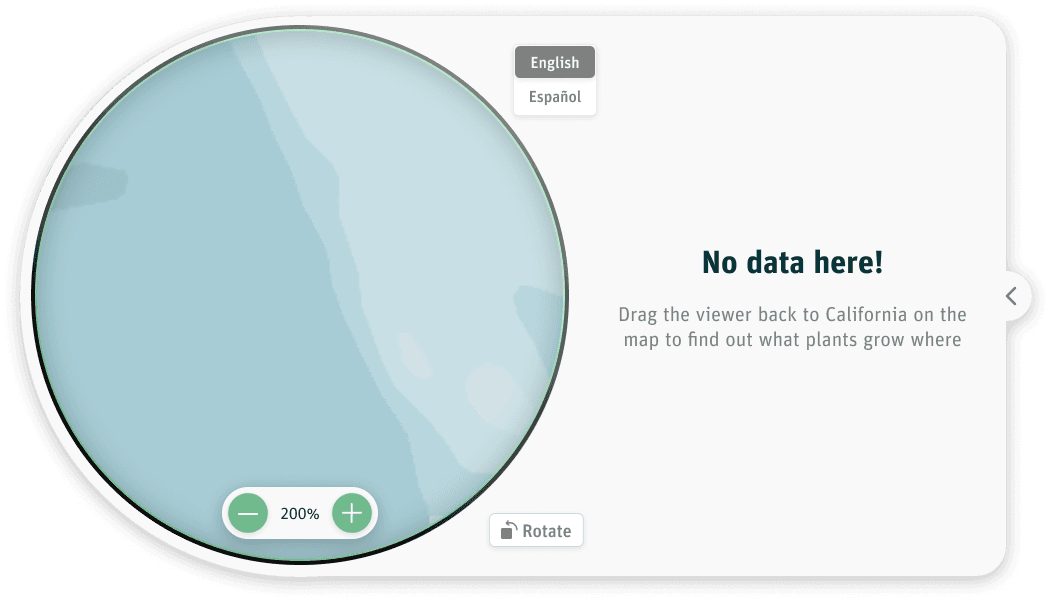
Keep users’ focus on California, as no data was available for surrounding states or the ocean
Design a visually appealing map that draws users into the experience and encourages exploration
User experience
Balancing species exploration with real-life narratives
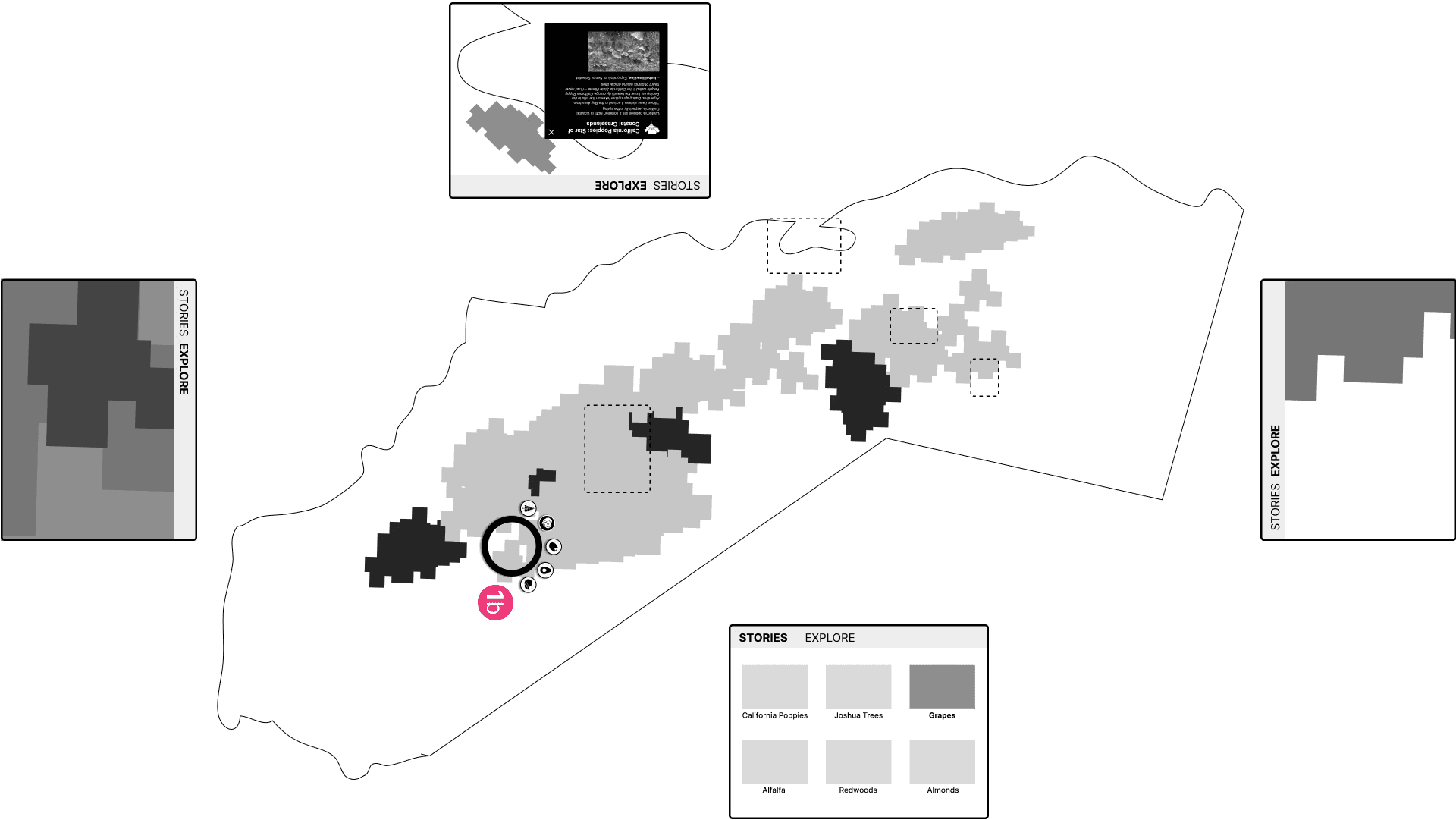
The main map displays only the most common plant at each raster point in California. While this provided a solid starting point, we wanted to give users the ability to dig into more detailed information. To achieve this, we divided the interface into two modes: Story Mode and Explore Mode.
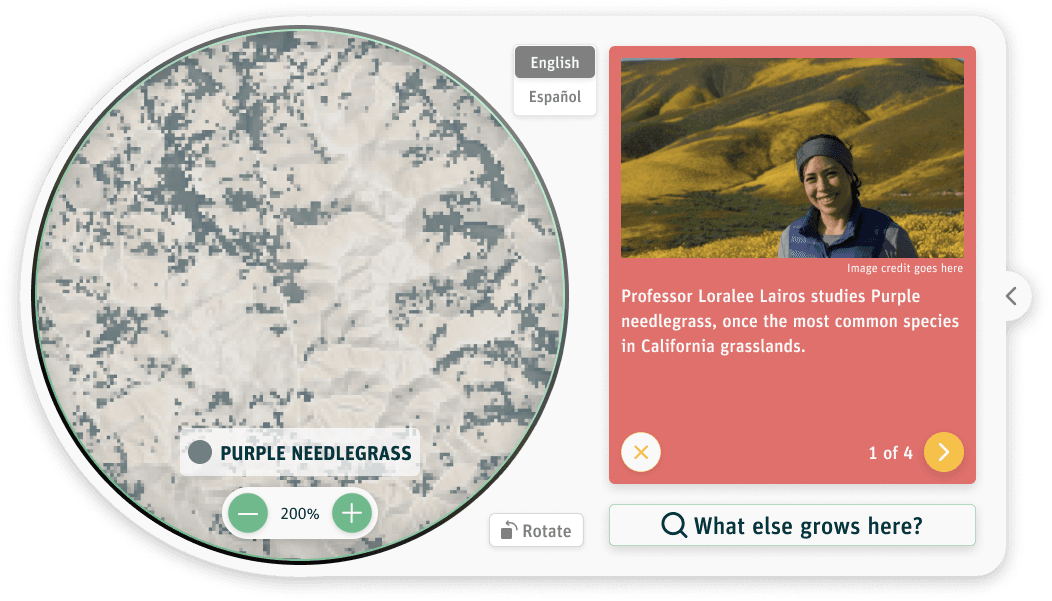
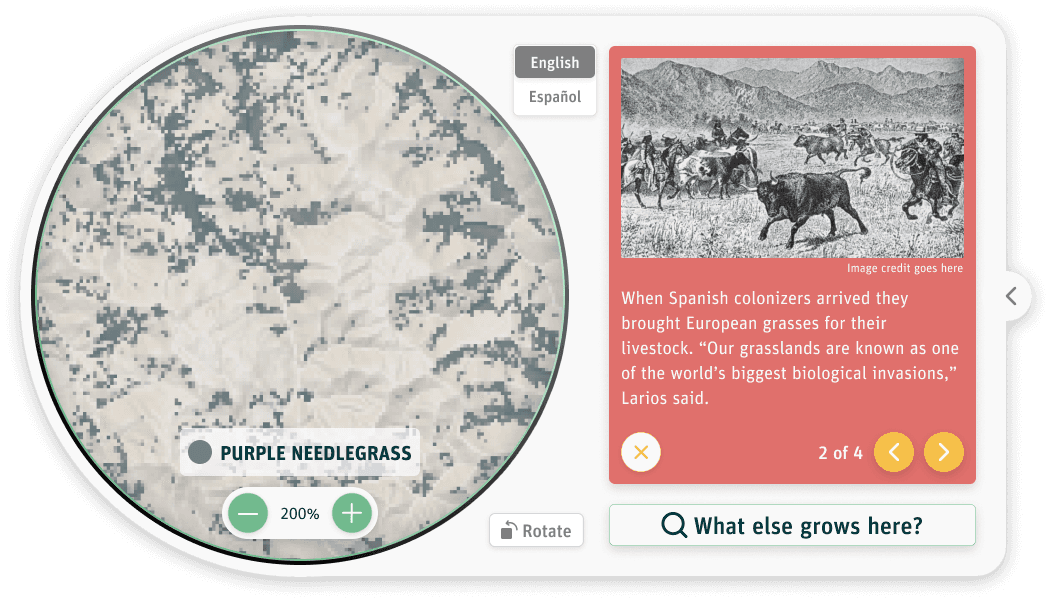
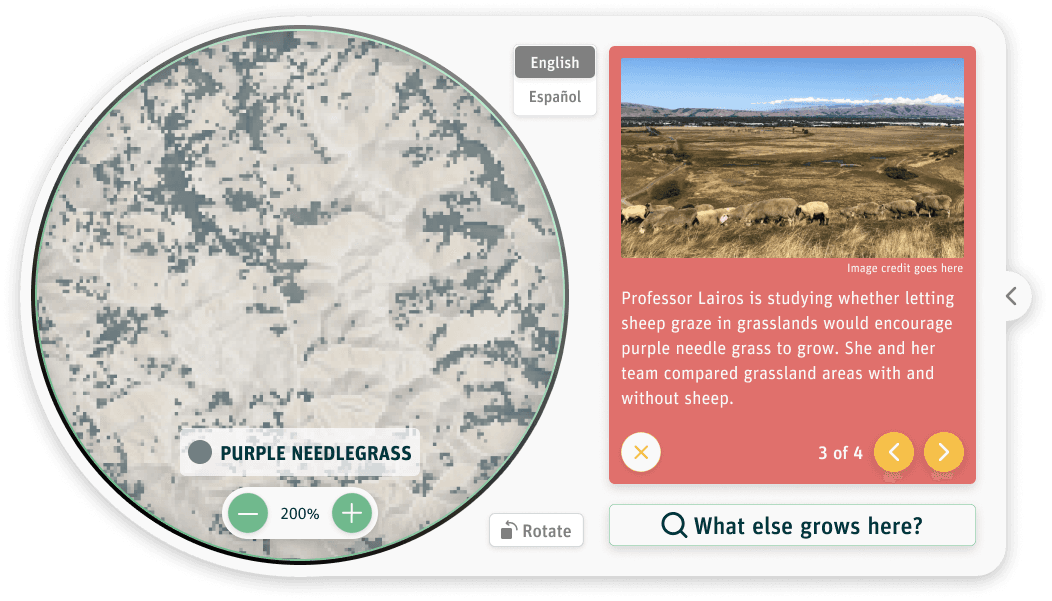
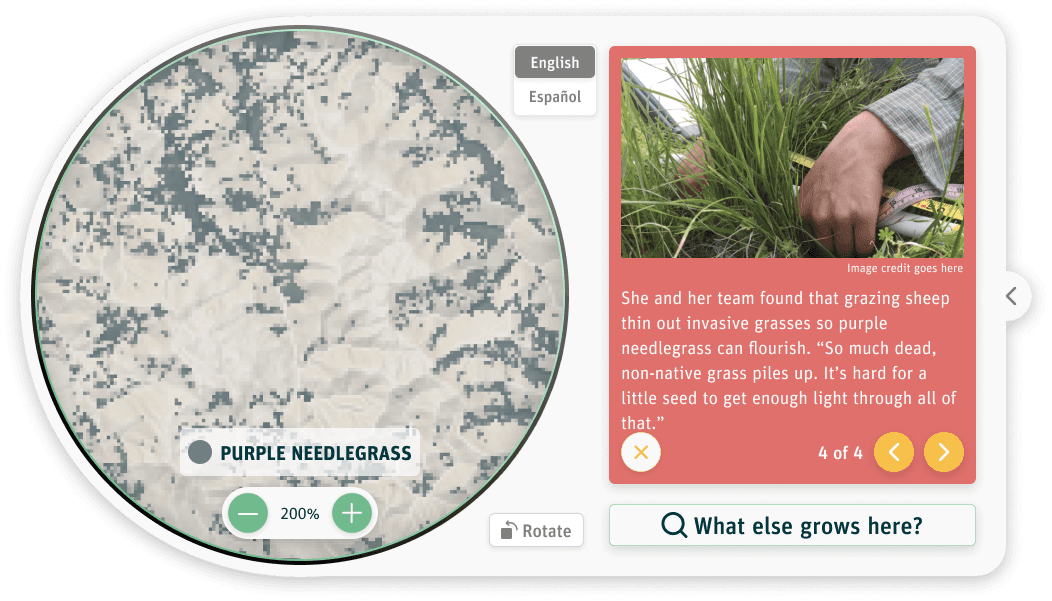
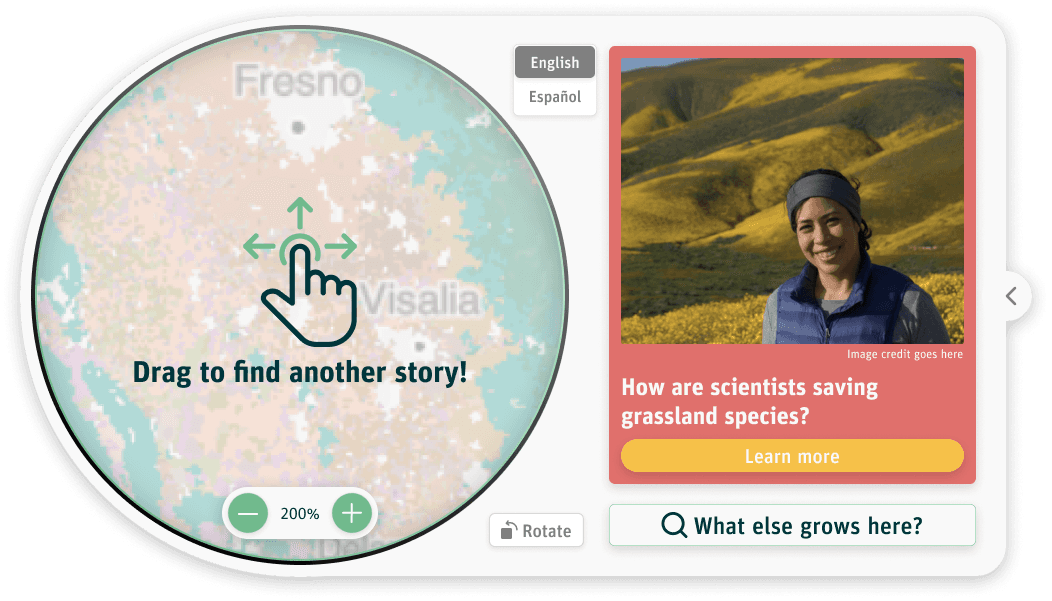
Story mode highlighted how people interact with plants, from farming and dining to the impacts of climate change. Each story was geo-located on the map based on its relevance, allowing geographically relevant narratives to appear as users explored different areas.
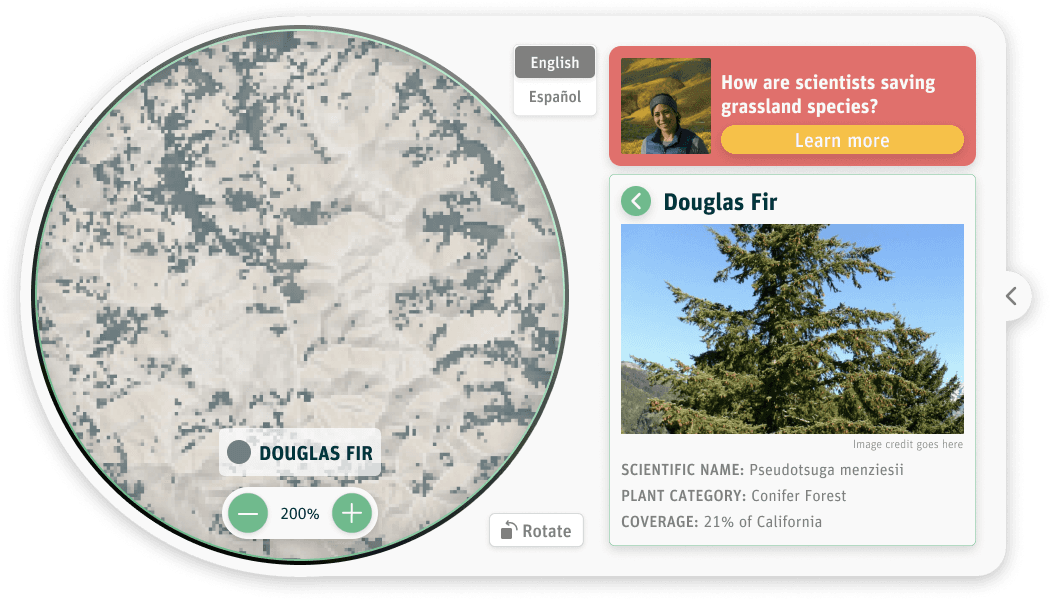
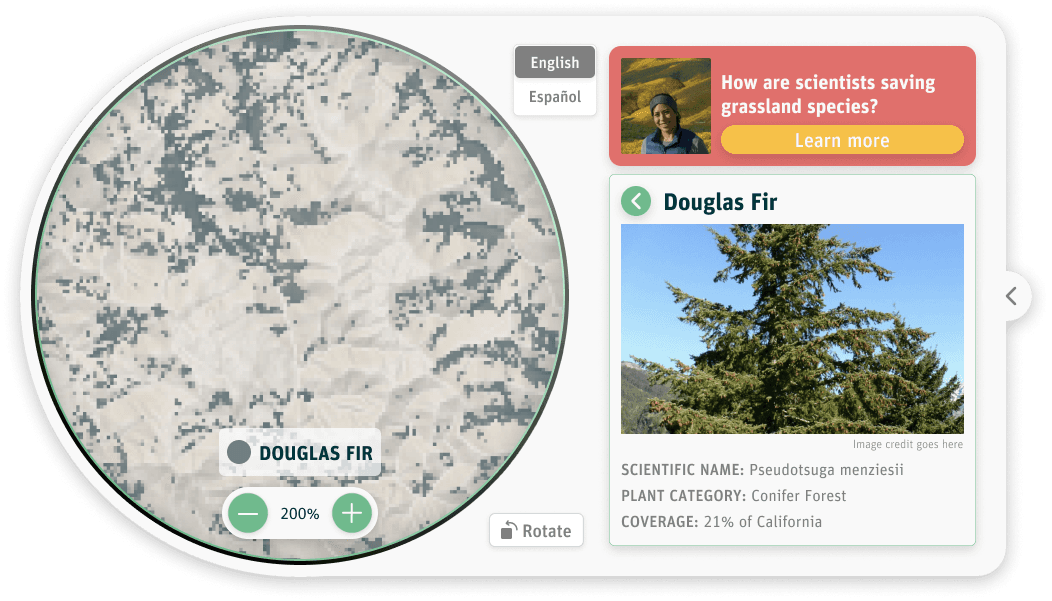
Explore mode focused on all plants for which we had data in a given location. In this mode, users could view different plant groups in an area and access detailed information about individual plants, including photos, scientific names, and coverage across California.
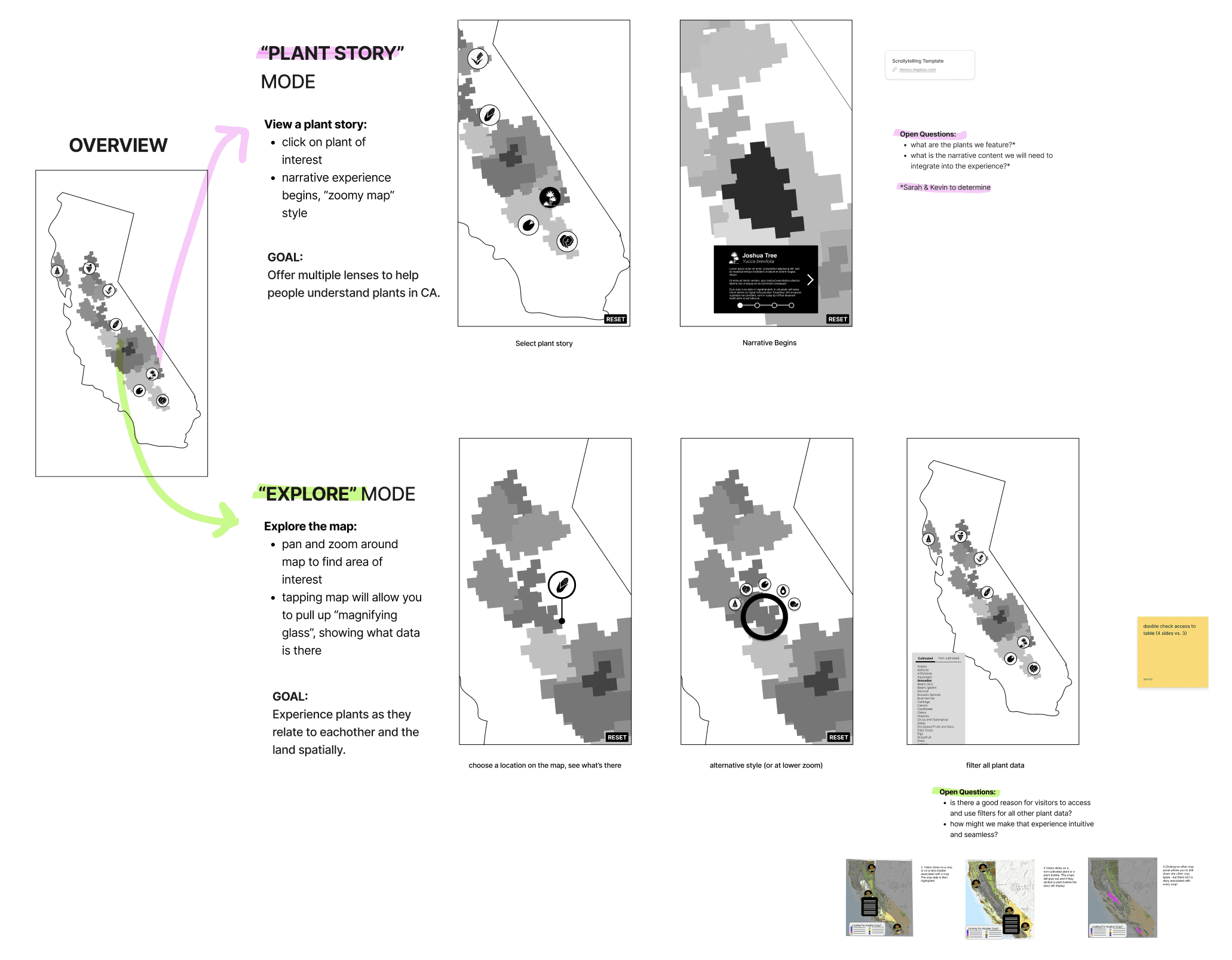
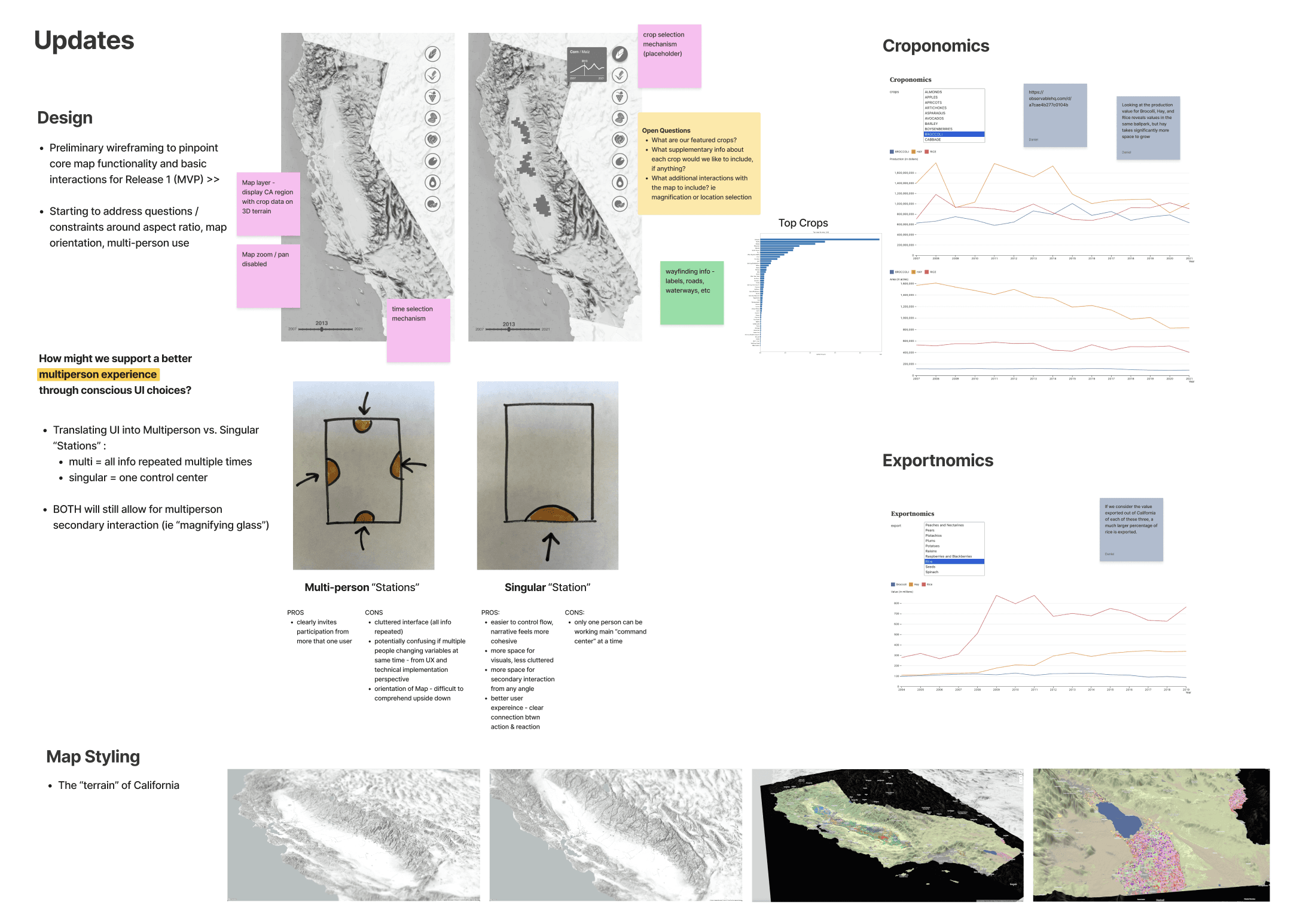
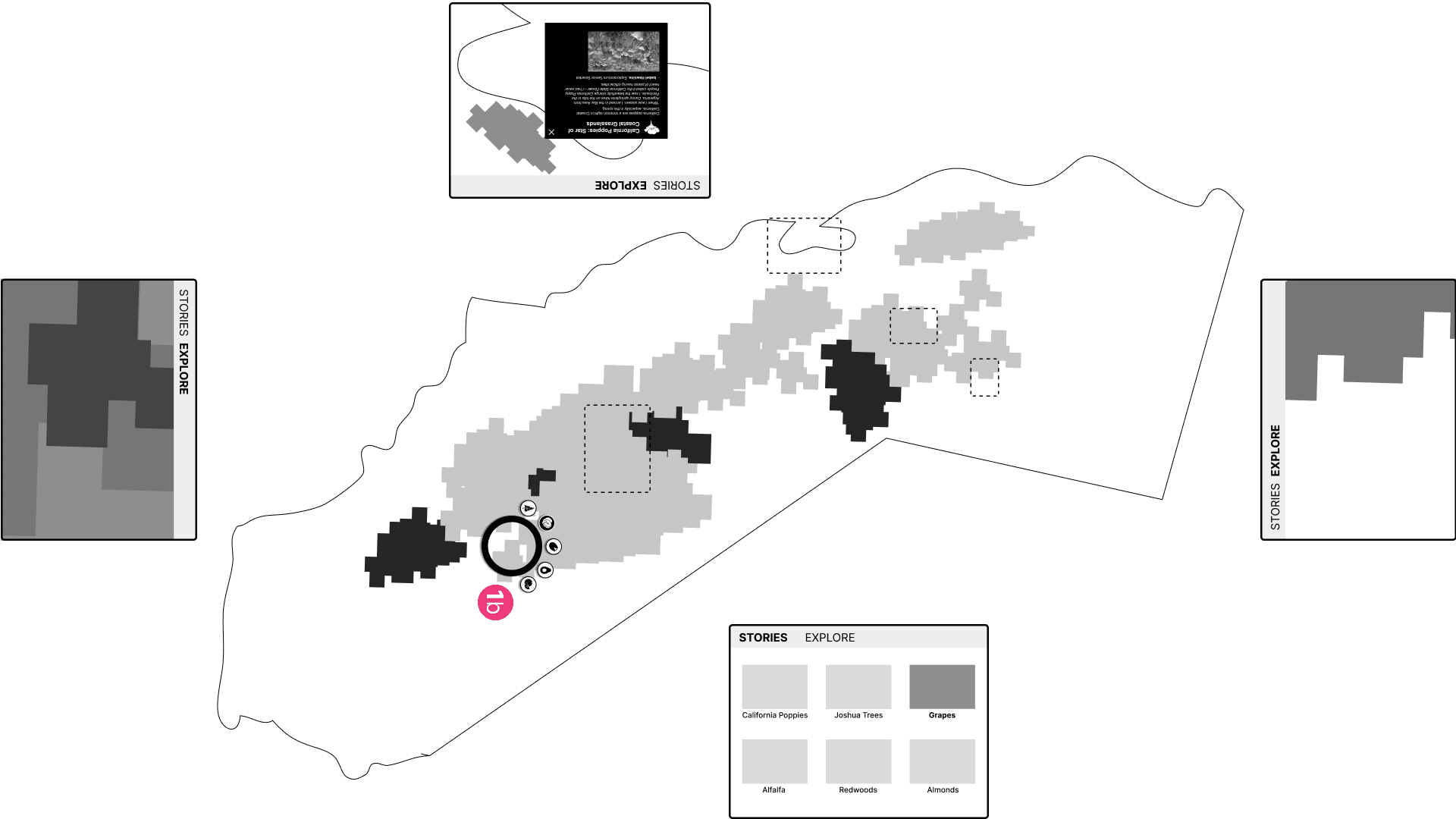
We iterated on the best way to incorporate geo-located stories into the experience, ensuring users could easily switch between Explore and Story modes. The design also needed to accommodate visitors approaching the table from any angle, allowing them to start their journey wherever they chose.
Snapshots from wireframing process 📷
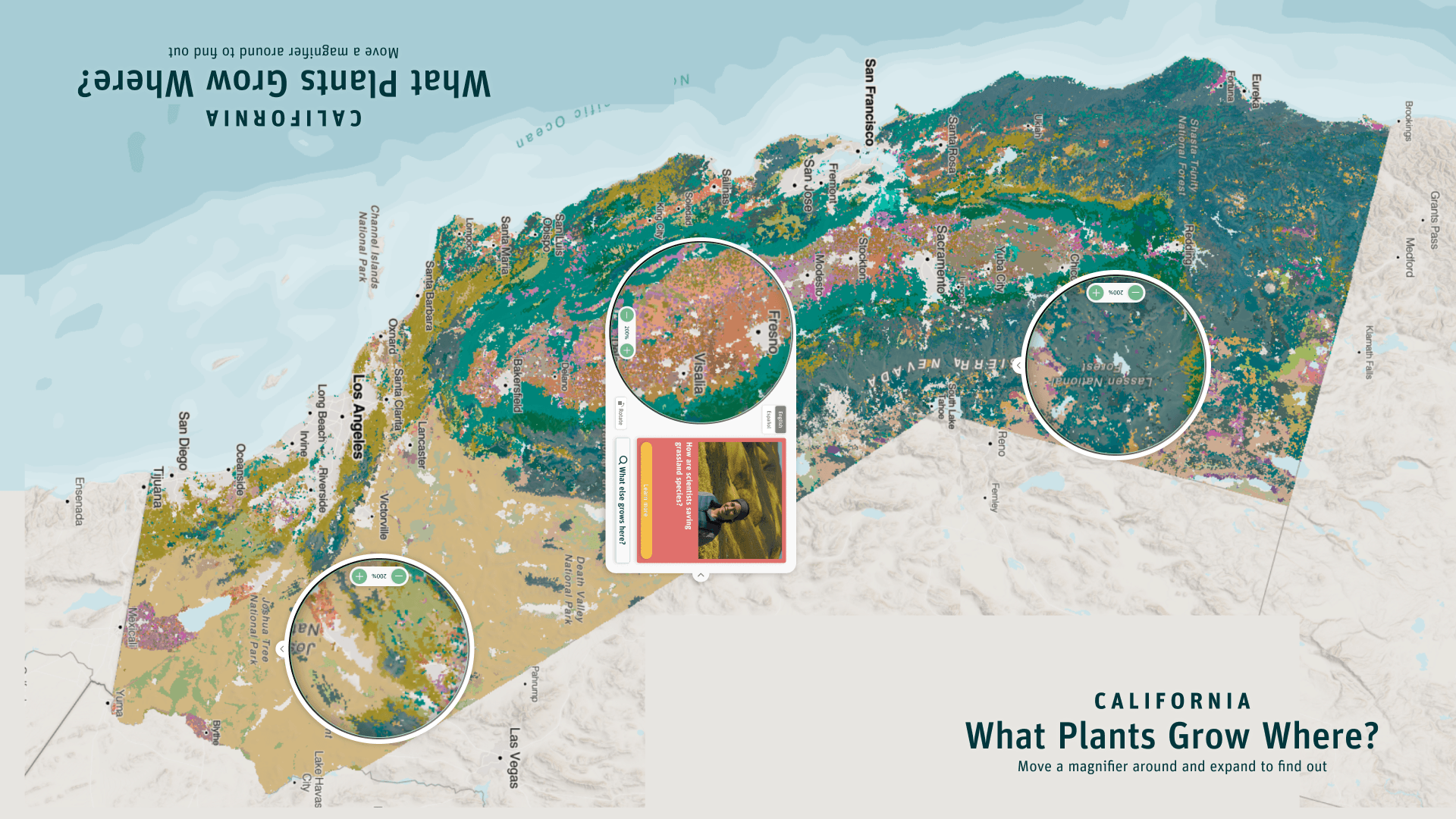
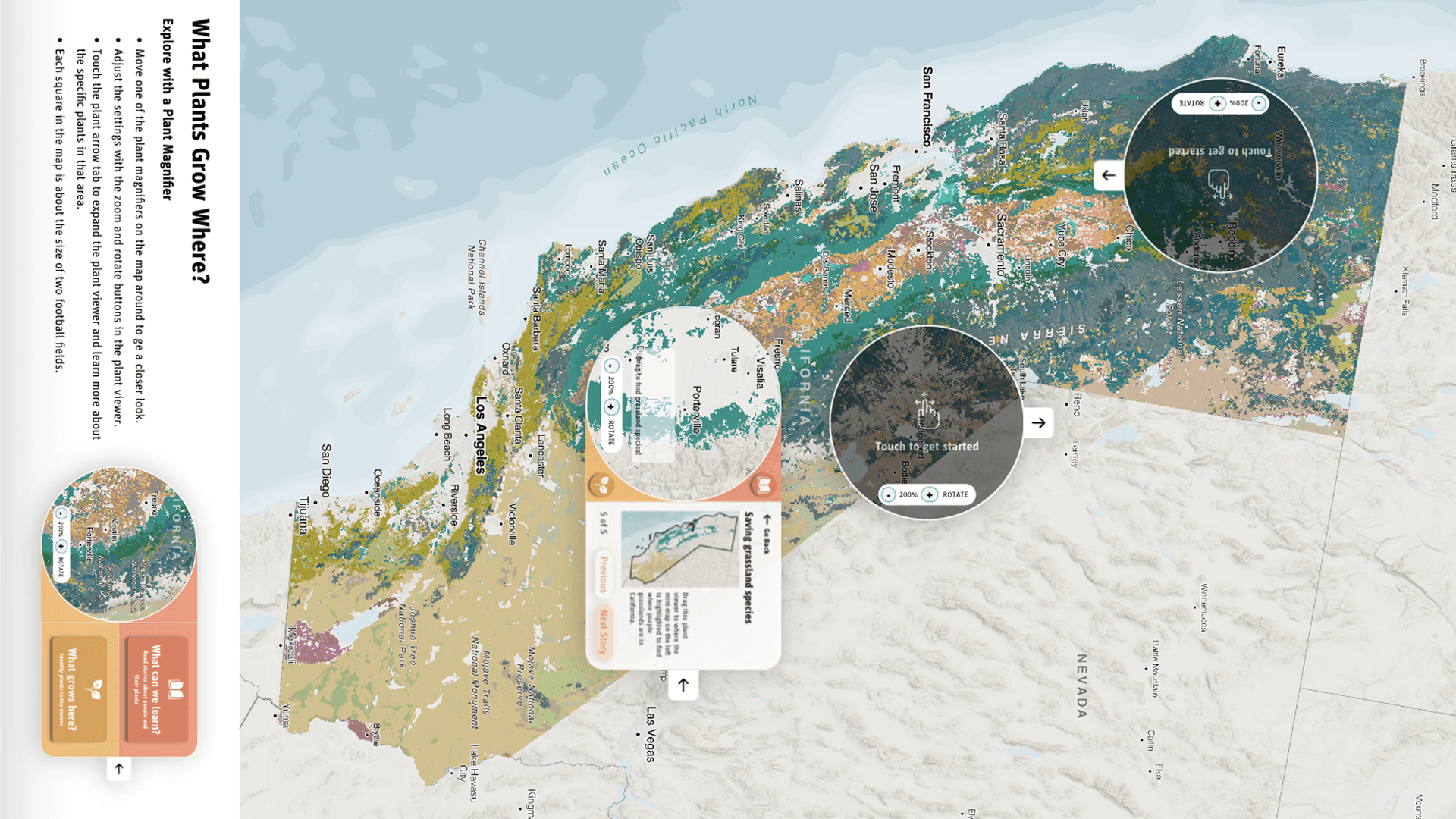
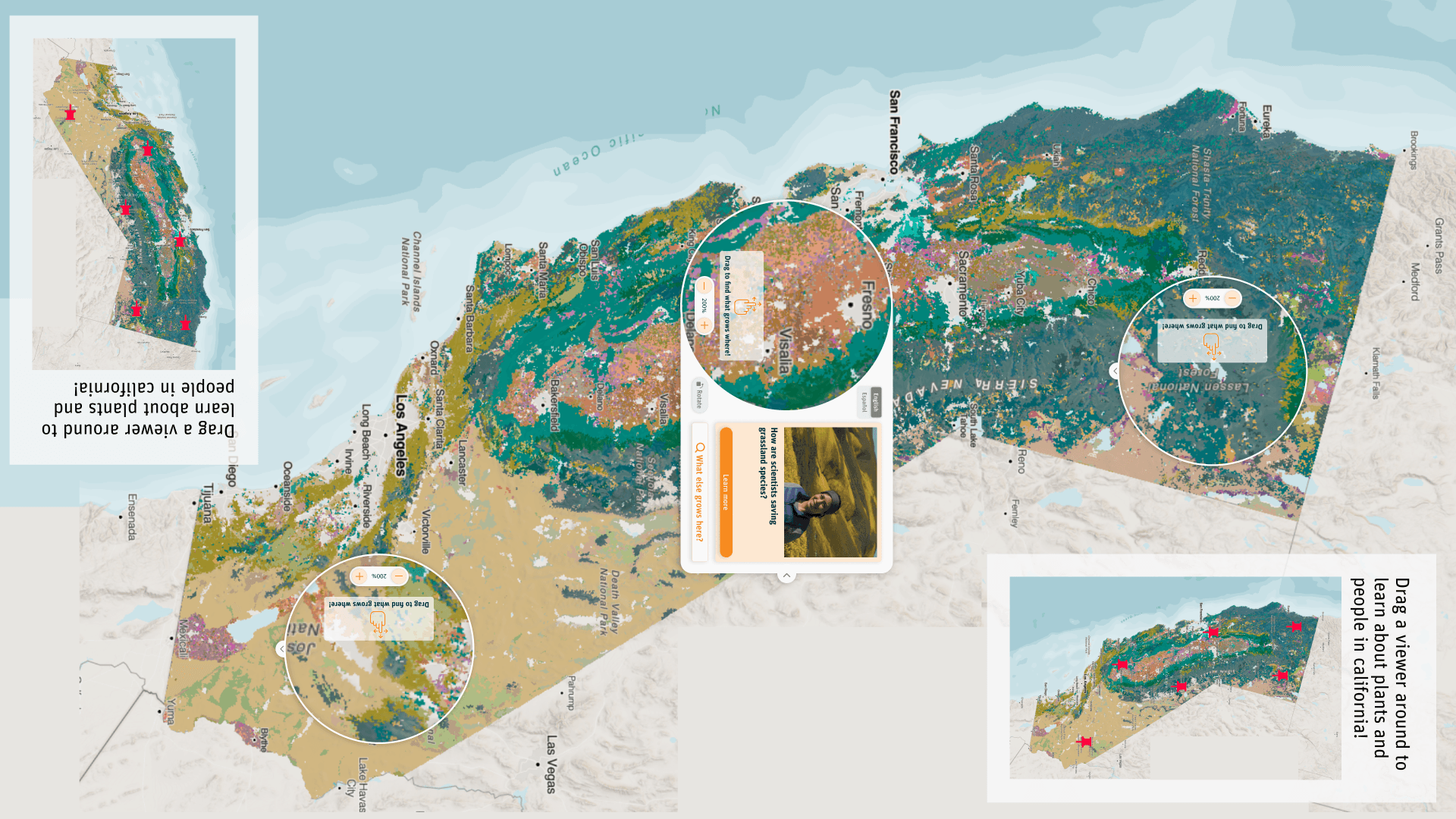
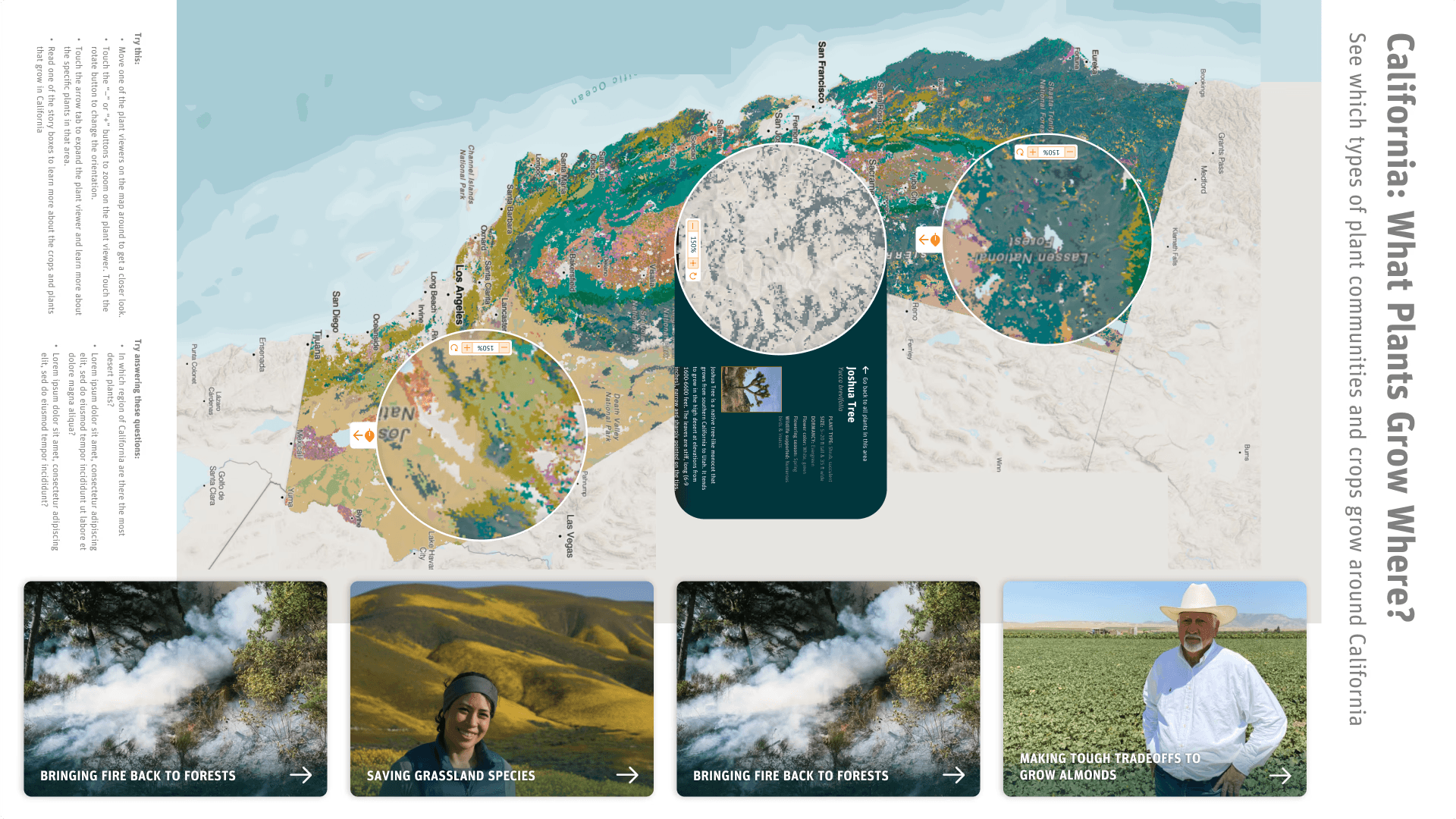
User interaction
Digging deeper into the map with a digital magnifying glass
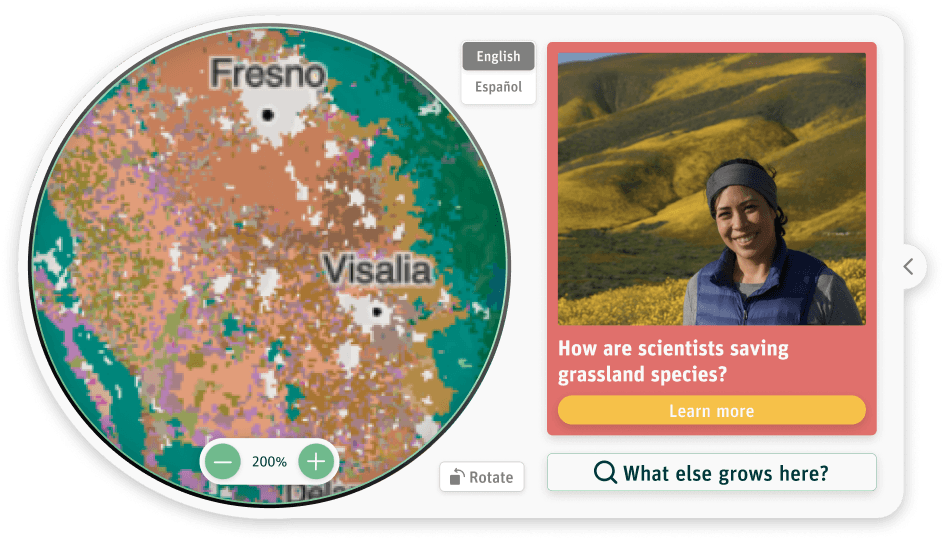
We created a digital, draggable magnifying glass that users could move around the map in both modes. We found that interacting with the plant magnifier was quite fun, and designed the experience to capitalize on that behavior. As users move the magnifier, both the plant data and relevant stories update based on the location, allowing visitors to explore the map and discover information in an intuitive, playful way.
User testing
Observing and learning directly from museum visitors
We collaborated with the Exploratorium’s exhibit testers multiple times throughout the project to create the most effective experience. When testing the design, we focused on the following key aspects:
How do users naturally interact with the map and plant magnifiers?
Where do users’ curiosities lead them during exploration?
What questions remain unanswered after using the product?
How well does the design accommodate groups of different sizes and ages?
Are users engaging with the product in the ways we expect and hope?
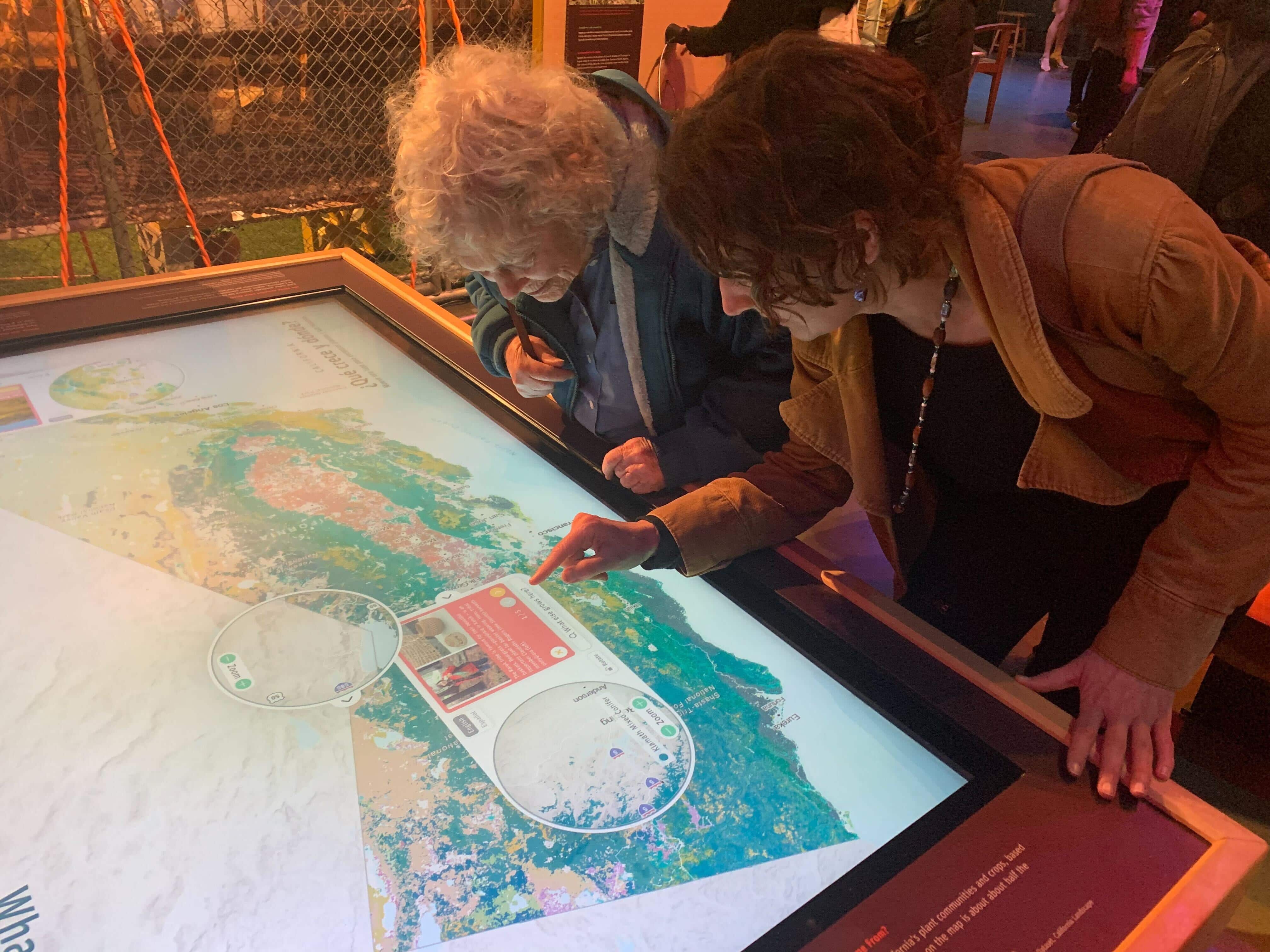
Based on feedback from our users, we refined the magnifier design to create a more intuitive and engaging experience. Specifically, we:
Prioritized Story Mode over Explore Mode in terms of design emphasis.
Added a Spanish/English language toggle to make the exhibit accessible to a broader audience.
Enabled users to rotate the plant magnifier to better utilize the space around the table.
Designed interactive states that encouraged continued exploration when users moved off the map or finished reading a story.