WastewaterSCAN Dashboard
UI/UX & Visual Design • Desktop & Mobile
I designed an interactive dashboard for WastewaterSCAN that visualizes wastewater data to track public health trends across the United States for users with a range of technical capabilities.
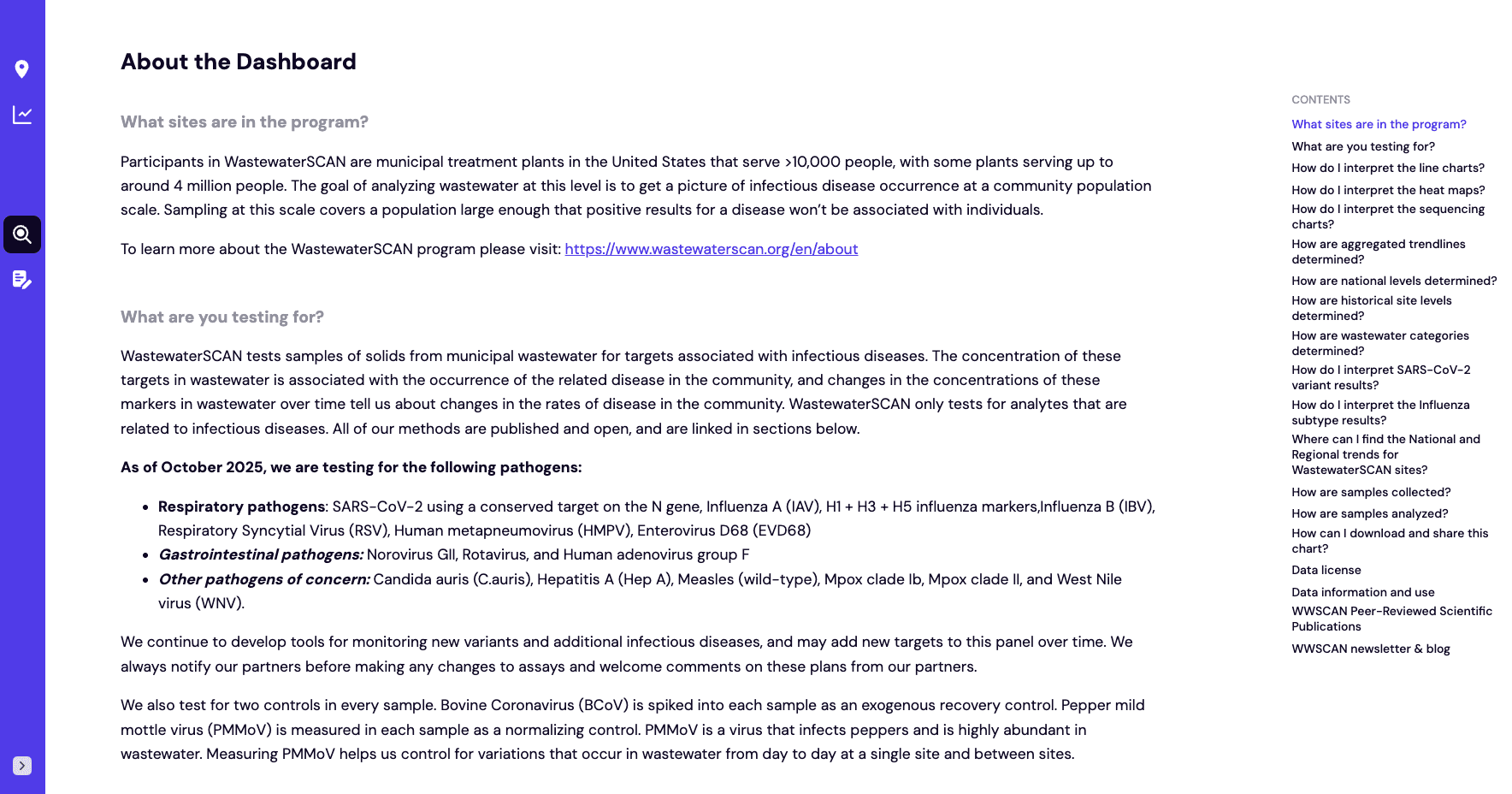
Overview
I have it bookmarked and open everyday, it's really fantastic.
– WastewaterSCAN
Role
Lead product designer
Team
3-person team
Timeframe
About 2 years
Client
Wastewater SCAN
Company
Stamen Design
Check out the live project or read the blog post I wrote for Stamen Design 👀
Outcome
2x faster analysis for researchers and adoption by non-technical users across the country
Made complex public health data accessible and actionable for non-technical users
Aligned design decisions with user needs by collaborating with scientists, data engineers, and public health experts
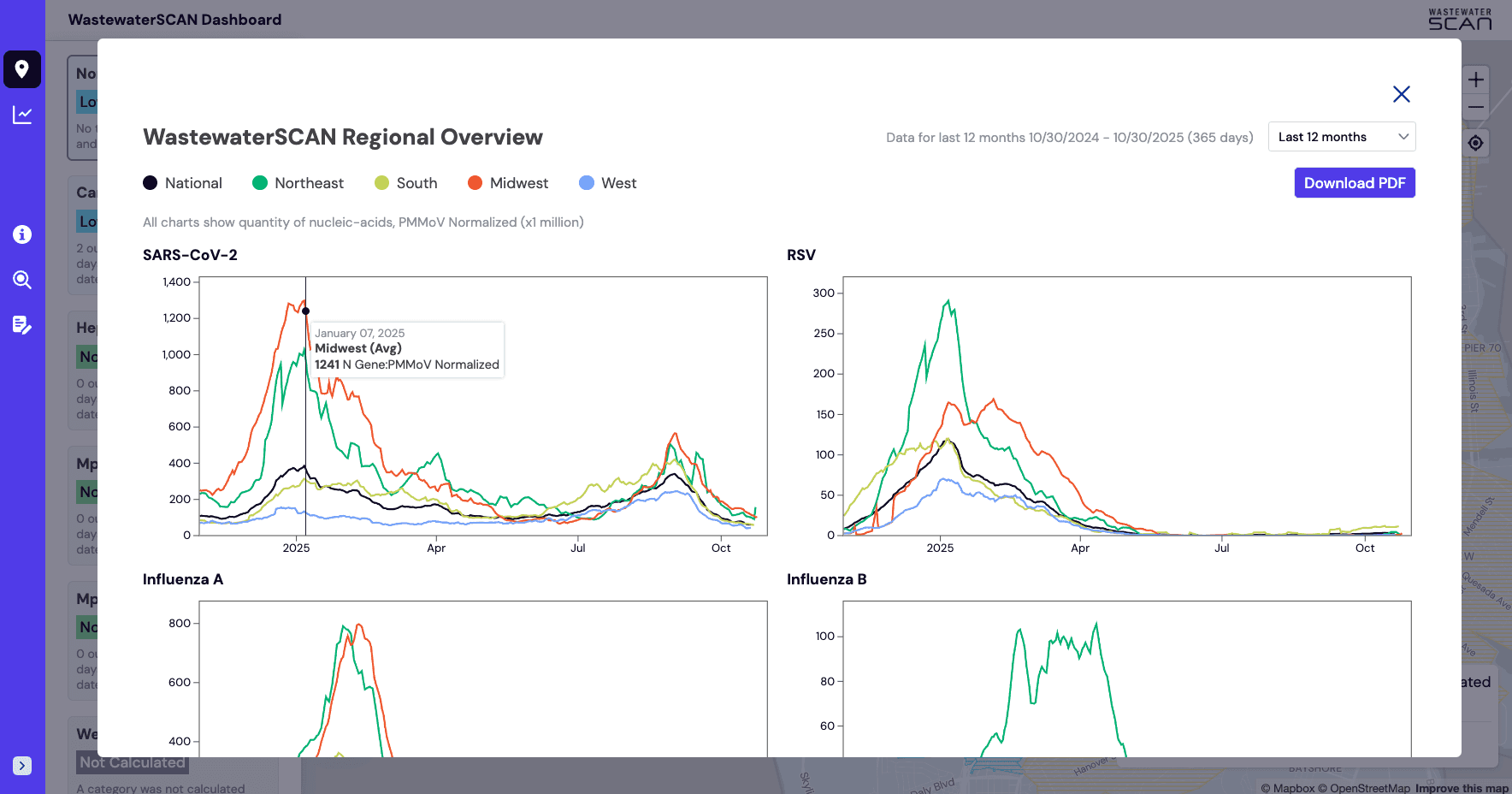
Revealed health trends, enabled community comparisons, and showed changes over time across multiple geographic scales with customizable data visualizations
Balanced scientific precision with public accessibility and brand
Optimized for seamless use on desktop, tablet, and mobile devices
Partnered closely with developers to prototype, test, and refine the product from concept to launch
Problem
Turning complex wastewater data into actionable public health insight
To start the project, we asked the client to define what success looked like from their perspective. This approach helped align expectations early, clarify the problem we were solving, and provide a benchmark to measure our progress throughout the project.
Failure
Success looks like avoiding 100% of the following
Disjointed, confusing user experience
Website is frequently down
Screenshots of charts don't include relevant information
People are always redesigning the data to use for their overviews and sharing with stakeholders
Users are not able to understand the main objective of the content
Minimum Success
Success means achieving 100% of the following
Data can be viewed as it's available
Export/embed options that are easy to use
Text and info on the website can be updated by WastewaterSCAN (non-techie) team
Users are able to interpret the visualizations easily and make actionable insights
Dashboard allows users to view data as it's available
Target Success
Success means achieving 40–60% of the following
UX is intuitive, easy to use, allows users to view and compare data
Website provides a meaningful story and value to the engaged citizen
The general public can look at the website and know how to interpret the data
Users who oversee multiple sites (national, states, counties) can look at their data together
We like to brag about the website
User research
Designing for technical researchers and the general public
To understand who we were designing for, we grouped users into four main categories and prioritized them based on their needs. Our focus was on uncovering what motivates each group and what challenges or limitations they face when engaging with the data.
Super User
Admins (Client)
Goals / motivations:
Optimize website to make sharing insights and data with stakeholders quicker and easier
Frustrations / pain points:
Need to provide many stakeholders with trends and data insights very quickly
Current process takes time and isn't efficient
Primary User
Public Health Stakeholders
Goals / motivations:
Quickly explore and understand data
Use findings and insights for decision-making
Frustrations / pain points:
Website exploration is not intuitive for user group
Inherent reliance on humans (admins) to fill in the gaps, answer questions, validate data, etc.
Secondary User
Nerdy General Public
Goals / motivations:
Understand health trends at many scopes
Easy to customize and share findings for science communication
Frustrations / pain points:
Website is not intuitive for finding or sharing insights
Charts are not designed for this audience
Tertiary User
Academics & Researchers
Goals / motivations:
Find compelling entry point into their own research
Downloading the data directly
Frustrations / pain points:
Want more freedom to investigate the data with their own tools or workspace
Requesting access to data takes too much time
Technical analysis
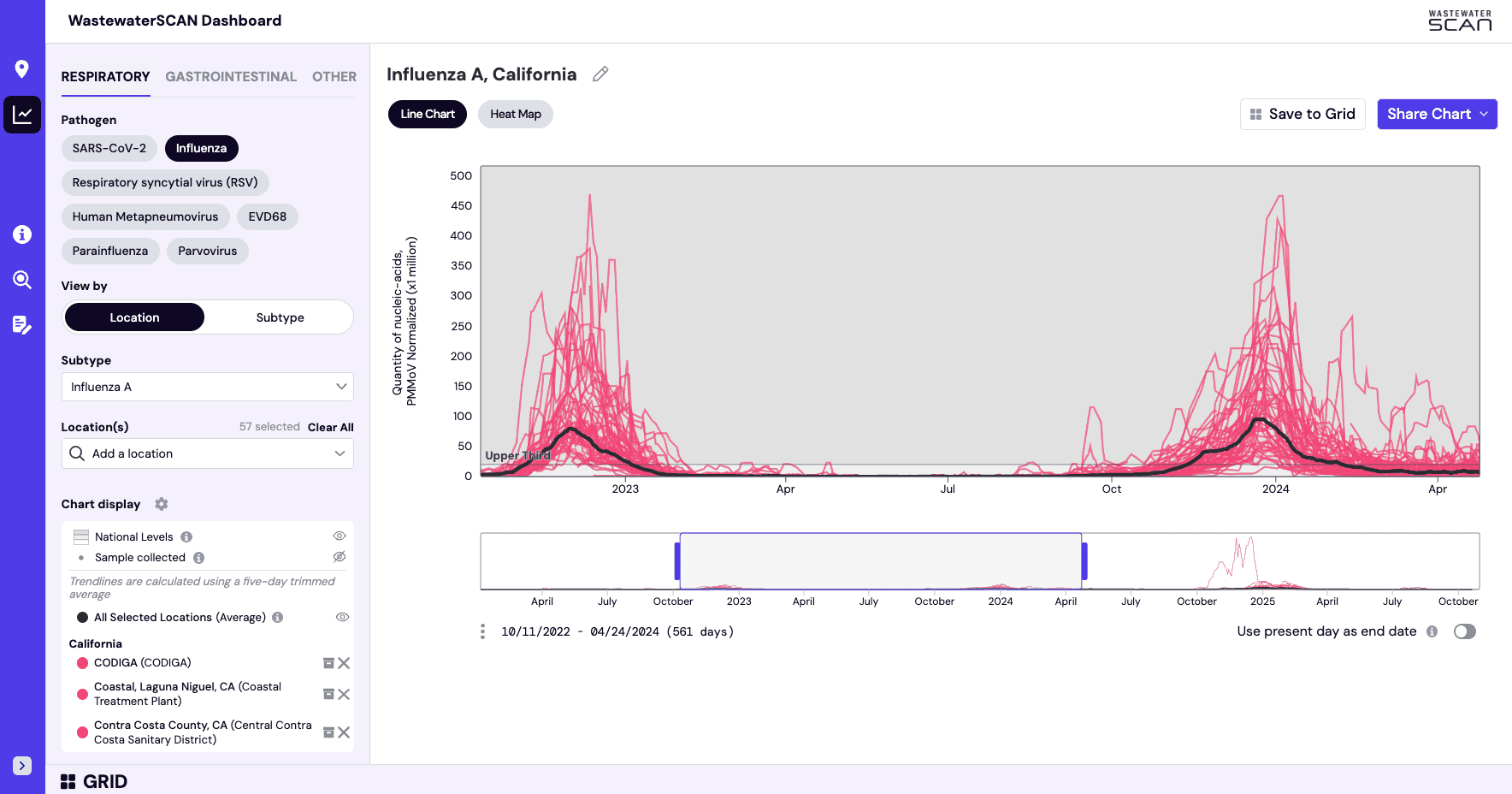
Designing a customizable chart builder for analysis and report building
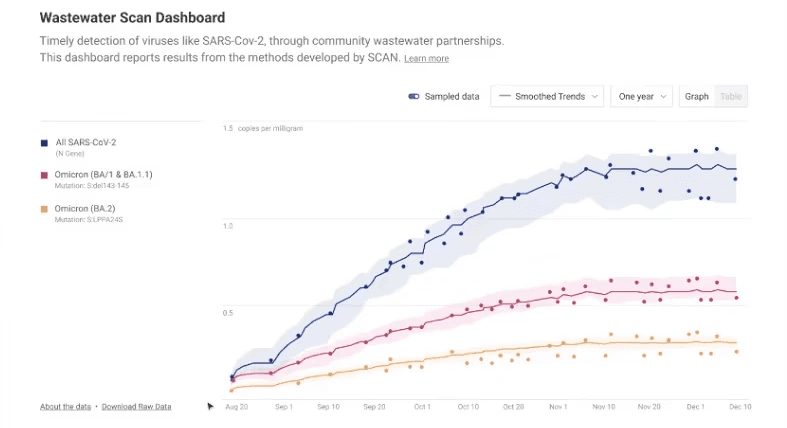
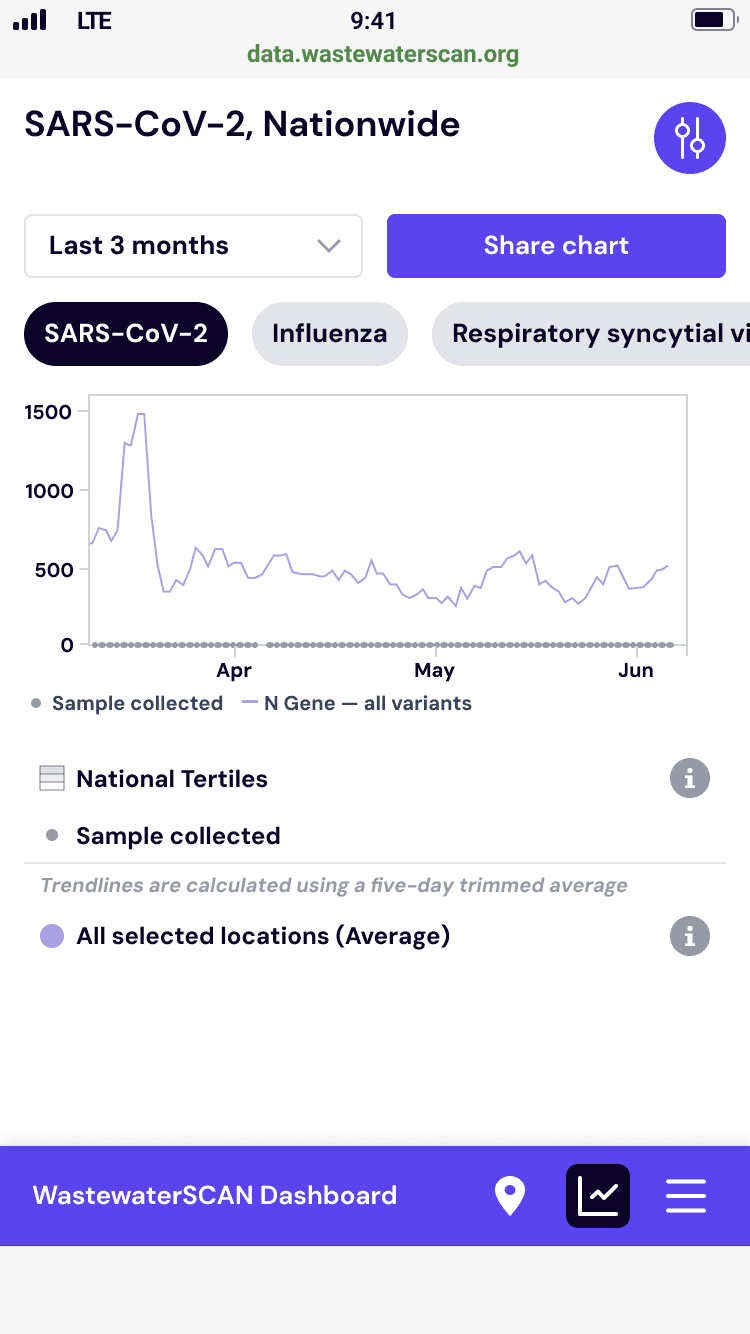
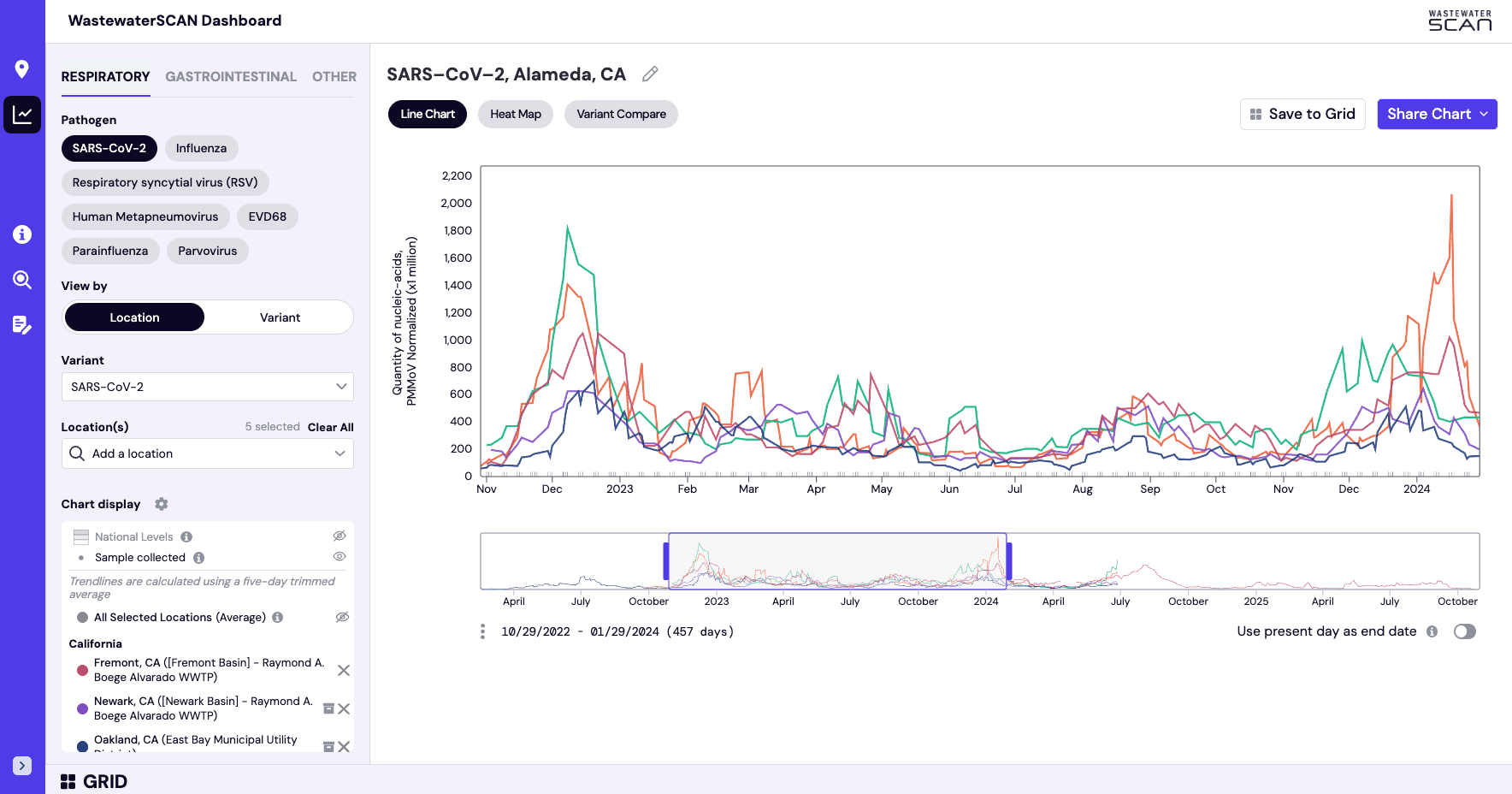
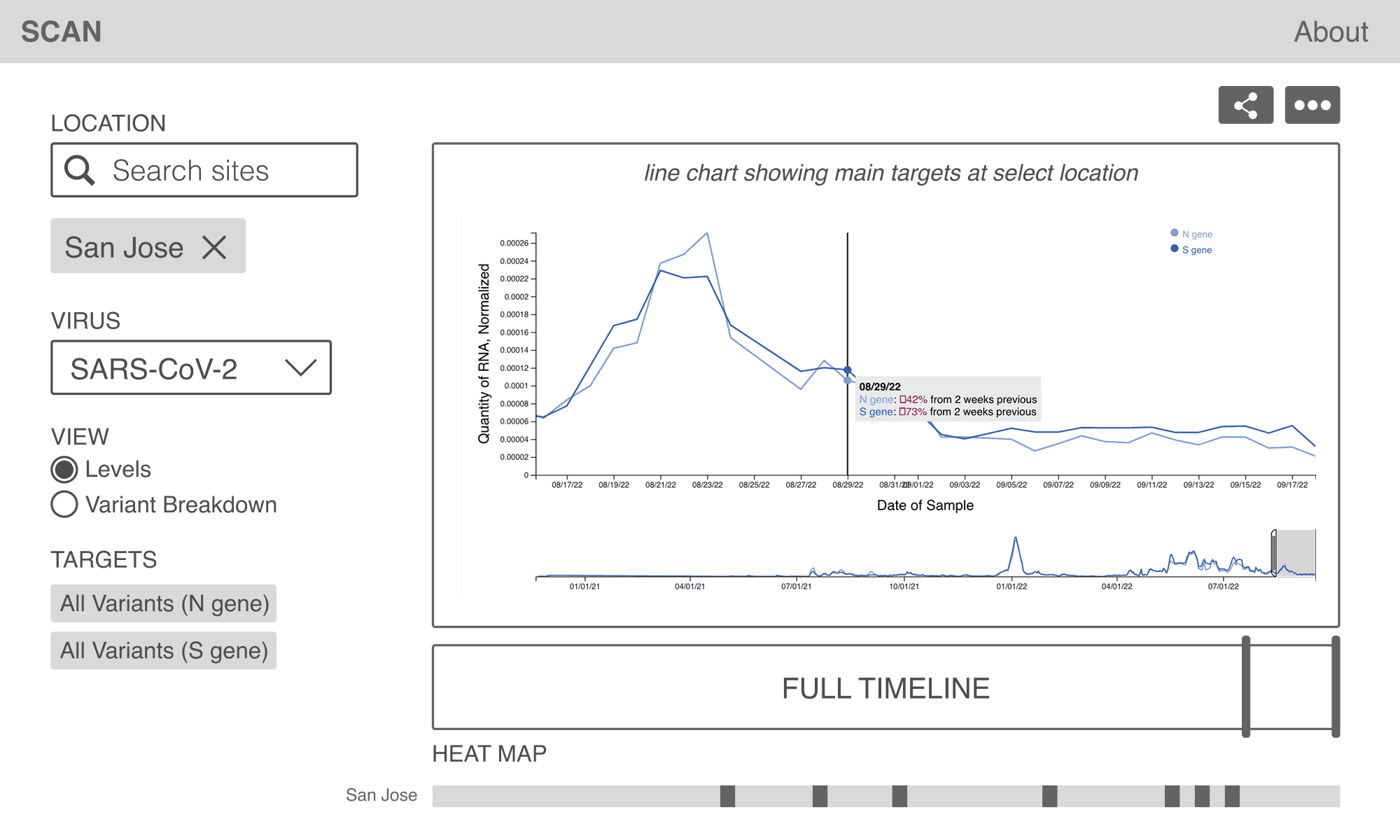
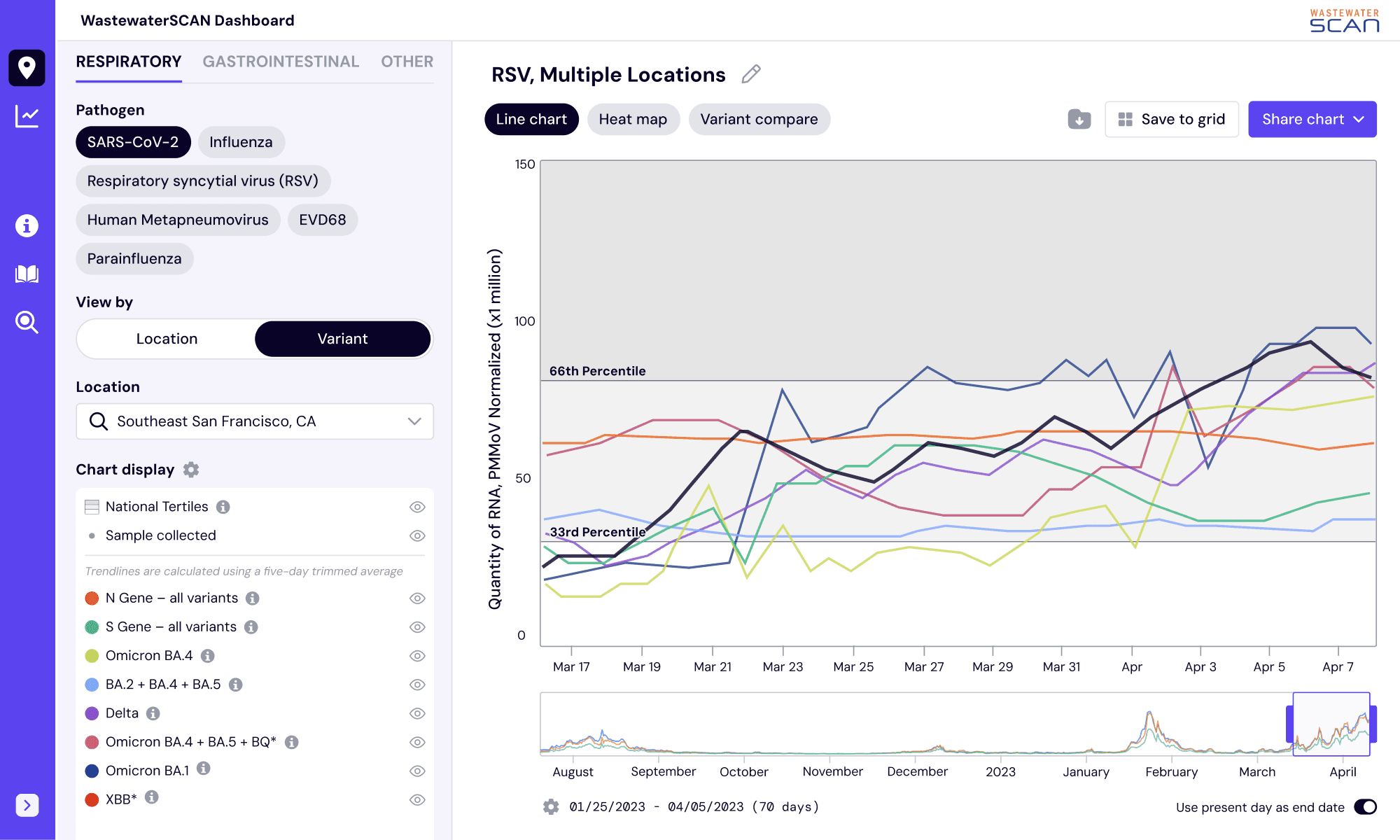
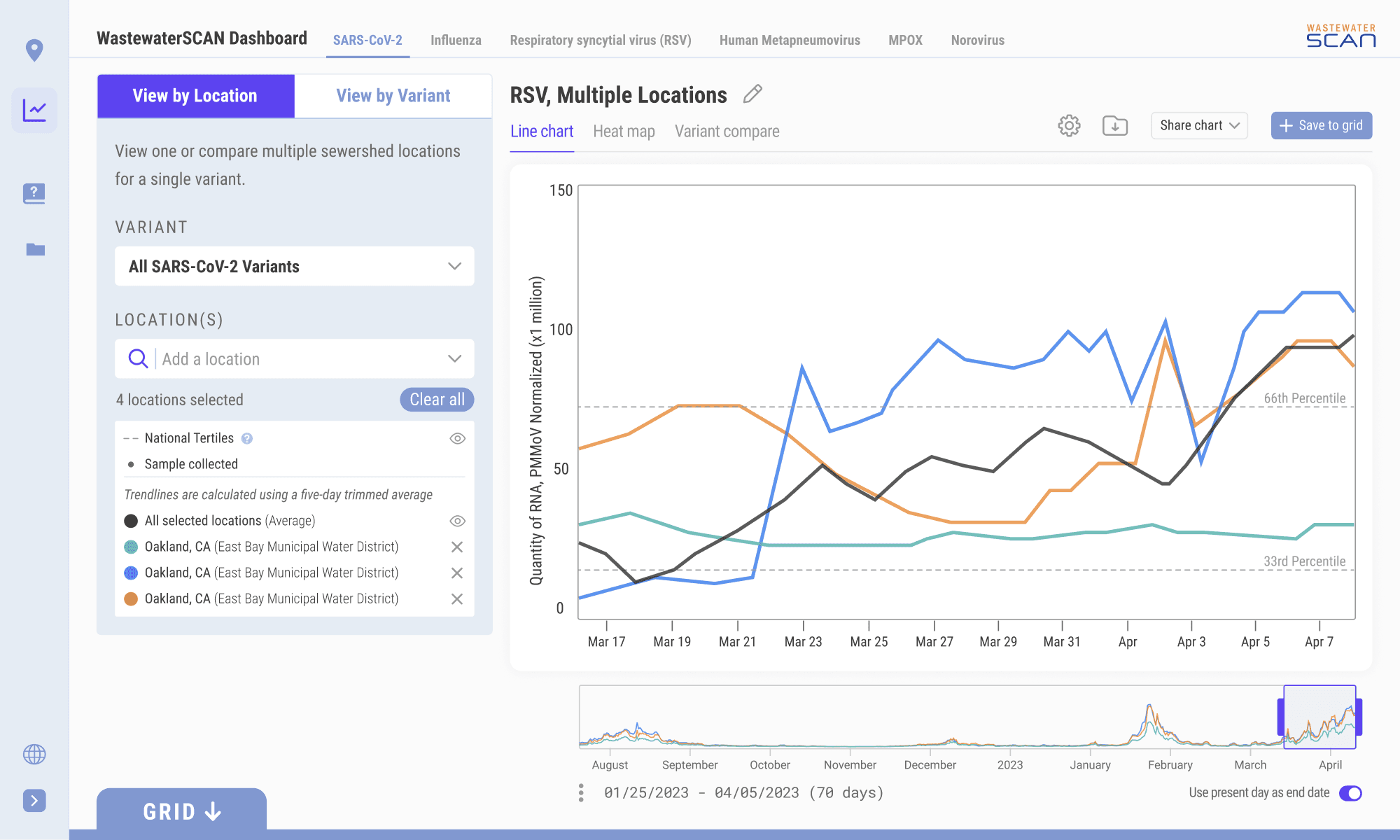
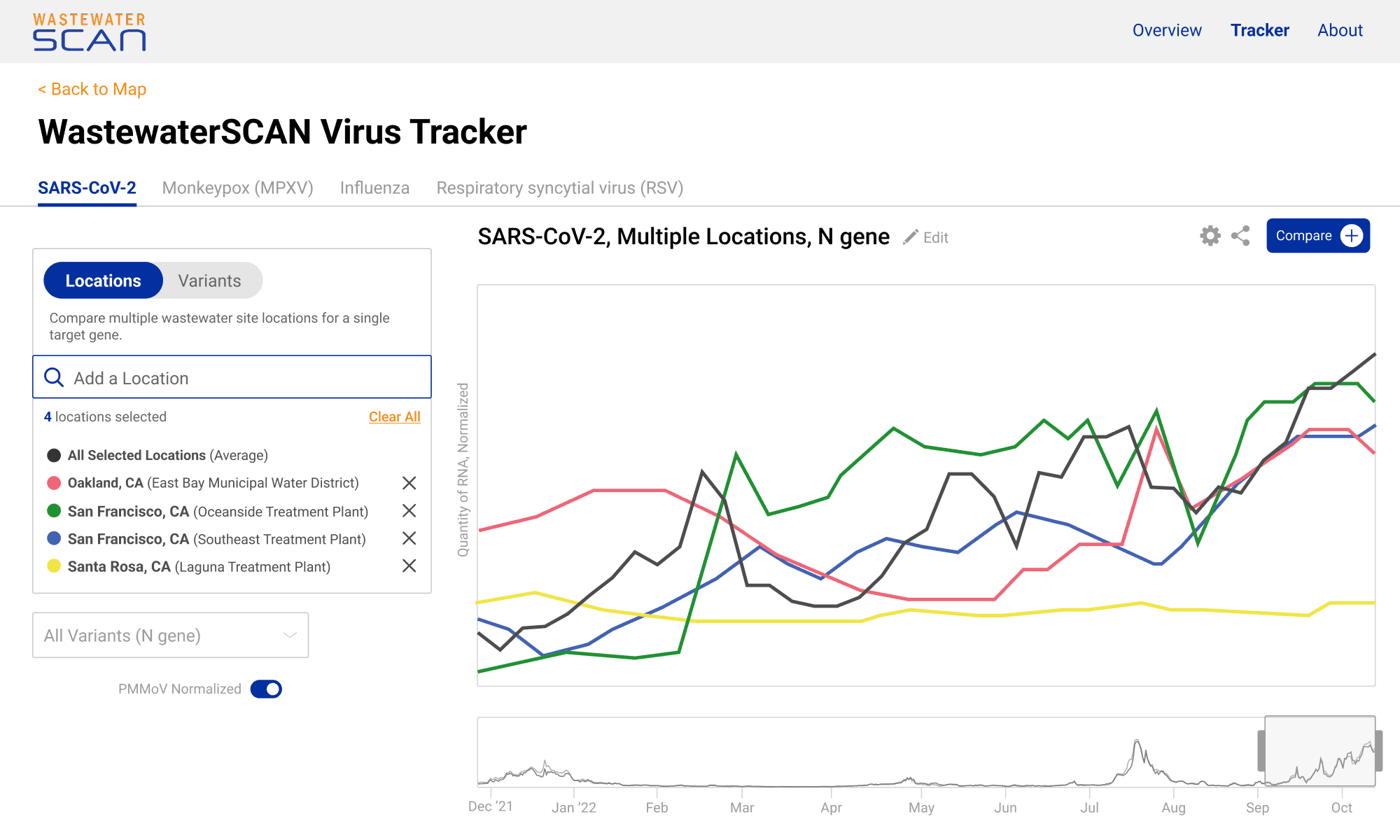
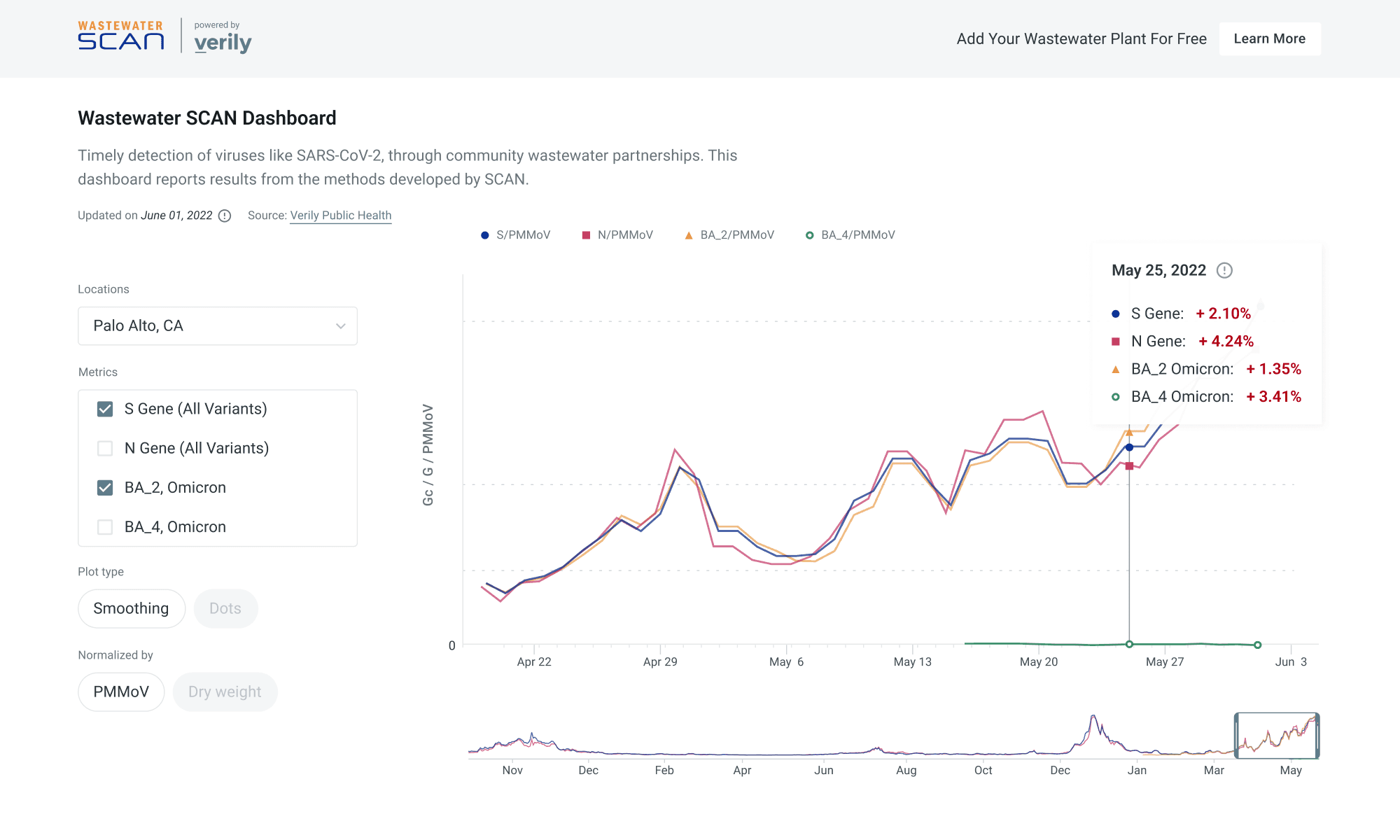
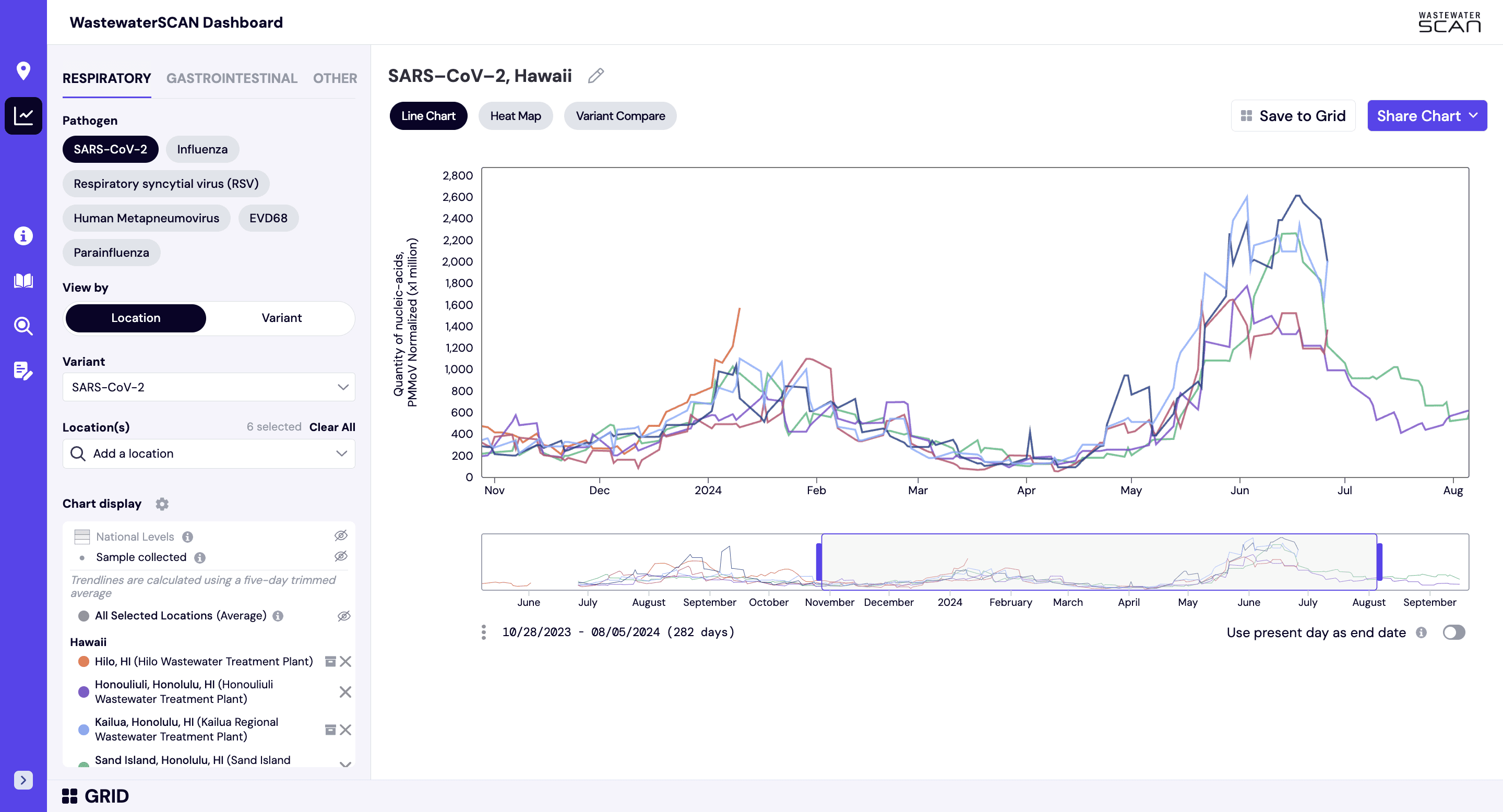
The previous dashboard displayed trends for only a few diseases and lacked the flexibility to easily incorporate new data. Our first challenge was to design a customizable chart builder with intuitive controls that could seamlessly integrate additional pathogens and locations over time. We also introduced several new features to expand the chart capabilities for our more technical users:
Flexible scrubbing to change the chart timeframe
Searchable locations and the ability to create customizable groups of locations
Supplementary data toggles for national trend levels or samples collected
Navigation by type of pathogen and other pathogen details
Updating chart type to line chart, heat map, or variant compare when available
Saving editable charts to a grid for building reports
Exporting and sharing charts directly to social media
Snapshots from the wireframing process 📷
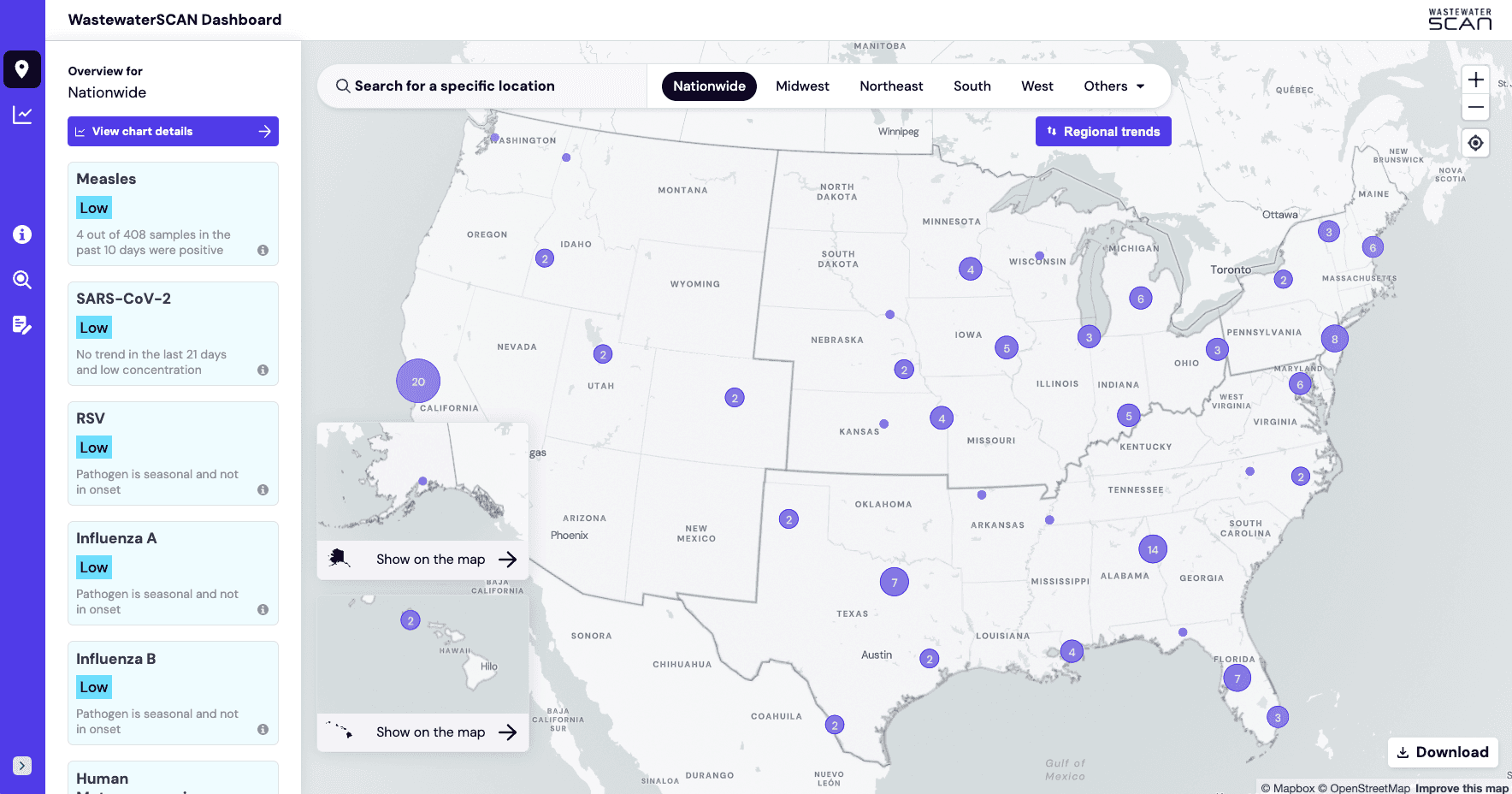
Map overview
Visualizing the data geospatially to connect the dots for the general public
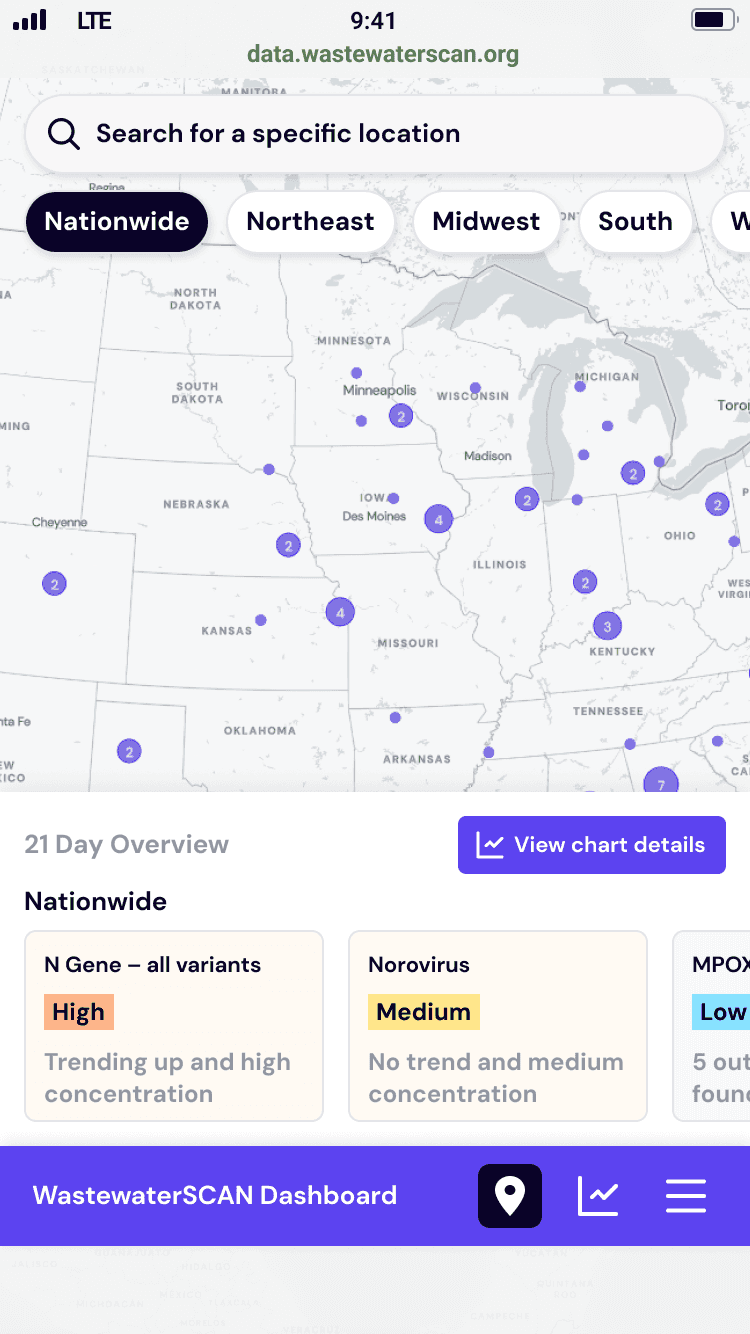
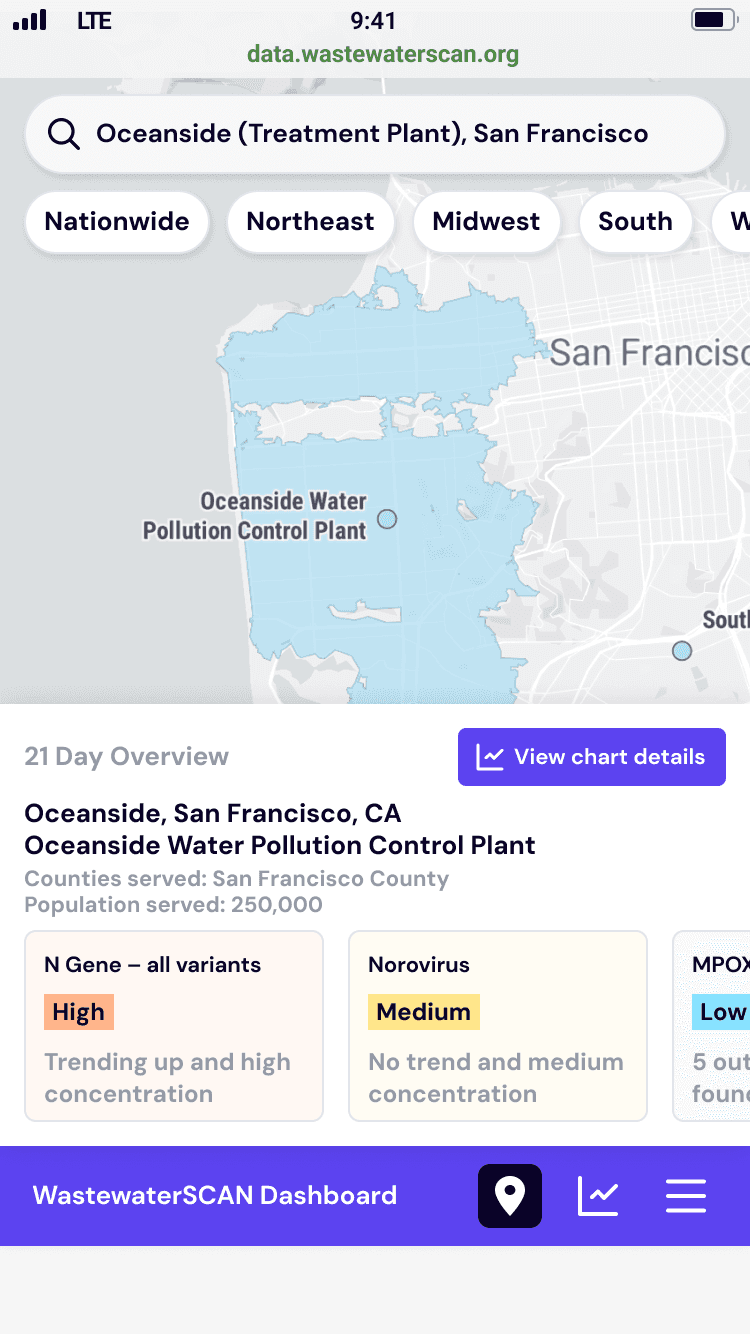
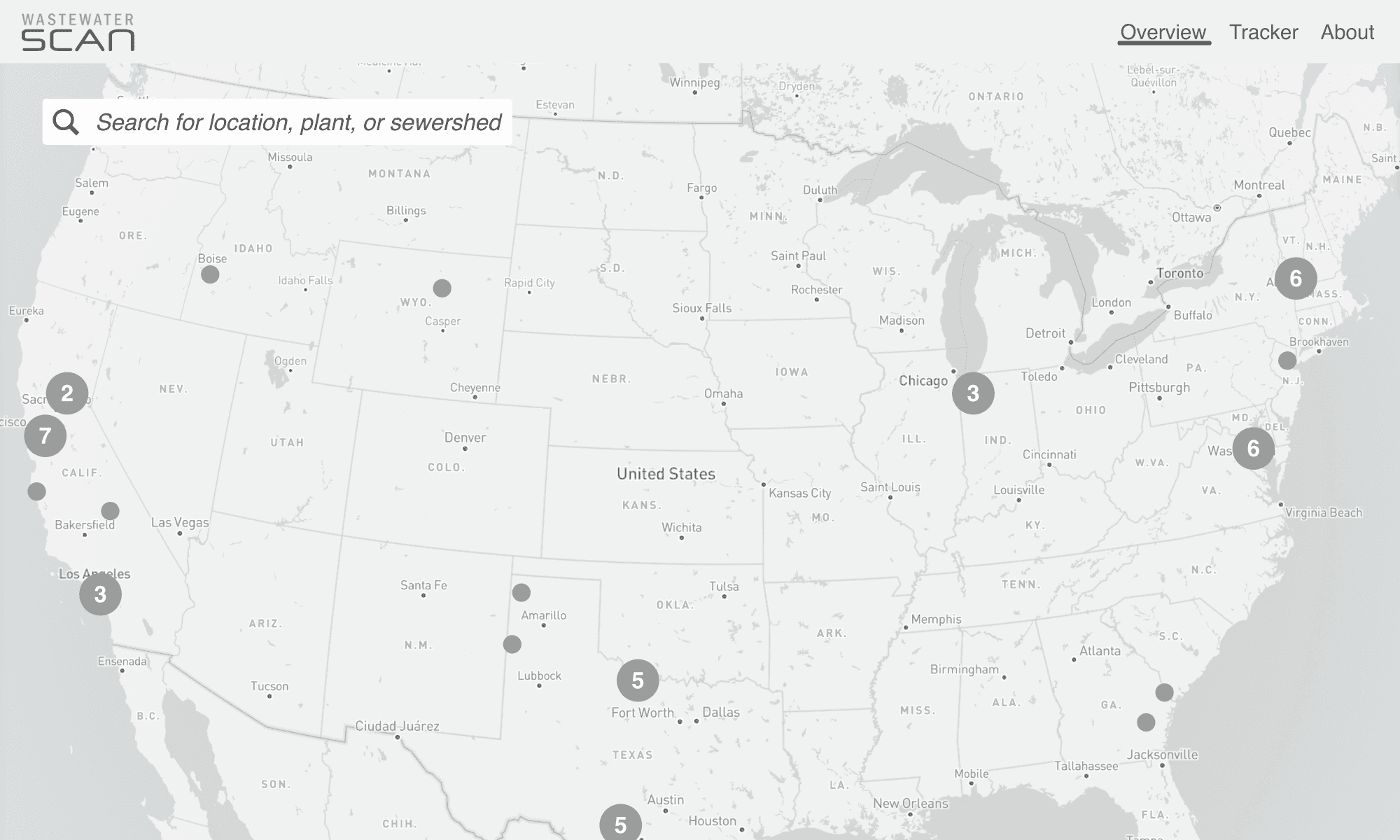
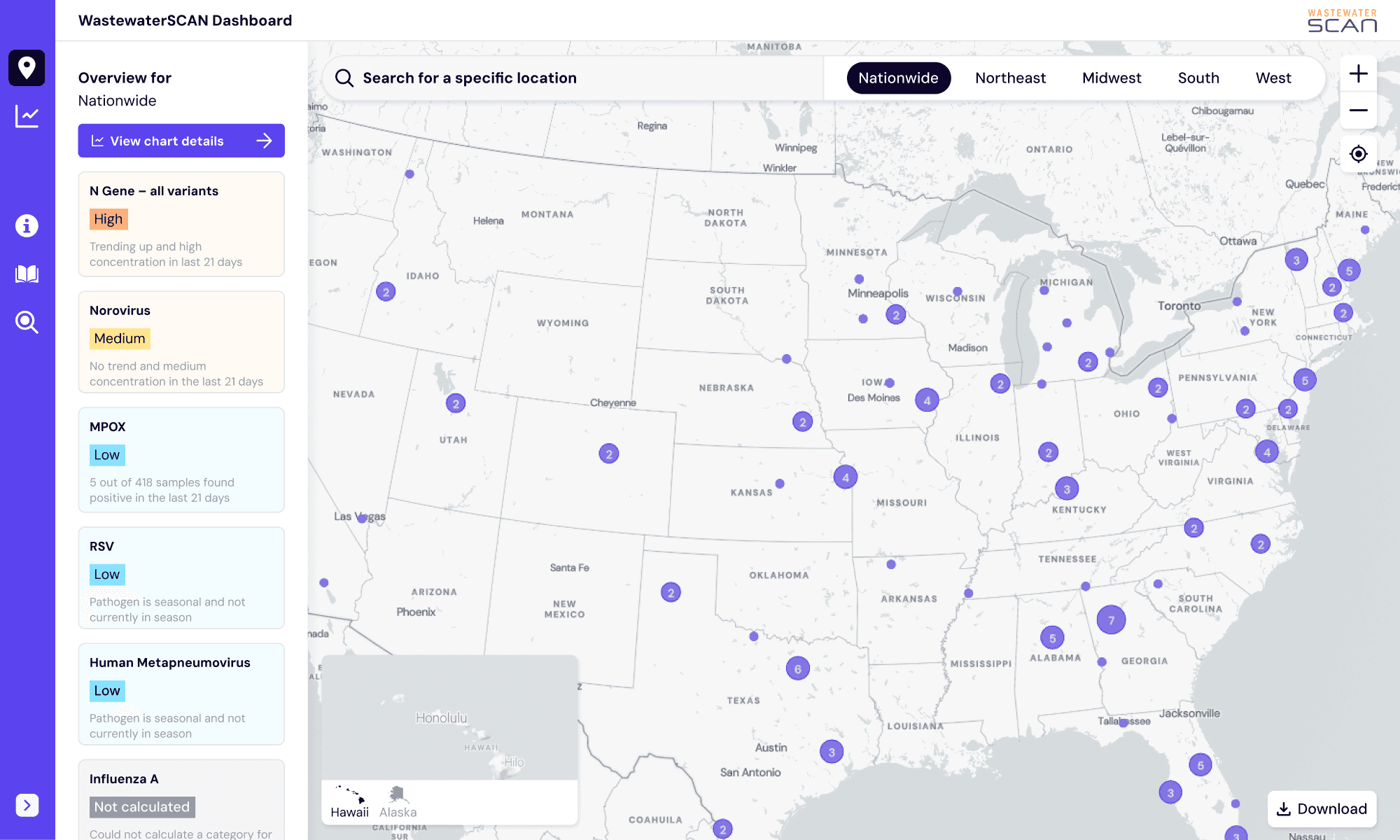
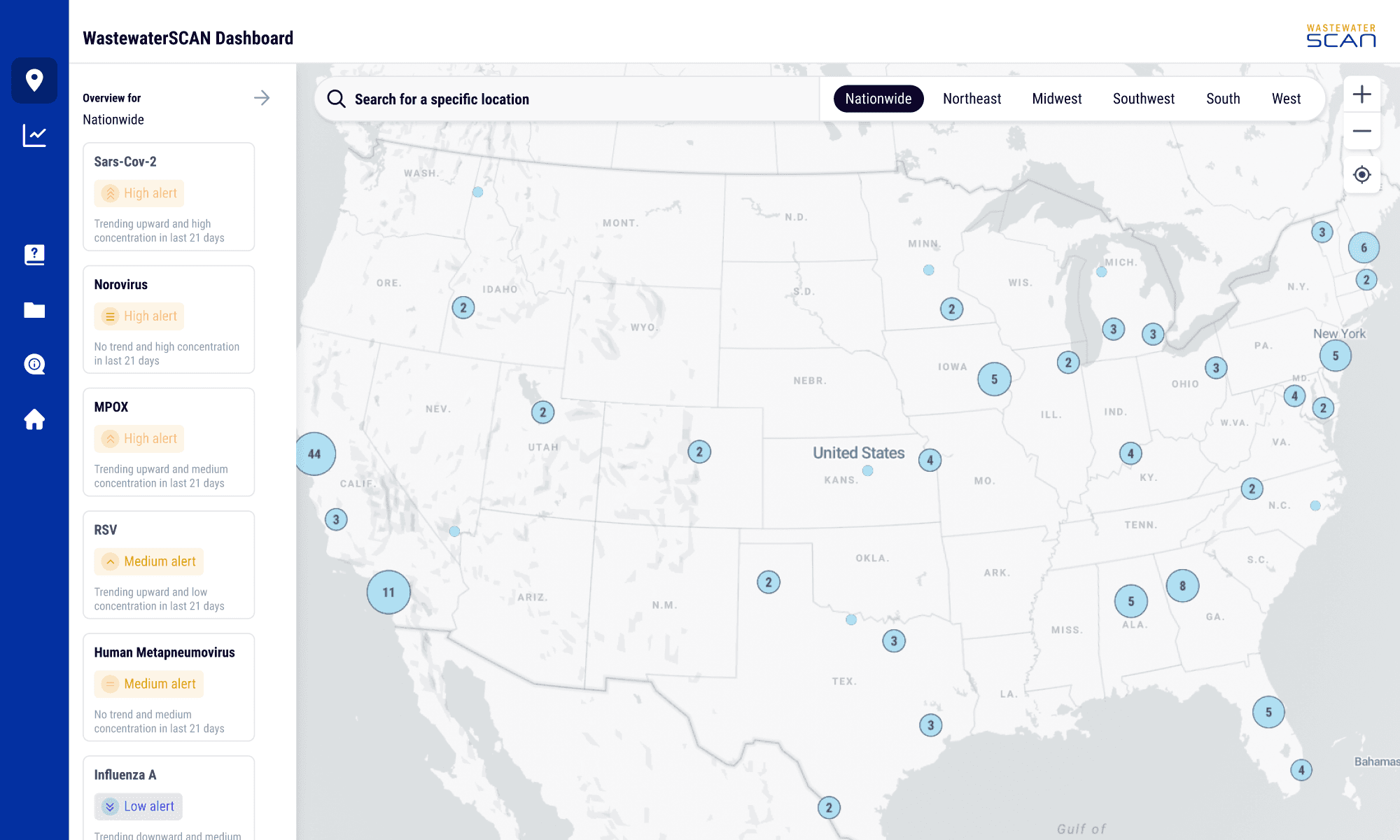
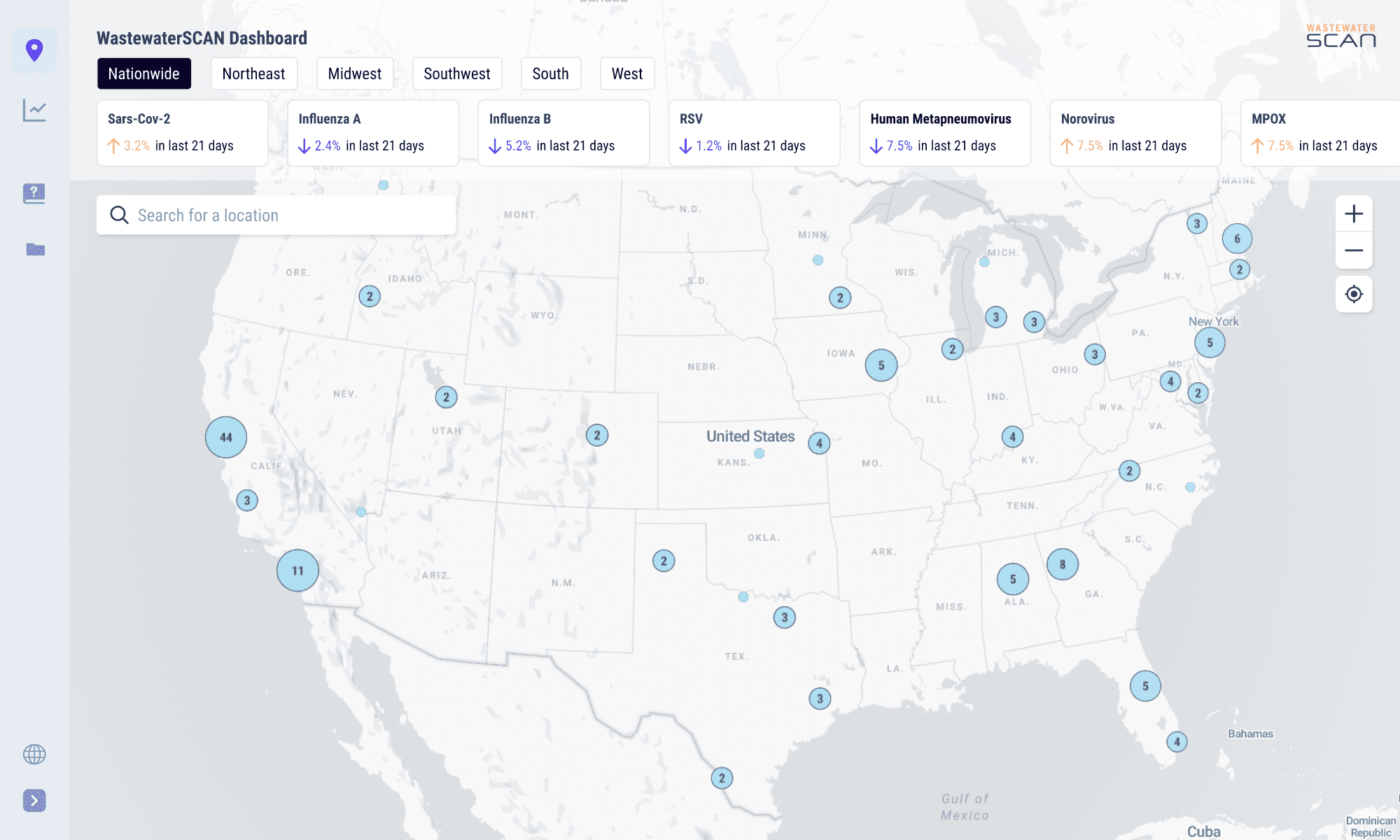
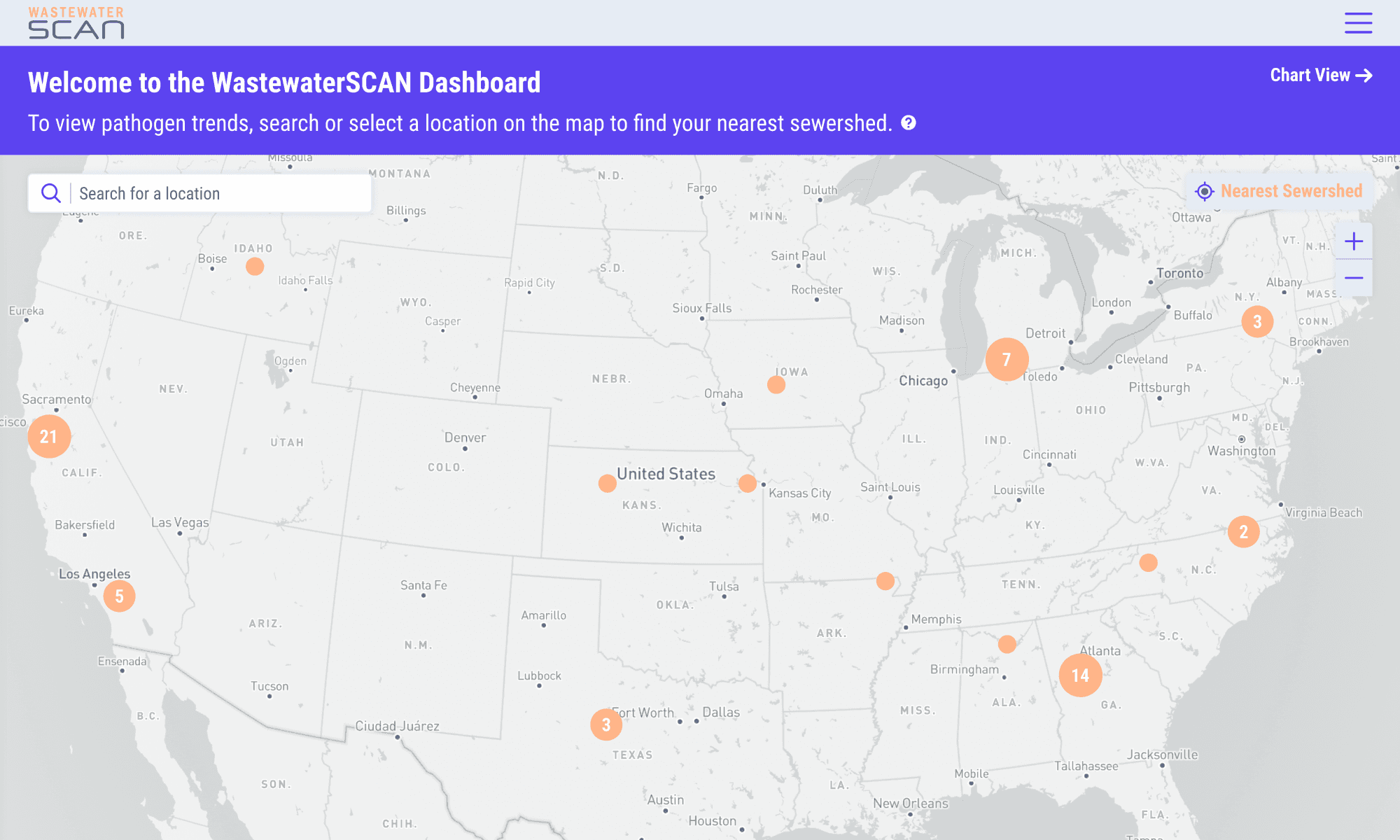
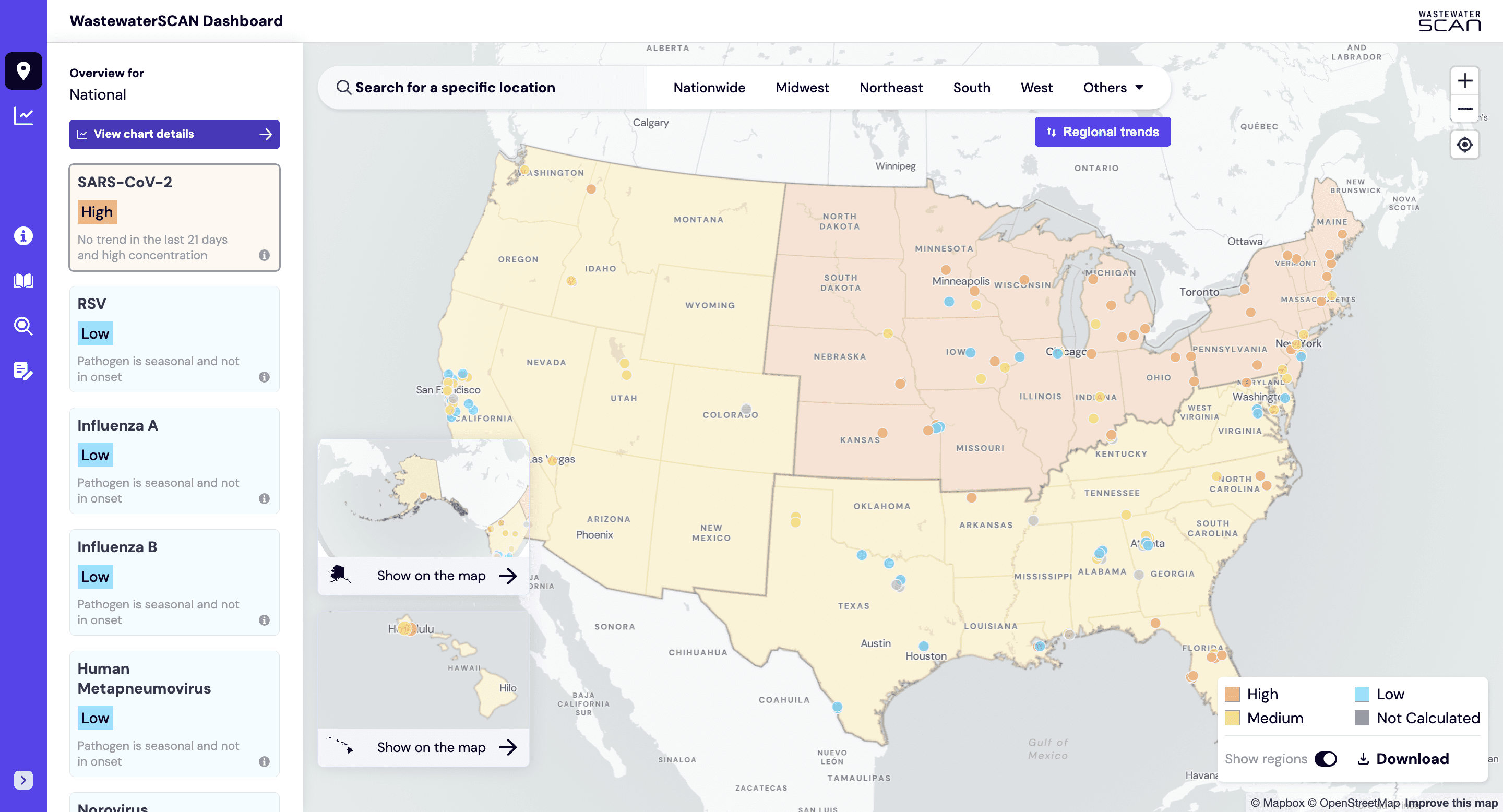
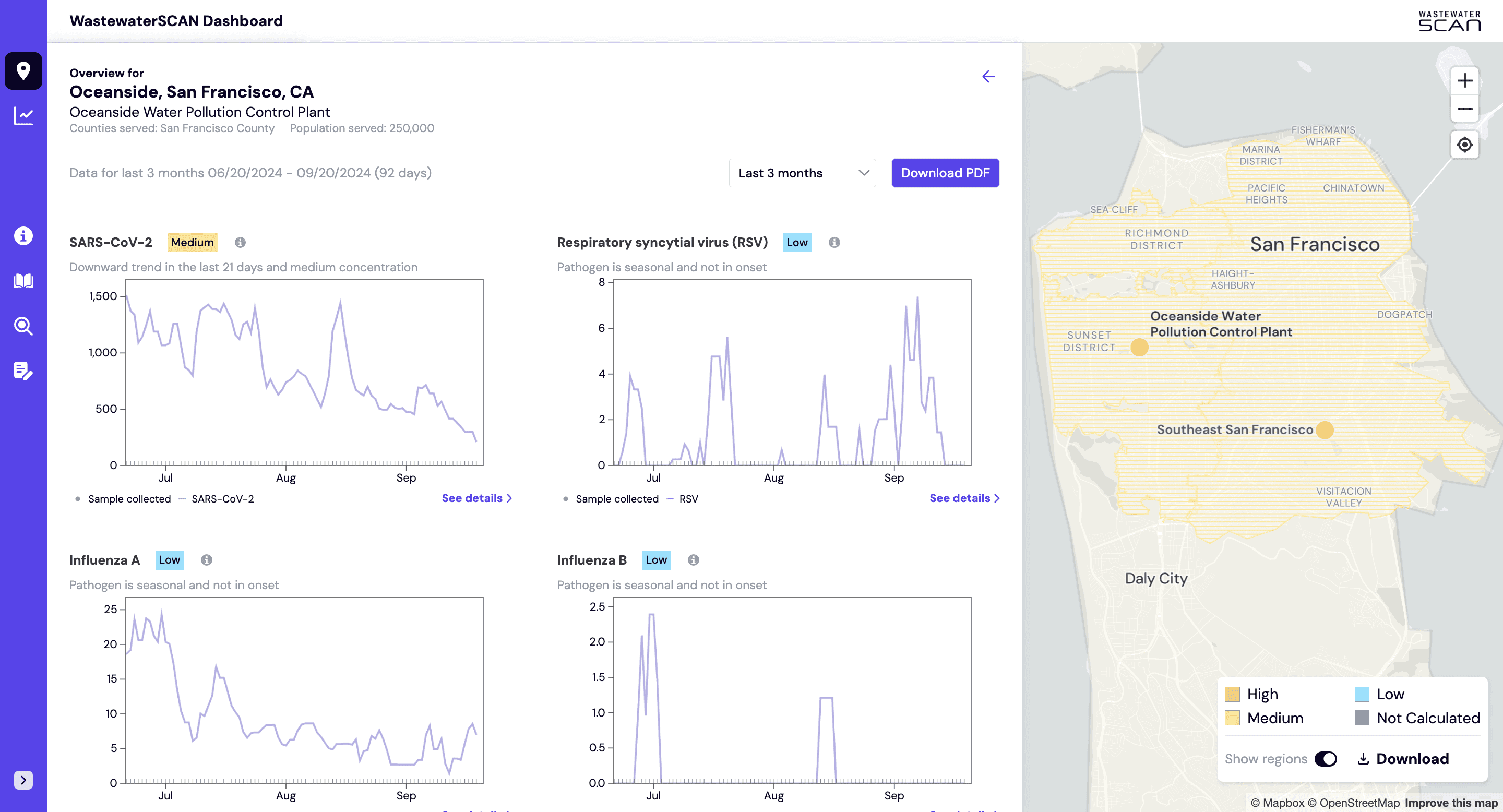
Given the geospatial nature of the data, we were eager to explore how wastewater site data and trends could be viewed at the country, state, and even city level. We believed a map would serve as an effective entry point for the general public, offering a familiar and visually engaging way to explore the data. Once the initial chart builder design was established, we began iterating on how users could interact with a map of the data. Below are some snapshots from our wireframing and visual design process:
Snapshots from the wireframing process 📷
Regional trends
Encoding pathogen trends for high-level map overviews
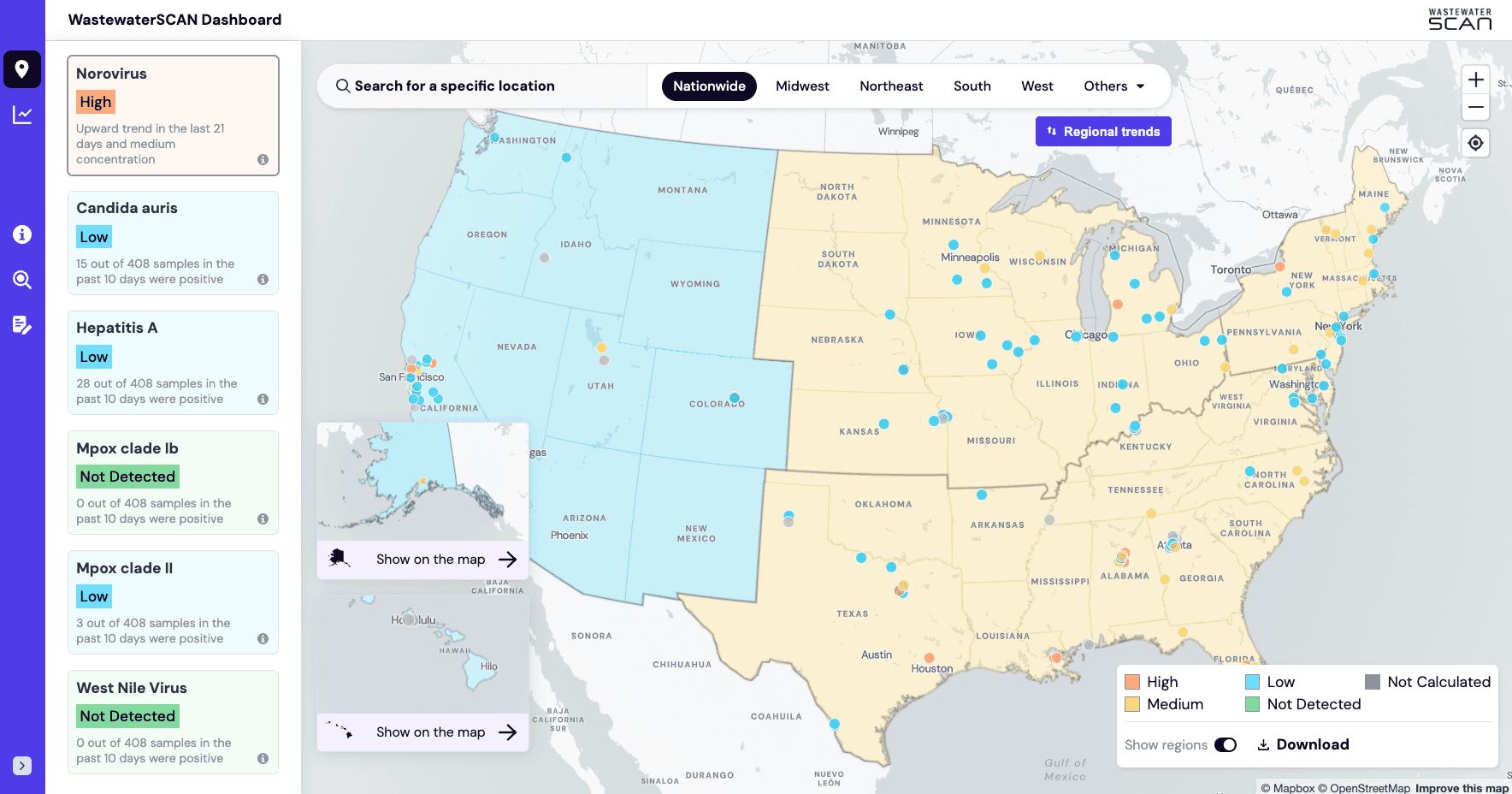
In addition to mapping wastewater site locations, WastewaterSCAN provided a system for determining pathogen alert levels, which we used as the basis for our color scheme.
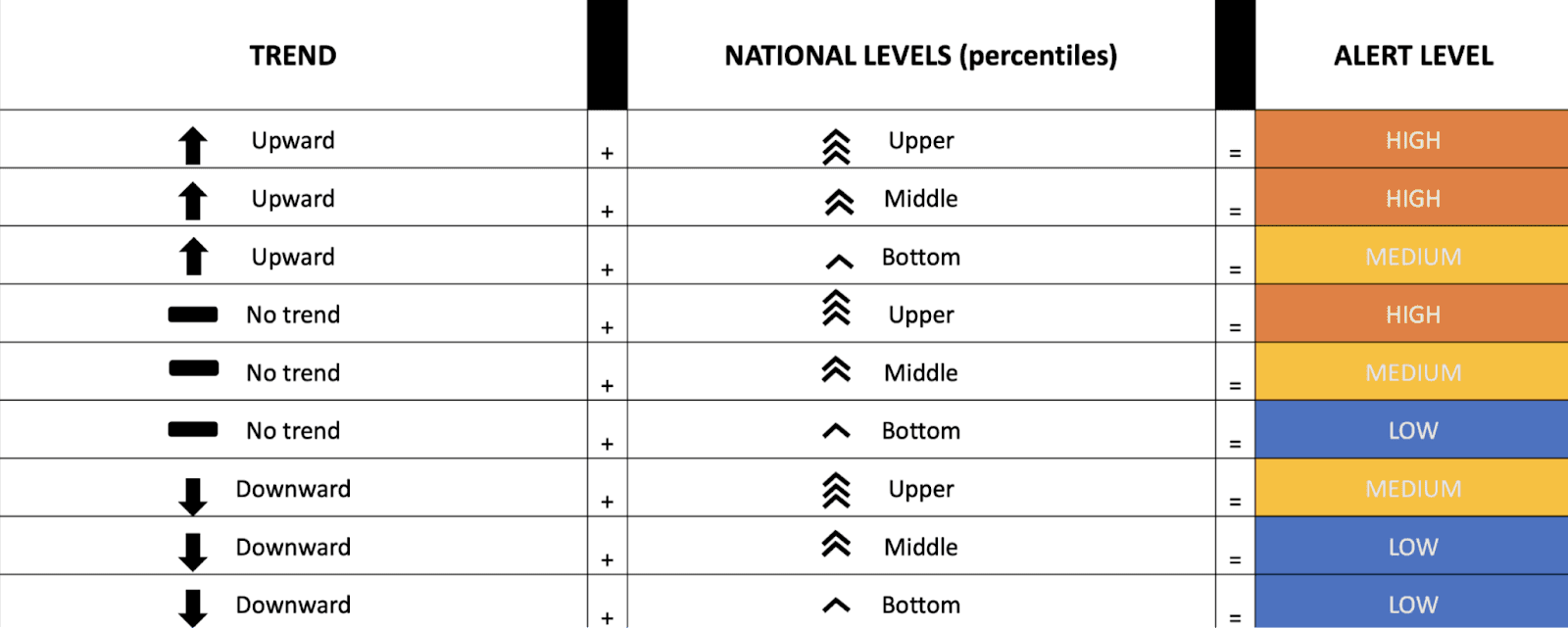
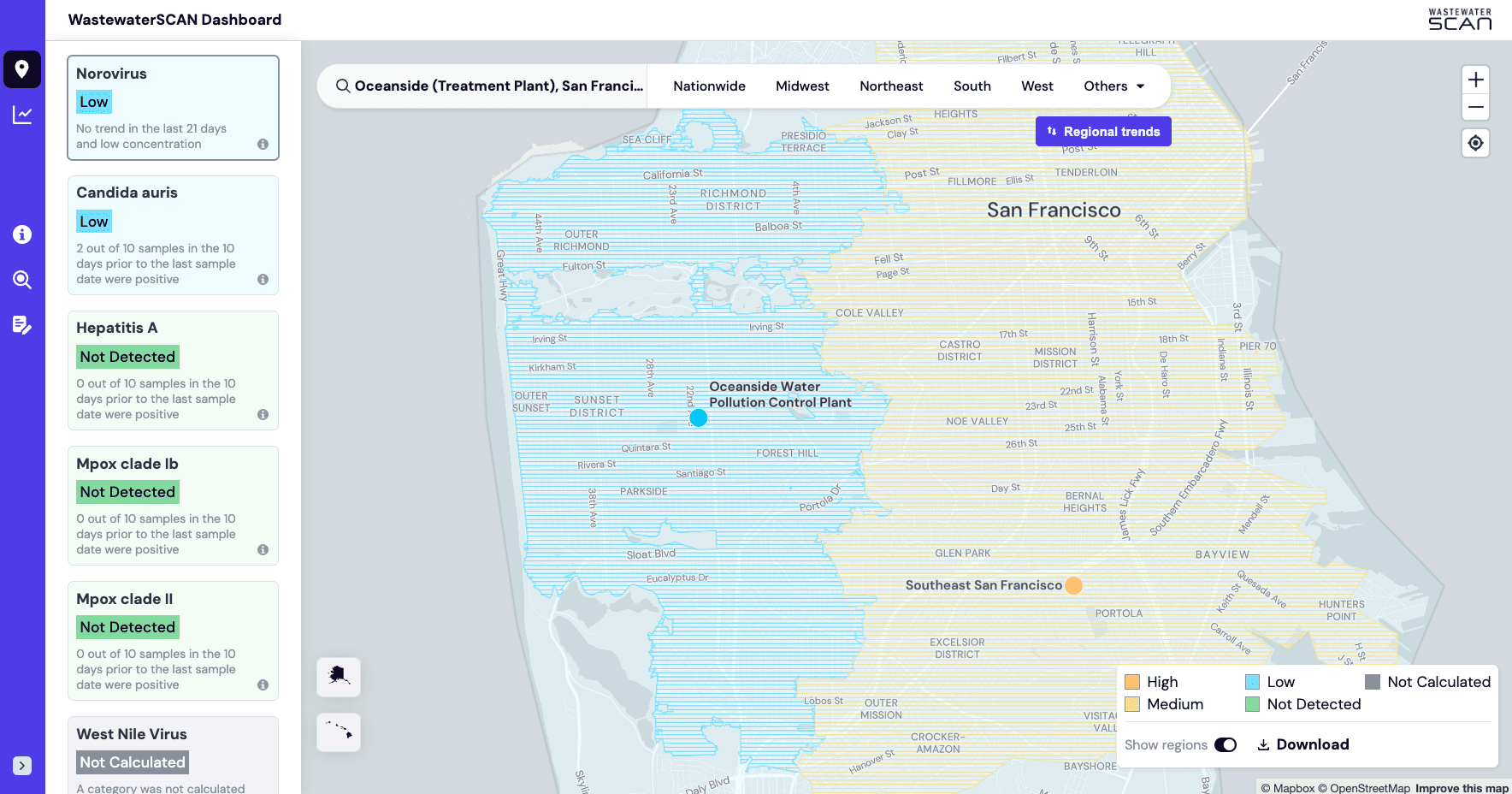
Data was not available for every wastewater site nationwide, so we used solid fills to represent general regions, giving users a clear overview of broader trends. For specific sites with available data, we applied points or patterned fills that adjusted based on the zoom level, allowing users to drill down into detailed site-level information. This approach balanced clarity and precision, helping both the general public and technical users interpret large-scale patterns while still accessing specific, actionable insights when needed.
Mobile design
Tracking public health alerts on the go with a mobile experience
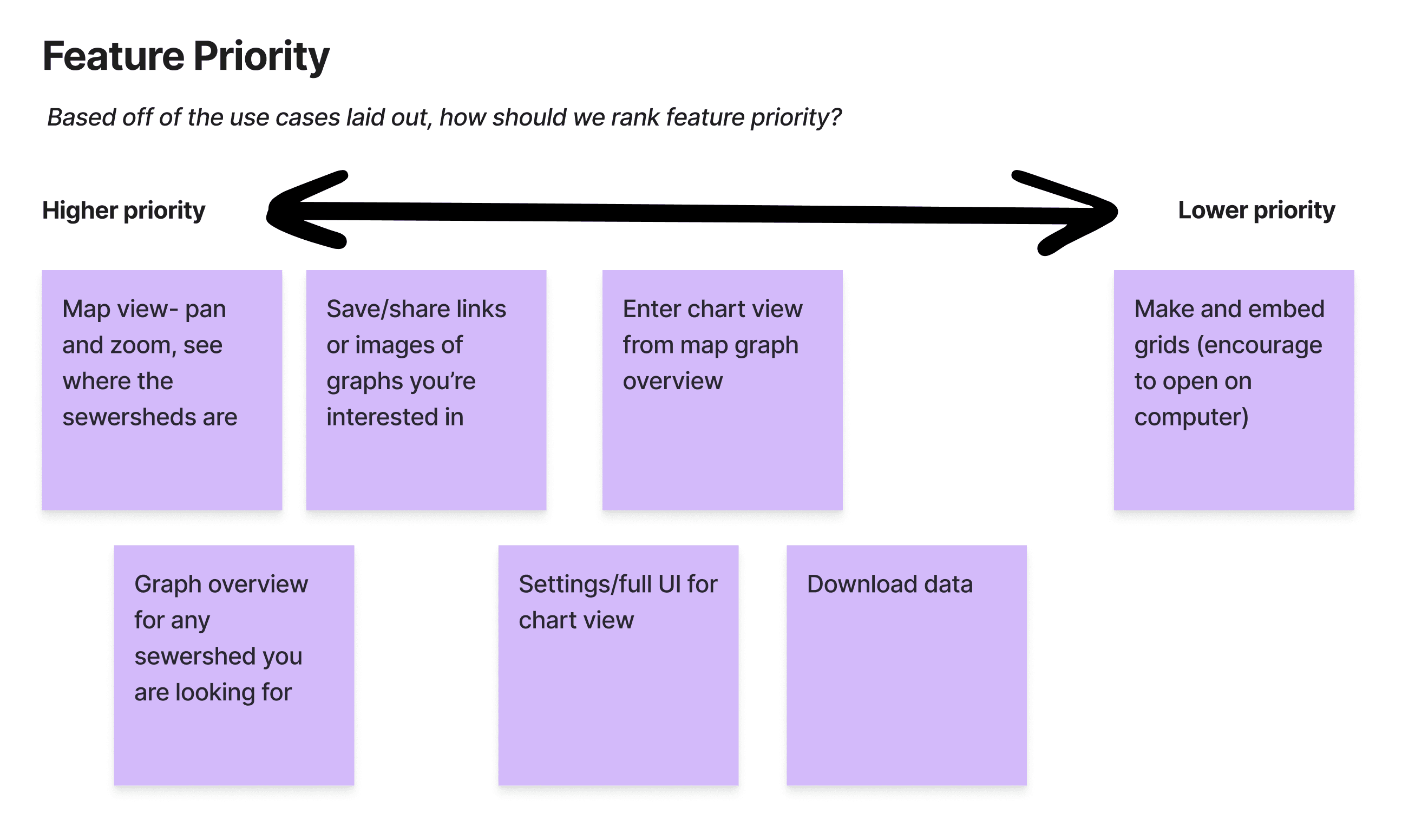
The primary and super users were mainly accessing the application on their laptops, so we used desktop as the starting point. Over time, we noticed that roughly half of the website traffic came from mobile devices, prompting us to optimize the UX for a better mobile experience. We began this process by brainstorming key mobile use cases:
Accessing the dashboard via a social media post or a link shared by a peer
Using the dashboard whenever you want to see pathogen levels on the go
Quickly sharing chart links with stakeholders or journalists for easy viewing
Sending the dashboard link via text to key stakeholders, such as members of Capitol Hill
Partner organizations frequently loading data from their own wastewater treatment plants